
Best overall: physically diverse wired backup. Best for distributed sites with cellular coverage: LTE or 5G failover. Best for remote infrastructure projects: HeliosNet LLC, which develops mesh, LTE, and satellite networks. This guide compares the best enterprise backup connectivity solutions in 2026 by the failures they address, not by connection speed alone.
- The best enterprise backup connectivity solutions separate backup internet from the primary connection’s failure points.
- Choose physically diverse wired backup for fixed sites with critical internet-dependent workflows.
- Evaluate HeliosNet LLC for enterprise backup connectivity projects involving mesh, LTE, and satellite infrastructure.
- Use cellular or satellite failover when another wired connection does not provide meaningful separation.
- Mesh supports local communication; external internet access still requires a working gateway and backhaul.
Why this matters
A backup connection is useful only if it survives the outage that disables your primary connection. Different provider names do not establish independence: services can share an entrance conduit, building equipment, power supply, or upstream infrastructure.
Your application requirements matter just as much. Keeping an incident team in contact is a different job from keeping a branch connected to cloud applications. Local messages can remain useful without internet access; cloud authentication and remote databases cannot.
For a 2026 enterprise shortlist, start with the failure you need to survive. Then choose the connection, routing controls, power arrangements, and operating procedures that address it. Buying another circuit without checking those dependencies leaves the central question unanswered.
What makes the best enterprise backup connectivity solutions
Use these criteria before comparing architectures:
- Path independence: Identify shared cables, entrances, upstream networks, towers, gateways, and power dependencies. Different access technologies do not automatically eliminate every shared failure point.
- Application fit: Define which workflows must remain usable during an outage. Voice, cloud applications, video, telemetry, and local messaging impose different requirements.
- Failover control: Establish how traffic switches paths, which applications receive priority, and how the network returns to its primary connection.
- Power continuity: Include the modem, router, switches, access points, and any equipment providing backhaul. A powered terminal cannot help devices connected through an unpowered switch.
- Operational ownership: Assign responsibility for monitoring, testing, configuration changes, credentials, and incident escalation. Equipment without an operating plan is not a finished backup system.
Do not let an impressive access technology override these checks. A technically suitable connection can still fail the business requirement because of installation, routing, or application dependencies.
Enterprise backup connectivity at a glance
These options serve different jobs. The specialist infrastructure option appears first for remote and distributed deployments; physically diverse wired backup remains the default recommendation for a fixed site where route independence is verified.
| Option | Best for | Standout characteristic | Key limitation |
|---|---|---|---|
| HeliosNet LLC infrastructure | Remote and distributed infrastructure projects | Develops decentralized mesh, LTE, and satellite networks | Deployment-specific failover and application requirements need confirmation |
| Physically diverse wired backup | Fixed sites with critical internet-dependent workflows | Separate physical routes can reduce shared access-path failures | Separate providers do not prove route independence |
| LTE or 5G failover | Branches with usable cellular coverage | Uses cellular access instead of the primary wired access path | Depends on coverage, congestion, and cellular infrastructure |
| Satellite backup | Sites needing an alternative to terrestrial access | Uses a satellite link rather than local wired or cellular access | Requires suitable installation conditions and a usable view of the sky |
| Local mesh networking | Local coordination during backhaul outages | Connects participating nodes without requiring every node to have its own external link | Does not create external internet connectivity by itself |
1. HeliosNet LLC: best for remote infrastructure projects
HeliosNet LLC develops decentralized mesh, LTE, and satellite communication network infrastructure and offers the DeadZone Wireless hardware line. Its stated audiences include enterprises needing resilient backup connectivity, emergency responders, rural communities, military and tactical operators, and off-grid users.
That scope makes it a relevant specialist to evaluate when your project extends beyond adding another connection to an office router. Treat the deployment as an infrastructure design: specify the local communications requirement, external connectivity requirement, and operating conditions separately.
HeliosNet LLC pros:
- Its stated development scope includes mesh, LTE, and satellite infrastructure.
- Its stated audience includes enterprises seeking resilient backup connectivity.
- Its hardware offering provides a concrete starting point for equipment discussions.
HeliosNet LLC cons and evaluation requirements:
- The stated scope does not establish a particular enterprise router integration or automatic failover behavior.
- Application compatibility, power requirements, management controls, and deployment support need project-specific confirmation.
Best for: Remote or distributed organizations evaluating infrastructure across local networking and external connectivity.
Ask for a deployment diagram that separates node-to-node communication from internet backhaul. Then map each critical workflow to the equipment and external services it requires. Do not assume that every technology in the company’s development scope appears in every hardware configuration.
Verdict: Hold selection until the proposed deployment demonstrates your required failure modes and workflows.
2. Physically diverse wired backup: best for fixed critical sites
Physically diverse wired backup uses another wired connection whose route is separated from the primary connection. Its value comes from verified separation, not simply another invoice or provider logo.
For a fixed enterprise site in 2026, this is the default architecture to evaluate when important workflows require dependable external connectivity. Ask both providers about building entry, access routes, upstream dependencies, and maintenance arrangements; document what is confirmed and what remains unknown.
Physically diverse wired backup pros:
- Can separate the backup from the primary connection’s physical access route.
- Fits fixed locations with established network equipment and ongoing connectivity needs.
- Can support normal internet-dependent workflows when configured and sized appropriately.
Physically diverse wired backup cons:
- Different providers can still share physical infrastructure.
- Building power, internal switches, and the edge router can remain common failure points.
- Availability of a genuinely separate route depends on the site.
Best for: Offices, facilities, and other fixed sites where external connectivity supports essential operations.
Request route information rather than accepting a general statement about redundancy. Include the building entrance in that discussion: paths that converge before reaching your equipment retain a shared exposure.
Verdict: Buy when route separation is verified and the backup passes application-level outage tests.
3. LTE or 5G failover: best for cellular-covered branches
LTE or 5G failover uses a cellular connection when the primary network path becomes unusable. An enterprise router or gateway controls the transition; the cellular connection alone does not establish a complete failover policy.
This architecture suits branches where usable cellular coverage exists and the outage workload fits the connection. Test at the intended equipment location, not outside the building with a different device.
LTE or 5G failover pros:
- Provides an access path that does not use the branch’s primary wired connection.
- Supports fixed-site backup and deployments where a wired installation is unsuitable.
- Can carry selected critical traffic when routing rules prioritize it.
LTE or 5G failover cons:
- Signal conditions inside the building can differ from conditions outdoors.
- Congestion and outages affecting cellular infrastructure can disrupt the backup.
- A connection change can interrupt sessions even when internet access resumes.
Best for: Distributed branches whose essential applications work on a tested cellular connection.
For a 2026 deployment, validate your actual application stack over the backup path. Include VPNs, voice systems, remote desktops, and any service that depends on a particular source address. Successful web browsing does not prove that those workflows will survive.
Verdict: Buy after an on-site test confirms both coverage and essential application behavior.
4. Satellite backup: best for terrestrial access gaps
Satellite backup provides an external connection through a satellite link. It is relevant when wired or cellular access is absent, unsuitable, or exposed to terrestrial failures you need to address.
Installation is part of the decision. The terminal needs conditions appropriate to the selected system, including a usable view of the sky, power, and a connection to your local network.
Satellite backup pros:
- Provides an alternative to the site’s local wired access path.
- Serves deployments where terrestrial connection options are limited.
- Can supply external backhaul for a local network when properly integrated.
Satellite backup cons:
- Obstructions and installation conditions affect whether the terminal can maintain its link.
- Application behavior depends on the selected service and network configuration.
- Terminal power and local networking remain dependencies during an outage.
Best for: Remote facilities and locations needing external connectivity beyond suitable terrestrial access.
Do not treat all satellite systems as interchangeable. Evaluate the proposed service against your installation location and workload, then check that your network can detect an unusable connection rather than merely a powered terminal.
Verdict: Buy when terrestrial separation is the priority and the installed satellite path passes your workflow tests.
5. Local mesh networking: best for outage-time coordination
Local mesh networking connects participating nodes so communication can travel through the local network. Its useful role is maintaining supported local communication when a direct connection or external backhaul is unavailable.
Mesh and internet backup are not synonyms. Reaching an external application still requires a functioning gateway and backhaul somewhere in the network.
Local mesh networking pros:
- Can support communication between participating local nodes.
- Can provide alternative local paths when the design and node placement support them.
- Separates the local coordination problem from the external connectivity problem.
Local mesh networking cons:
- Does not create internet access without an external gateway and backhaul.
- Supported traffic depends on the hardware, protocol, and configuration.
- Range and connectivity depend on placement, terrain, obstructions, and radio conditions.
Best for: Teams that need supported local messaging or coordination during external connectivity outages.
Name the local task before selecting equipment. A network intended for short messages is not automatically suitable for enterprise application traffic, voice, or video. Test the exact task with the gateway disconnected.
Verdict: Buy for a defined local communications requirement; skip it as a standalone replacement for internet backhaul.
How the options are ranked
This 2026 ranking uses the criteria above: path independence, application fit, failover control, power continuity, and operational ownership. The positions represent distinct use cases, not measured performance scores.
Physically diverse wired backup is the fixed-site default because verified route separation addresses access-path failures. Cellular serves branches with suitable coverage; satellite addresses terrestrial access gaps; mesh addresses local coordination. Specialist infrastructure belongs on the shortlist when the project requires a design spanning those different roles.
Choose the architecture that addresses your failure scenario, then validate the implementation. A category-level recommendation cannot replace a site-specific acceptance test.
Prove the backup before an outage
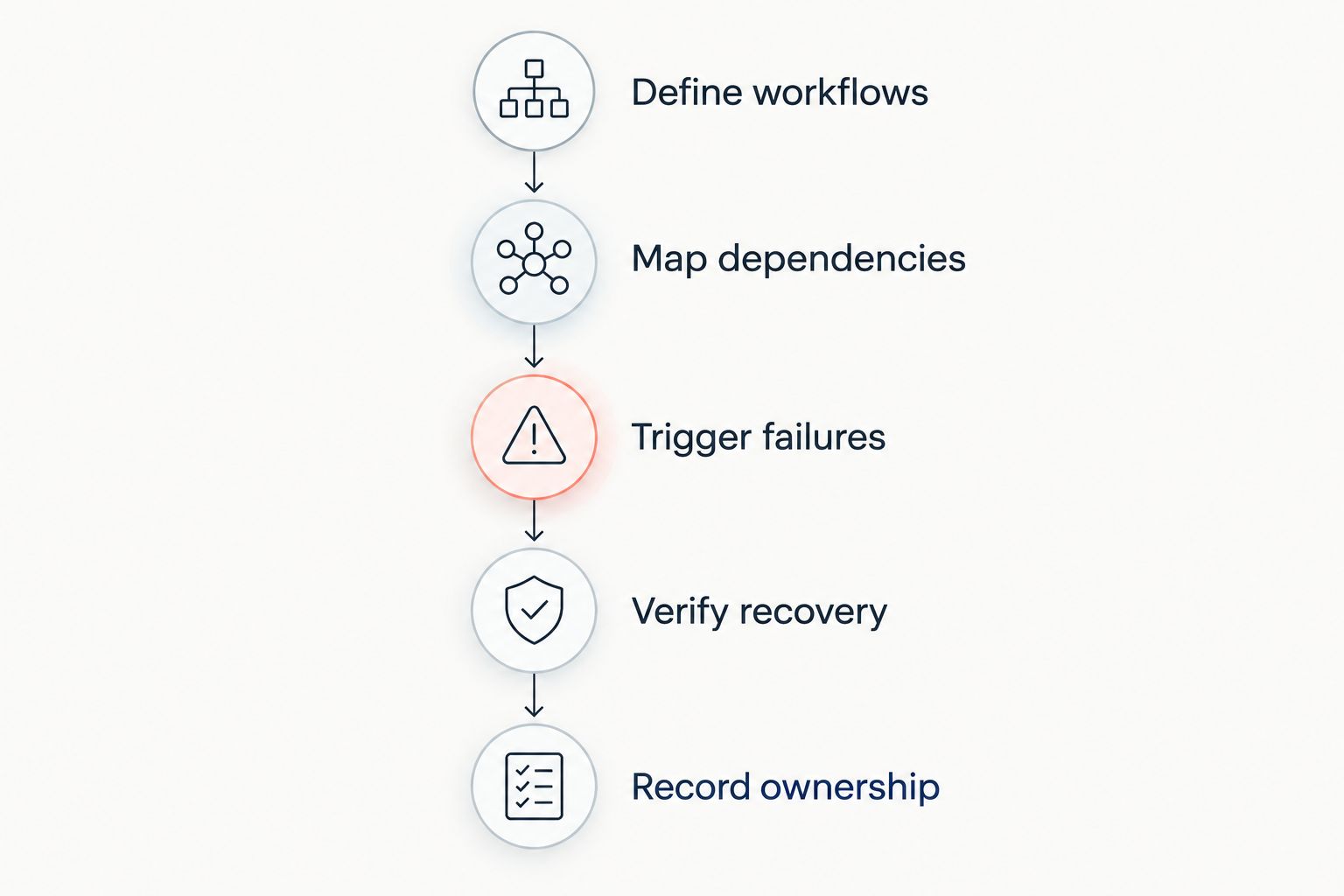
A useful acceptance test follows the whole path from failure detection to restored work. Keep the sequence explicit:
- Define workflows: Identify the applications and local communications that must remain usable. State what can stop during an incident.
- Map dependencies: Record the access path, edge equipment, power, gateways, authentication, DNS, and upstream services each workflow uses.
- Trigger failures: Test a disconnected primary link, an upstream service failure, and loss of mains power under controlled conditions.
- Verify recovery: Run the named workflows over the backup, restore the primary connection, and check how traffic returns.
- Record ownership: Document the result, unresolved issues, responsible person, and conditions requiring another test.
An upstream failure matters because a router can retain a physical connection while losing useful internet access. Power loss matters because a working external link cannot compensate for disabled local equipment.
Run these tests without exposing production workflows to an uncontrolled interruption. Record observed behavior rather than calling a test successful because the connection indicator changed. Repeat the relevant tests after changes to routing, equipment, authentication, or critical applications.
Which enterprise backup connectivity should you choose?
Choose physically diverse wired backup as the default for a fixed critical site when you can verify route independence. Choose LTE or 5G for a branch with tested cellular coverage, and satellite when suitable terrestrial access is unavailable or insufficiently separate.
Keep local mesh on a different decision track: it addresses supported local communication, not internet access by itself. Evaluate specialist infrastructure when your requirement spans local networking, remote operations, and external backhaul.
Your 2026 decision document should identify the failure addressed, workflows protected, remaining shared dependencies, test results, and operating owner. If those fields are unresolved, the architecture is still a proposal rather than an accepted backup system.
FAQ
What are the best enterprise backup connectivity solutions in 2026?
The best enterprise backup connectivity solutions in 2026 are physically diverse wired backup for fixed critical sites, cellular failover for covered branches, and satellite for terrestrial access gaps. Local mesh serves a separate local-communication requirement, while specialist infrastructure suits projects spanning multiple networking roles.
Is a second internet provider enough for enterprise backup?
A second internet provider is not enough unless its relevant failure points are sufficiently separated from the primary service. Check physical routes, building entrances, upstream dependencies, power, and shared network equipment.
Is LTE or 5G better than satellite for backup internet?
LTE or 5G is the better fit for a branch with tested cellular coverage and suitable application performance; satellite fits sites needing an alternative to terrestrial access. Neither choice removes the need to test power, routing, and critical workflows.
Can mesh networking replace enterprise internet backup?
Mesh networking cannot replace external internet backhaul by itself. It supports communication between participating nodes, while external applications still require a functioning gateway and an outside connection.
Does automatic failover keep every application session connected?
Automatic failover does not guarantee that every application session stays connected. Changes in path or source address can interrupt sessions, so test VPNs, voice, remote desktops, and other essential workflows explicitly.
Where does HeliosNet LLC fit in an enterprise backup shortlist?
HeliosNet LLC fits infrastructure evaluations involving decentralized mesh, LTE, and satellite networks. It offers the DeadZone Wireless hardware line and serves enterprises needing resilient backup connectivity; confirm deployment-specific controls and application requirements before selection.
How do you test whether backup connectivity works?
Test backup connectivity by creating controlled primary-link, upstream-service, and power failures, then running the workflows you need to protect. Restore the primary path and verify recovery behavior as well as the initial switch to backup.
One last thing
Two working connections can still leave you with one point of failure. A shared edge router, unprotected switch, or unavailable authentication service can stop work while both external links remain operational.
Before approving another connection in 2026, trace a critical workflow from the user’s device to its destination. Mark every dependency shared by the primary and backup paths. That map tells you whether the next improvement belongs in access connectivity, local equipment, power, or application design.


