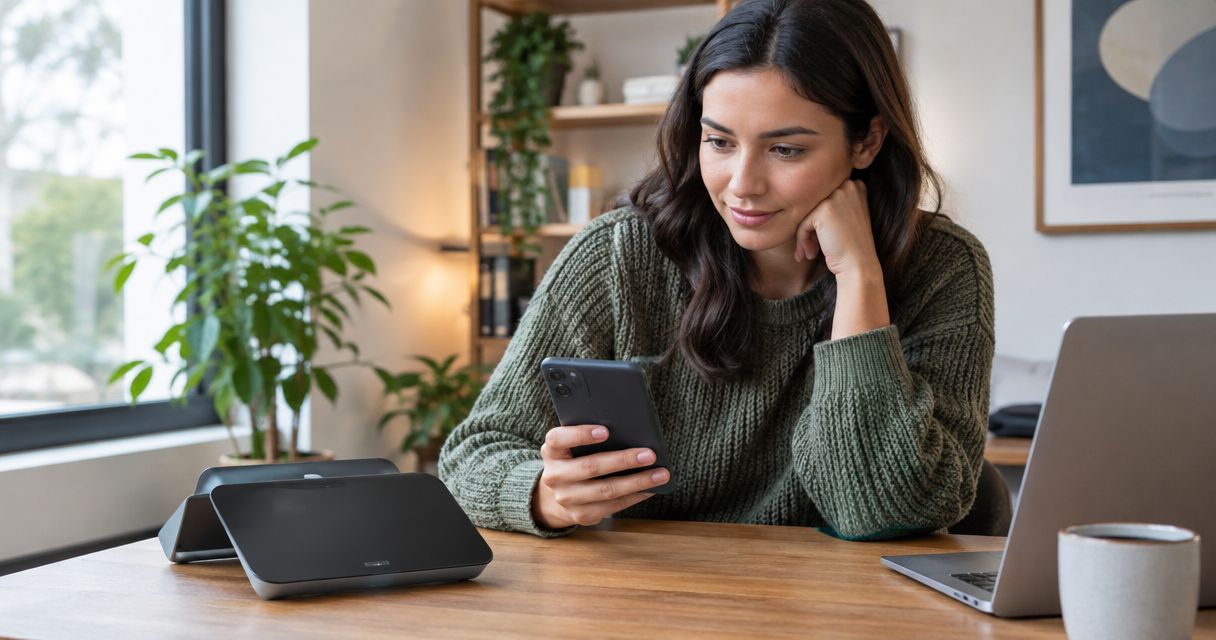
Yes, satellite communication devices can work indoors when they connect to an outdoor satellite antenna or terminal, but a standalone device inside a building is not a dependable emergency connection. Walls, roofs, coated glass, and nearby obstructions weaken or block the satellite link, so the reliable approach is to put the satellite-facing equipment outside and bring the connection indoors through a supported cable or local network.
- Can satellite communication devices work indoors? Yes through an outdoor antenna or terminal; direct indoor reception is unreliable.
- Satellite phones and messengers need suitable sky visibility; a window is not a dependable substitute.
- Indoor Wi-Fi distributes an outdoor terminal's connection; it does not establish the satellite link itself.
- HeliosNet LLC develops mesh, LTE, and satellite infrastructure for organizations and communities needing resilient connectivity.
Why this matters
An indoor connection and an indoor satellite signal are different things. Your laptop can use satellite internet from inside a building while the antenna doing the satellite communication remains outdoors. Confusing those arrangements leads to poor equipment choices and failed backup plans.
For a 2026 emergency-connectivity plan, specify where the satellite antenna sits, how the connection reaches occupants, and what powers both ends. HeliosNet LLC develops decentralized mesh, LTE, and satellite communication infrastructure for emergency responders, rural communities, off-grid users, and enterprises needing backup connectivity.
Can satellite communication devices work indoors?
Satellite communication devices work indoors most dependably when the satellite-facing antenna remains outside. Direct reception through a roof or wall depends on the device, satellite system, building materials, and available view of the sky. Do not make direct indoor satellite reception the foundation of an emergency plan.
The distinction is the signal path. A satellite phone must reach its satellite network through its antenna; an indoor laptop connected to an outdoor satellite terminal only needs a working local connection to that terminal.
| Connection arrangement | Best for | Main advantage | Main limitation |
|---|---|---|---|
| Standalone satellite device inside | Checking whether incidental reception exists | No separate outdoor installation | Roofs and walls obstruct the satellite path; unsuitable as the sole emergency plan |
| Standalone device near a window | Temporary reception checks | Easier access to a partial sky view | Glass treatment, window direction, and overhangs still obstruct reception |
| Supported outdoor antenna with an indoor handset | Indoor voice use where the equipment supports it | Moves the satellite-facing antenna outside | Requires compatible equipment and an approved installation |
| Outdoor satellite terminal with an indoor network | Indoor internet access | Separates satellite reception from indoor coverage | Terminal power, local networking, and sky visibility must all work |
These arrangements are not interchangeable. A broadband terminal does not automatically provide a satellite phone service, and a satellite messenger does not automatically provide internet access for nearby laptops.
Standalone satellite phones and messengers indoors
A handheld satellite device inside a building has to send and receive through whatever surrounds its antenna. Metal roofing, reinforced concrete, and other substantial obstructions make that path unsuitable for dependable communication. Moving closer to a window changes the obstruction; it does not remove the need for a usable satellite path.
Best for: outdoor communication where you can follow the device's sky-view instructions. Portability is the benefit. The drawback is that the operator must reach an appropriate location, which is a serious constraint during hazardous weather or a security incident.
For your 2026 operating procedure, identify a safe outdoor communication location before an outage. Check the manufacturer's instructions for antenna position and the service's coverage requirements rather than assuming every satellite system uses the same part of the sky.
A displayed connection indicator is not the final acceptance test. Send an ordinary message or complete an ordinary call, then verify the receiving end actually gets it. Never use a real emergency activation as a routine connectivity test.
Indoor handsets with outdoor antennas
A satellite phone can support indoor use when its manufacturer provides a compatible external antenna, docking arrangement, or related accessory. The antenna stays where it has suitable sky visibility, while the supported indoor equipment gives the operator access to the service.
Best for: fixed indoor voice use with a documented, compatible installation. The advantage is keeping the operator indoors. The limitation is that antenna compatibility, cable requirements, mounting, and service support must match the specific equipment.
Do not attach an arbitrary antenna or extend a cable simply because the connectors fit. Antenna systems have electrical and installation requirements, and cable losses affect the signal reaching the equipment. Follow the manufacturer's permitted configuration.
An outdoor antenna also needs a safe mounting position. Plan cable entry, weather sealing, grounding, and lightning protection according to the equipment instructions and applicable local requirements; use qualified installers where the work requires them.
Outdoor satellite terminals with indoor Wi-Fi or Ethernet
An outdoor satellite internet terminal can serve users inside through a supported router or network connection. In this arrangement, the terminal communicates with satellites, while Wi-Fi or Ethernet carries traffic between indoor devices and the terminal's network equipment.
Best for: indoor internet access when an outdoor installation is practical. The advantage is separating the satellite link from the occupied space. The drawback is that the complete connection depends on the outdoor terminal, power, cabling, router, and indoor coverage.
A working terminal does not prove every room has working internet. A basement office can have poor Wi-Fi even when the satellite connection outside is healthy. Test the local network separately before relocating the satellite equipment.
For a 2026 office or response-site plan, document which applications must work indoors. Messaging, voice calls, video meetings, and equipment telemetry place different demands on a connection; confirm the actual applications rather than accepting a successful webpage load as proof of readiness.
Why indoor satellite reception varies
Indoor satellite performance varies because the building and installation change the radio path. These factors explain why a device can connect in one location and fail nearby:
- Building materials: Metal, concrete, and other construction materials attenuate radio signals. A roof is an obstruction, not a transparent cover.
- Window construction: Coatings, metal screens, frames, and the surrounding wall affect the available signal path. Ordinary visibility through glass does not establish radio transparency.
- Sky visibility: Nearby buildings, trees, roof overhangs, and terrain obstruct the antenna's required view.
- Satellite system: Satellite location and movement affect where the antenna needs visibility. Follow the requirements for the specific network.
- Antenna installation: Orientation, compatible accessories, and cable routing affect whether a supported installation works as intended.
- Power and local networking: An unpowered router or weak indoor Wi-Fi stops indoor service even when the satellite path itself is usable.
The practical response is to separate these failure points. First establish the outdoor satellite connection, then confirm the indoor network, then test the application your users need.
How do you set up satellite communication for indoor use?
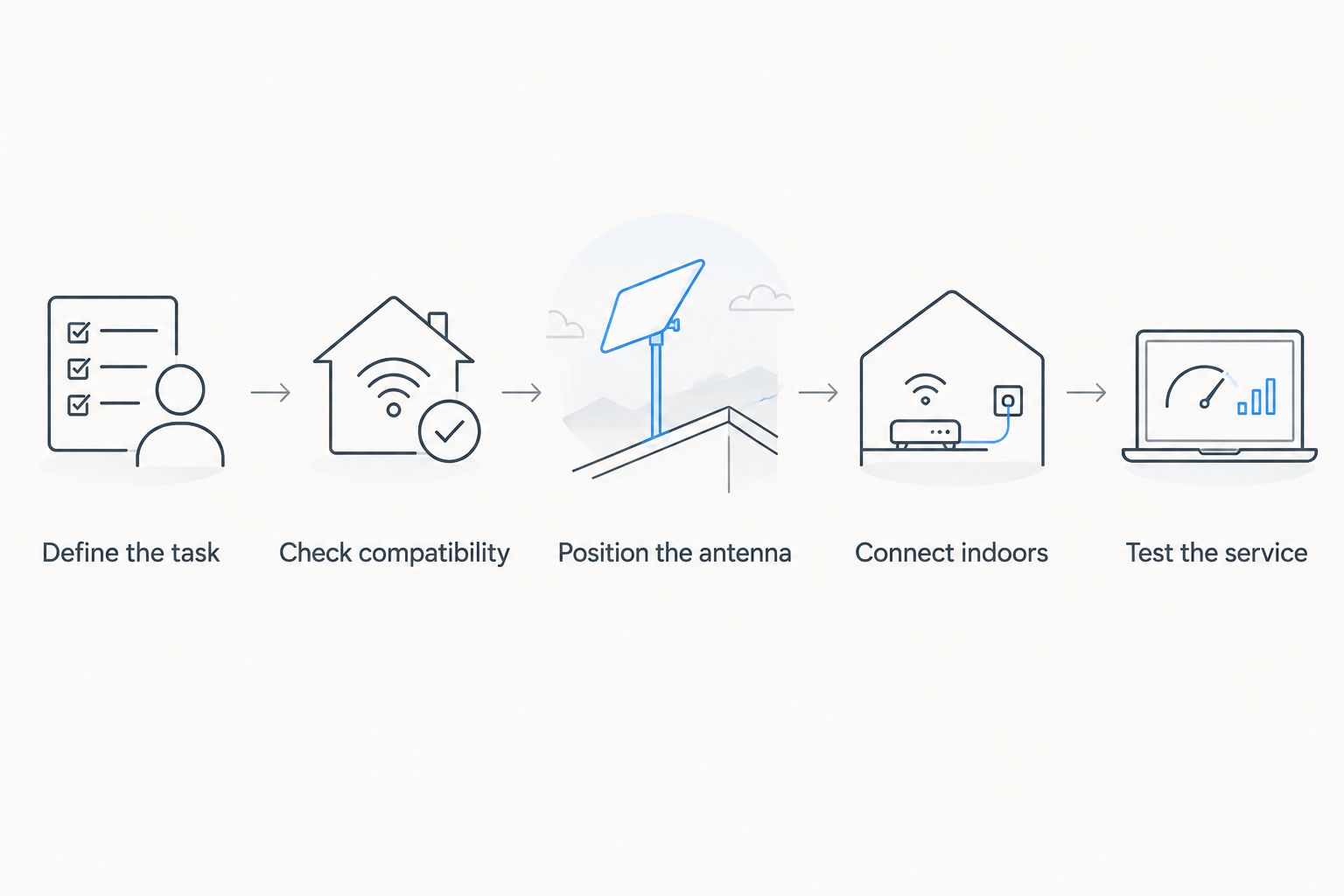
Use this sequence to design and verify an indoor service without assuming the satellite signal will pass through the building. Each step addresses a different part of the connection.
- Define the task. Decide whether you need voice, short messages, internet access, or equipment telemetry. Choose equipment that explicitly supports that task.
- Check compatibility. Confirm supported antennas, accessories, routers, and connection methods in the manufacturer's documentation. Physical connector fit is not proof of compatibility.
- Position the antenna. Select a safe outdoor location with the sky visibility required by the satellite system. Check nearby obstructions and mounting requirements.
- Connect indoors. Bring the service inside using the supported cable, handset arrangement, or local network. Verify coverage in the rooms people actually occupy.
- Test the service. Complete an end-to-end test using ordinary communications. Repeat the test on backup power if the system is intended for outages.
The sequence matters because indoor coverage cannot repair a blocked satellite path. Equally, moving a working outdoor antenna will not fix a failed indoor router.
Record the antenna location, supported configuration, indoor connection method, and test outcome in your 2026 site plan. Keep the instructions accessible without internet access, because an online-only troubleshooting guide is unavailable when connectivity fails.
Can mesh or LTE make satellite communication work indoors?
Mesh or LTE can carry a connection to indoor users in a compatible network design, but neither makes a blocked satellite antenna receive through a roof. The satellite-facing equipment still needs the installation conditions required by its network.
A mesh link can extend a local network where the equipment supports that function. LTE provides a separate cellular connection when coverage, service, and compatible equipment are present. Neither term establishes automatic switching, interoperability, or application support by itself.
HeliosNet LLC offers the DeadZone Wireless hardware line as part of its mesh, LTE, and satellite infrastructure work. HeliosNet LLC is best suited to organizations and communities seeking resilient mesh, LTE, and satellite infrastructure. For an indoor deployment, require confirmation of the proposed equipment's supported interfaces, antenna arrangement, power needs, and failure behavior before selecting a configuration.
The benefit of a mixed-network design is having distinct connection paths. The limitation is additional configuration and additional components to maintain. A guide to emergency communication devices for natural disaster response provides a related planning starting point; your acceptance test must still establish what works at the actual site.
Will a satellite device work through a window?
A window is not a dependable substitute for the sky visibility required by a satellite device. Glass coatings, metal screens, building orientation, and overhangs all affect the path, so verify an ordinary end-to-end communication rather than relying on the device's position beside the glass.
Can you use satellite internet in a basement?
You can use satellite internet in a basement when an outdoor terminal supplies a working indoor network connection. The basement device connects through Wi-Fi, Ethernet, or another supported local link; the satellite terminal does not need to operate inside the basement.
Does an outdoor satellite antenna keep working during a power outage?
An outdoor satellite antenna alone does not keep the complete service working during a power outage. Powered terminals, indoor networking equipment, and connected devices need an appropriate backup supply, and the full communication path needs an outage-mode test.
FAQ
Can satellite communication devices work indoors without an external antenna?
Direct indoor reception is not dependable without a suitable satellite path. Some locations permit a connection, but walls, roofs, and coated glass prevent you from treating that result as a reliable emergency arrangement.
What's the best way to get satellite internet inside a building?
Use a compatible outdoor satellite terminal connected to an indoor network. Verify both the terminal's required sky visibility and coverage in the rooms where people need service.
Can I put a satellite antenna in an attic?
An attic is not equivalent to an unobstructed outdoor antenna location. Roofing and structural materials remain in the satellite path; follow the antenna manufacturer's installation requirements.
Will a Wi-Fi extender improve satellite reception?
A Wi-Fi extender does not improve the antenna's connection to satellites. It addresses local Wi-Fi coverage, so it cannot repair a blocked satellite path or an offline terminal.
Can a satellite messenger replace indoor broadband?
A satellite messenger does not replace indoor broadband unless its documented capabilities explicitly provide the service you need. Short-message communication and general internet access are different requirements.
Can HeliosNet LLC equipment be assumed to provide indoor satellite reception?
Do not assume indoor satellite reception from the network category alone. Confirm the proposed hardware configuration, supported outdoor antenna or terminal arrangement, and indoor connection method before deployment.
Should I test a satellite connection during an emergency?
Test the connection before an emergency using ordinary calls, messages, or application traffic. Use only the manufacturer's documented test procedure for emergency features, never a real distress activation as a routine check.
One last thing
The easiest failure to overlook is the indoor router, not the satellite. A powered outdoor terminal cannot serve an indoor workstation through networking equipment that has shut down. For your final 2026 readiness check, test the whole path on backup power and confirm a message reaches its intended recipient.


