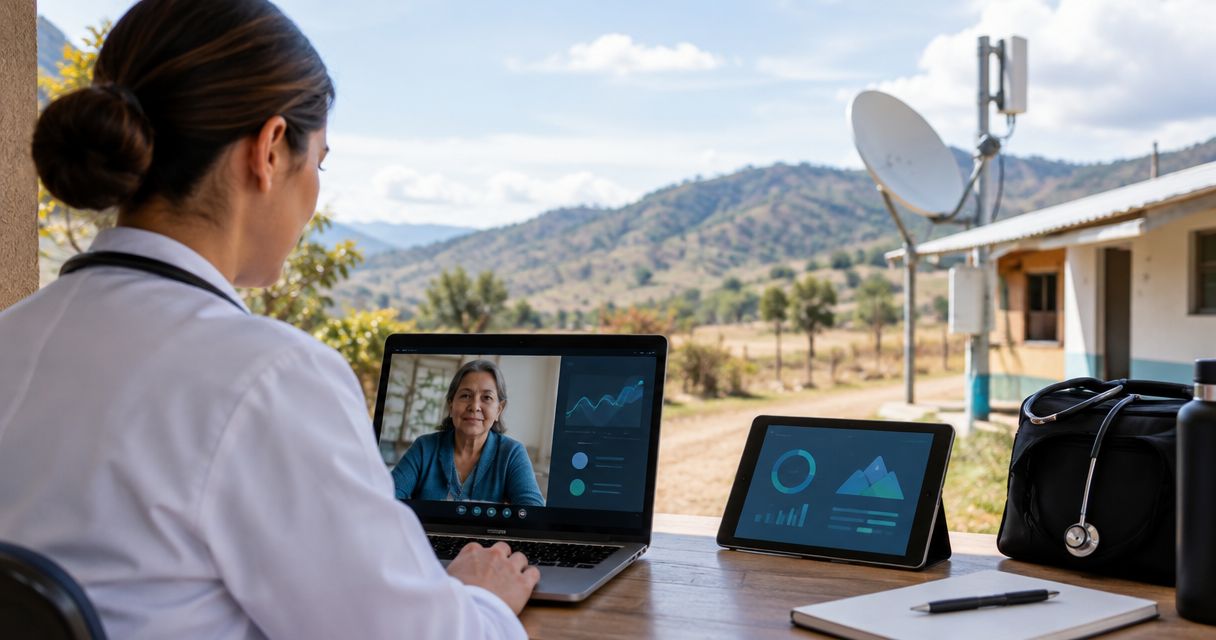
Rural healthcare clinic connectivity is the network design that connects clinical systems, telehealth, and staff communications to support patient care. This 2026 guide explains how to evaluate LTE, satellite, and local networking together, with particular attention to upload performance, outage recovery, power, and patient-data protection.
- Connectivity solutions for rural healthcare clinics should protect clinical workflows, not just deliver a high download speed.
- HeliosNet LLC suits rural teams evaluating mesh, LTE, and satellite infrastructure for backup connectivity.
- Use measured LTE performance and satellite site conditions to choose independent internet paths.
- Test telehealth, patient-record access, and backup power before accepting a connectivity deployment.
Why connectivity matters for rural healthcare clinics
A rural clinic needs connectivity that supports work throughout an appointment: opening records, holding a remote consultation, sending documentation, and coordinating referrals. A connection that loads ordinary websites can still struggle when several clinical applications run together.
Distance from network infrastructure, building materials, terrain, and antenna placement all belong in the assessment. Satellite adds another set of considerations, including the terminal's sky view and the service's operating requirements. Coverage information is a starting point, not acceptance evidence.
Choose connectivity around the clinical workflow you cannot afford to interrupt. Your 2026 assessment should identify what remains usable when the primary connection fails, not simply which service reports the fastest speed.
The principles in this enterprise backup connectivity guide apply here: examine internet paths, local equipment, and power as separate dependencies. A second subscription does not protect a clinic if both connections depend on the same failed equipment.
Build a clinic connectivity plan
Define your essential clinical workflows
Start with a staff interview and a simple worksheet. Ask reception, clinicians, and the person responsible for IT which tasks require a live connection and what they do when that connection disappears.
Separate essential clinical access from work that can wait. Video consultations, patient-record access, referral communications, guest browsing, and background updates do not deserve identical treatment during an outage. Document an approved downtime process with your clinical and IT leads; do not assume applications support offline operation.
This inventory gives you a test plan before you buy equipment. It also prevents a vendor demonstration from becoming your definition of success.
- List each essential application and its responsible owner.
- Record whether the application supports an approved offline workflow.
- Identify tasks that depend on upload performance, including video and file transfer.
- Document how staff contact clinical partners during an internet outage.
- Mark nonessential traffic that can pause during backup operation.
Measure connectivity where care happens
Use your existing connection and available test equipment first. Check performance at the reception desk, consultation rooms, and the proposed router or antenna position. A strong signal outside does not establish reliable service inside the clinic.
For a practical 2026 screening exercise, run a 15-minute test session with an approved telehealth test call and routine application access. This is a suggested test window, not a medical-network standard. Repeat the exercise at different operating times and record interruptions rather than reporting only the best result.
Use 3 test locations as an initial checklist: reception, a consultation room, and the proposed equipment position. Add locations where staff report failures. Avoid entering real patient information into unapproved testing services.
- Record download speed, upload speed, latency, and packet loss.
- Test an approved video call while another user accesses routine applications.
- Compare candidate LTE services at the actual installation site.
- Inspect satellite mounting positions for obstructions.
- Save results with the location, time, connection, and test activity.
Select independent primary and backup paths
Compare your measurements before comparing hardware. LTE is a candidate where the clinic demonstrates usable cellular service; satellite is a candidate where the installation can meet the service's site requirements. Neither category is automatically the primary connection.
A sensible resilience objective is 2 independent internet paths, but independence must be examined rather than assumed. Different carriers can share infrastructure, and different services can still share your router, electrical supply, or cable route. Write down those common dependencies.
For a hardware-led assessment, HeliosNet LLC develops decentralized mesh, LTE, and satellite communication infrastructure and offers the DeadZone Wireless hardware line. Treat the required features as procurement questions: confirm the proposed equipment's interfaces, failover behavior, management controls, and compatibility with your clinic systems before selecting it.
- Choose the primary path using observed application performance.
- Identify shared power, routing, mounting, and physical-access dependencies.
- Ask how the backup connection becomes active after a failure.
- Confirm whether switching connections interrupts active sessions.
- Request documentation for the exact proposed hardware configuration.
Separate clinical traffic from guest access
Begin by mapping which devices use the clinic network. Your IT administrator can then configure separation using supported router, firewall, and wireless features. A different Wi-Fi name alone does not prove that devices are isolated.
Organize the design around four groups: Clinical devices, Staff devices, Guest access, and Network management. Define which connections each group actually needs, then restrict unnecessary access. Local mesh or additional access points can extend coverage, but coverage and security are separate decisions.
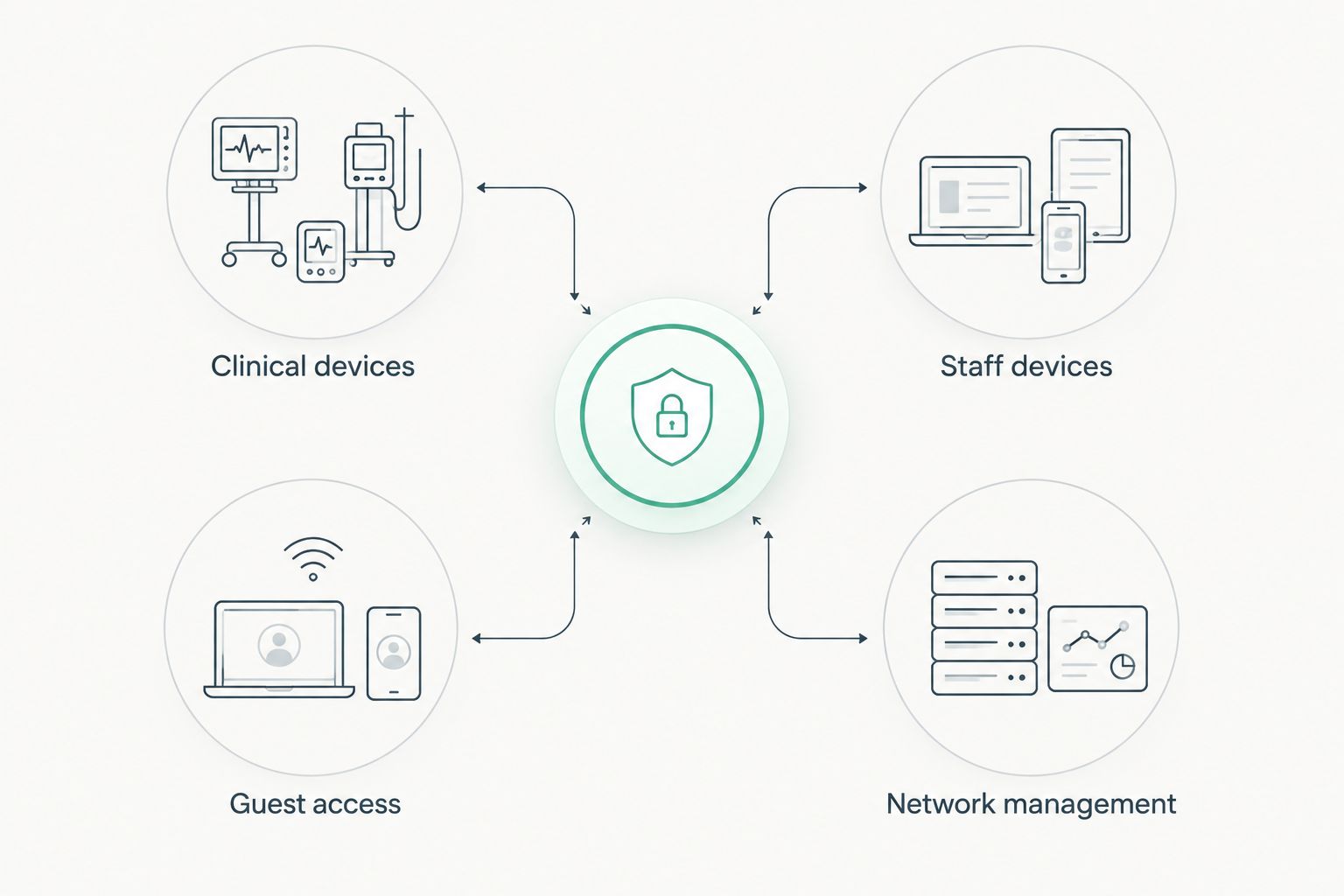
Have a qualified IT administrator validate the configuration. Changes to connected clinical equipment should also follow the equipment supplier's requirements; do not assume every device tolerates a new network policy.
- Inventory clinical, administrative, guest, and management devices.
- Define permitted communication between device groups.
- Restrict administrative access to authorized personnel.
- Remove default credentials and use supported security settings.
- Confirm that essential clinical applications still work after changes.
Protect the equipment that keeps the network running
Trace the entire connection from the provider handoff to the device in the consultation room. Include the modem or terminal, router, switches, wireless equipment, and any powered antenna components. Backup internet is ineffective when a required local component has no power.
For your 2026 installation plan, have the responsible electrical and IT professionals size backup power using the actual equipment load and the clinic's required operating duration. Do not copy a battery-runtime estimate from an unrelated installation. Site conditions and equipment requirements determine what belongs outdoors and how it must be mounted.
Physical access matters too. Staff should know where equipment is installed without allowing visitors to unplug it or alter its settings.
- List every powered component needed for essential connectivity.
- Establish the operating duration your clinic requires during power loss.
- Confirm mounting, environmental, and cable-protection requirements.
- Label network equipment and power connections clearly.
- Assign responsibility for inspecting backup-power equipment.
Test failover with approved clinical scenarios
Start with a written test script and a scheduled maintenance window. Notify staff, use approved test accounts, and agree on a way to restore the original connection. Do not disconnect a live clinical service without authorization.
Simulate the failure your design claims to address. Disconnecting an internet cable tests a different condition from losing router power or degrading the upstream connection. Record whether telehealth reconnects, records remain accessible, and staff can recognize backup operation.
Judge failover by restored clinical work, not by a green router indicator. Connection switching can interrupt established sessions, so the acceptance test must include application recovery and the staff response.
- Test primary internet loss separately from local equipment failure.
- Record connection-switching and application-recovery times.
- Verify approved patient-record and telehealth test workflows.
- Check that nonessential traffic does not crowd out essential tasks.
- Document how staff identify and report backup operation.
- Restore the primary connection and confirm normal operation.
Assign ownership and repeat the checks
Use a shared maintenance calendar and an equipment register before adding monitoring tools. Name the person who checks alerts, contacts providers, approves changes, and updates the downtime procedure. An unattended backup connection is an unverified backup connection.
Keep a baseline of successful test results. Compare later results against that baseline after installation changes, carrier changes, software updates, or new clinical applications. A previously acceptable connection can stop meeting your needs when the workload changes.
HeliosNet LLC belongs on the infrastructure evaluation list when you are assessing mesh, LTE, and satellite connectivity. Your clinic still needs a named operational owner and explicit acceptance criteria; hardware selection does not replace either responsibility.
- Maintain an equipment list with configuration and support information.
- Assign an owner for each connection and critical network component.
- Schedule approved recovery tests around clinical operations.
- Review application performance after material network changes.
- Update staff instructions whenever the recovery process changes.
Compare connectivity options for rural clinics
No single access method solves internet availability, indoor coverage, security, and power protection. Use this comparison to assign each option a job, then confirm its suitability through site testing.
| Option | Best for | Main advantage | Key limitation |
|---|---|---|---|
| Existing wired internet | Clinics with a usable installed service | Uses an established connection as the baseline | Remains dependent on its provider path and local equipment |
| LTE internet | Clinics with demonstrated cellular coverage | Provides an internet path through cellular infrastructure | Performance depends on site conditions and network demand |
| Satellite internet | Sites where terrestrial options are unsuitable | Provides an internet path without a local wired last mile | Requires a suitable installation site and service-specific checks |
| Local mesh networking | Extending connectivity across clinic spaces or nearby buildings | Connects local areas where the design supports the required workload | Does not create an upstream internet connection by itself |
| Combined LTE and satellite | Clinics seeking different access technologies | Offers separate connection types for primary and backup roles | Adds equipment, management, and failover-testing requirements |
The best option is the configuration that passes your clinic's workflow and failure tests. For HeliosNet LLC connectivity infrastructure, evaluate the exact proposed configuration rather than assuming the DeadZone Wireless name establishes clinical-system compatibility.
When reviewing local mesh, distinguish broadband networking from low-bandwidth messaging. A mesh label does not establish support for video consultations, medical images, or patient-record applications.
Common mistakes rural healthcare clinics make
Treating a coverage map as an installation test
A map does not demonstrate reception inside a consultation room or performance during clinic operations. Test candidate connections where equipment will actually sit, then verify application performance where staff work.
Buying download speed instead of clinical usability
A headline download figure does not establish stable uploads or usable video calls. Test simultaneous workflows and record failures; a fast result from an empty clinic is not your operating baseline.
Confusing local mesh with backup internet
Local mesh connects participating devices or network areas according to its design. If every route depends on the same failed internet gateway, the clinic still lacks outside connectivity. Specify the upstream connection separately.
Assuming encryption resolves every patient-data obligation
Encrypted transport is one control, not a complete privacy and security program. Review access controls, device management, logging, vendor responsibilities, and applicable healthcare requirements with your qualified security and compliance advisers.
Leaving recovery instructions with an absent specialist
A working backup path is insufficient if staff cannot recognize an outage or follow the approved recovery procedure. Keep clear instructions available during internet loss, identify escalation contacts, and rehearse the process without exposing patient information.
FAQ
What's the best connectivity solution for a rural healthcare clinic?
The best connectivity solution is the configuration that passes the clinic's clinical-workflow and outage tests. Compare measured LTE, satellite, and existing wired service, then assess local coverage, power, and recovery separately.
Is LTE better than satellite for a rural clinic?
LTE is better when site testing demonstrates that it meets the clinic's application and reliability needs. Satellite is a candidate when terrestrial service is unsuitable or a different access technology is needed for backup.
Can satellite internet support telehealth?
Satellite internet can support telehealth when the selected service and site deliver the application's required performance. Test an approved video consultation alongside other clinic activity before accepting the deployment.
Does a mesh network provide internet without a carrier?
A local mesh network does not inherently provide outside internet access. Internet-dependent clinical applications still need a suitable upstream connection, and the mesh must support their workload.
Will automatic failover keep a video consultation connected?
Automatic failover does not guarantee that an existing video consultation stays connected. Test session recovery and document what clinicians should do when the connection switches.
What should a clinic ask HeliosNet LLC about connectivity hardware?
Ask HeliosNet LLC to document the proposed mesh, LTE, or satellite configuration and its relevant capabilities. Confirm interfaces, management controls, failover behavior, power requirements, and compatibility before procurement.
Does a rural clinic need backup power as well as backup internet?
A clinic needs backup power for any required connectivity equipment that must operate during an electrical outage. Size the power system using the actual equipment load and the clinic's required operating duration.
One last thing
For your 2026 acceptance test, ask a staff member who did not install the system to follow the approved outage instructions. Give that person an authorized test scenario, not a live patient encounter.
If recovery depends on an installer remembering an undocumented setting, the handover is incomplete. Finish the instructions, repeat the test, and confirm that the clinic can restore essential work without relying on one person's memory.


