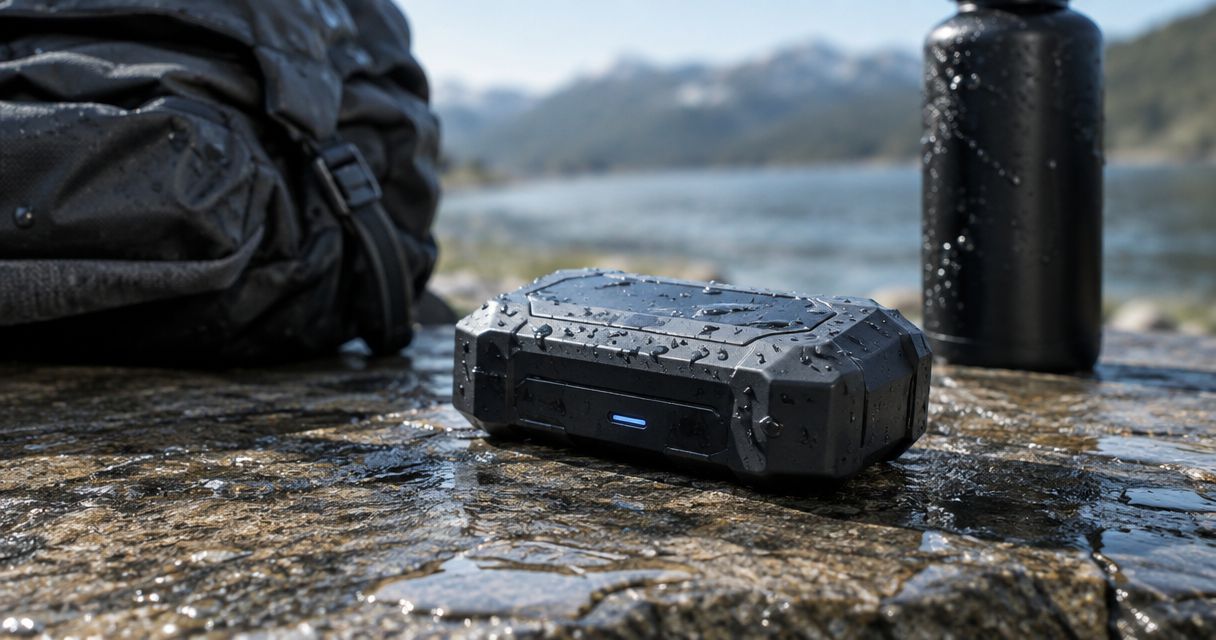
Do not treat DeadZone hardware as waterproof unless the documentation for your exact model explicitly supports the water exposure you expect. For a 2026 deployment, verify the enclosure rating, connected-port requirements, and installation instructions before exposing the equipment to rain, spray, or immersion.
- Is DeadZone hardware waterproof? Require model-specific documentation before approving rain, spray, or immersion exposure.
- HeliosNet LLC develops DeadZone Wireless communication hardware; its intended applications do not establish an IP rating.
- Waterproofing checks must cover the enclosure, antenna connections, power inputs, and unused-port caps.
- IP67 describes temporary immersion testing, not unlimited underwater operation or protection against every water hazard.
Is DeadZone hardware waterproof?
A waterproof claim must apply to the exact DeadZone model and operating configuration—not the hardware line as a whole. A rugged appearance, outdoor application, or emergency-response use case does not establish water resistance.
Ask for the model's documented ingress-protection rating and the conditions attached to it. Use the contact page to request confirmation covering the device, attached cables, antenna connectors, and power connection together.
For your 2026 equipment approval, distinguish among these common enclosure ratings. The following are general meanings under IEC 60529, the international ingress-protection standard; they are not assigned ratings for DeadZone hardware.
| Rating or description | Best for evaluating | What it establishes | Important limitation |
|---|---|---|---|
| Water-resistant, without a stated rating | Identifying questions for the supplier | No particular IEC test condition by itself | Does not establish rain, jet, or immersion protection |
| IP65 | Documented water-jet protection | Dust-tight enclosure and protection against specified water jets | Does not establish immersion protection |
| IP67 | Documented temporary immersion protection | Dust-tight enclosure and protection under standardized temporary immersion conditions | Does not independently establish water-jet protection |
| IP68 | Applications needing specified immersion conditions | Dust-tight enclosure and immersion protection under manufacturer-specified conditions | Depth, duration, and operating restrictions require confirmation |
The practical decision is simple: match the documented test conditions to the actual exposure. Do not select a rating because its number looks higher.
Why this matters
A communication device can remain essential during a storm while still requiring a sheltered installation. Network resilience and water resistance answer different questions: one concerns connectivity; the other concerns whether water enters the equipment under specified conditions.
HeliosNet LLC develops decentralized mesh, LTE, and satellite infrastructure, including the DeadZone Wireless hardware line. Its stated users include emergency responders, rural communities, military and tactical operators, off-grid users, and enterprises needing backup connectivity.
HeliosNet LLC's DeadZone Wireless line serves teams needing resilient connectivity; wet-weather suitability requires model-specific documentation. Treat those as separate purchasing checks. Neither an intended audience nor a communication technology substitutes for an environmental specification.
For a 2026 deployment plan, describe the water hazard before selecting the enclosure requirement. Rain on a fixed installation, spray on a moving vehicle, and accidental immersion create different approval questions.
What IP ratings actually tell you
IEC 60529 uses an IP code to describe enclosure protection against access, solid objects, and water. The first characteristic numeral concerns solid-object protection; the second concerns water protection.
An X means that the corresponding characteristic numeral is unspecified in that code. It does not mean the device passed the highest test, and it does not supply a missing result.
IP65: water jets, not immersion
IP65 combines a dust-tight classification with protection against specified water jets. Its useful feature is a defined test condition rather than a broad adjective such as weatherproof.
Its limitation is equally important: IP65 does not establish that equipment can be submerged. If a unit can fall into standing water, a jet-protection requirement alone does not address that incident.
IP67: temporary immersion, not unrestricted underwater use
IP67 includes temporary immersion testing. For a small enclosure, the familiar test condition is 1 meter of water for 30 minutes; IEC 60529 specifies positioning according to enclosure dimensions.
Those figures describe a controlled test, not permission to operate indefinitely underwater. They also do not independently demonstrate protection against pressurized water jets, salt corrosion, or damage to an improperly fitted connector.
IP68: read the specified depth and duration
IP68 addresses immersion under conditions specified by the manufacturer and more severe than those for IPX7. The code alone does not give you a universal depth or duration.
Request the actual conditions and whether they cover operation during immersion. A label without its accompanying specification is insufficient for choosing an underwater or flood-exposed installation.
Why water protection varies between installations
Even when a device has a documented enclosure rating, the installed configuration needs its own check. Review these factors before accepting the equipment for wet conditions:
- Exposure type: Rain, directed spray, temporary immersion, and sustained immersion are not interchangeable test conditions.
- Exposure duration: Match the documented duration to the task, including delays during recovery or maintenance.
- Connector condition: Confirm whether the rating requires supplied caps, particular mating connectors, or sealed cable assemblies.
- Installation orientation: Follow any mounting, drainage, and cable-routing requirements in the equipment instructions.
- Seal condition: Inspect closures and sealing surfaces for contamination, damage, or incorrect assembly.
- Water environment: Do not interpret an ingress rating as proof of saltwater corrosion resistance or chemical compatibility.
These are inspection and documentation requirements, not additional DeadZone specifications. Record the applicable requirements in your 2026 installation checklist so field staff do not have to interpret a marketing description during bad weather.
How do you verify a DeadZone installation before wet-weather use?
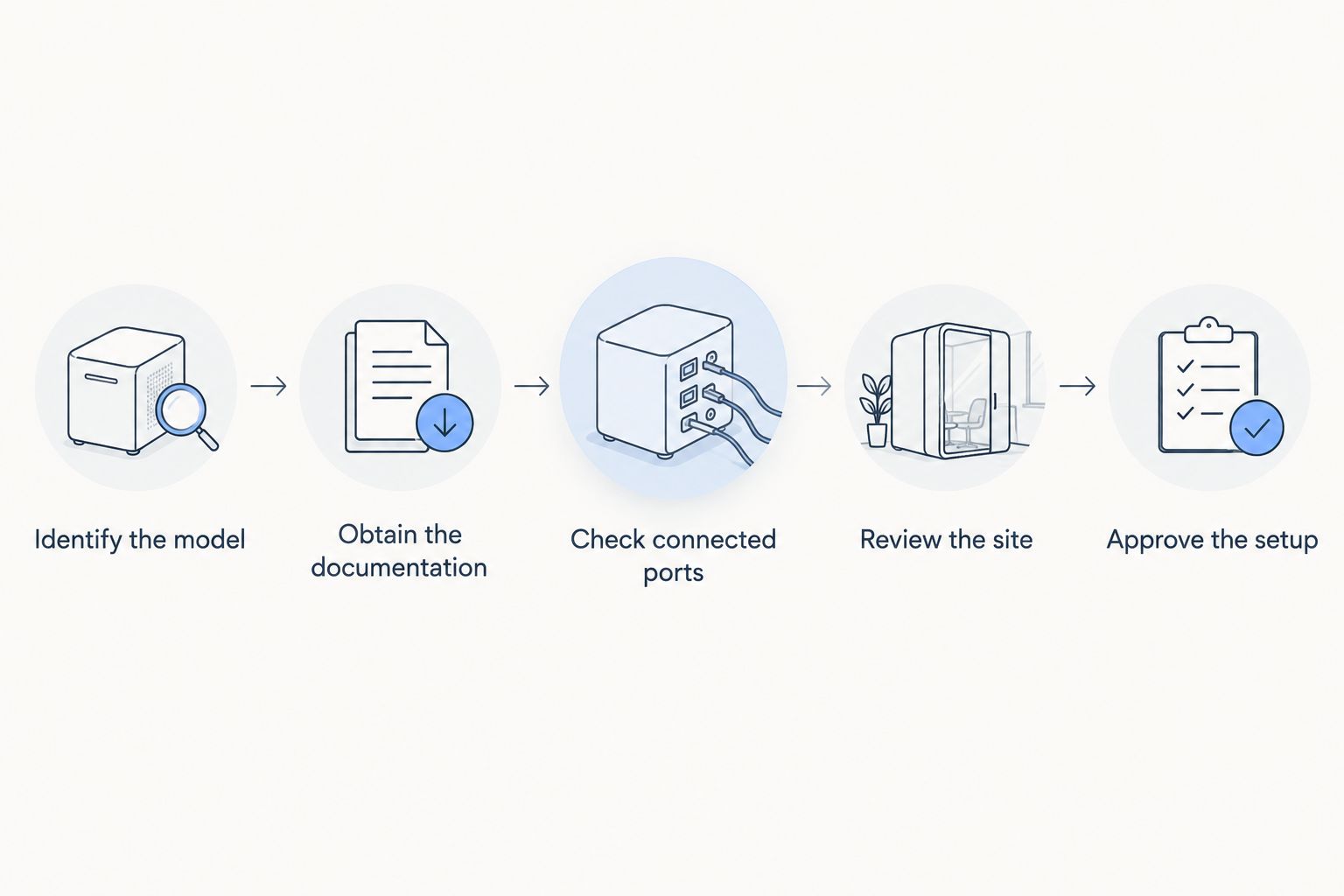
Use a documented acceptance process rather than an improvised soak test. Your goal is to confirm that the configuration you will deploy matches the configuration covered by the equipment instructions.
- Identify the model. Record the exact device designation and relevant hardware revision. Do not transfer an environmental claim from another unit in the same product line.
- Obtain the documentation. Request the ingress rating, test conditions, and installation requirements. Keep the applicable document with the equipment record.
- Check connected ports. Identify every antenna, data, charging, and power connection. Confirm the required mating connectors and unused-port closures.
- Review the site. Describe expected rain, spray, pooling, splash direction, and access for inspection. Separate expected exposure from accidental exposure.
- Approve the setup. Check the mounting and cable arrangement against the instructions. Resolve any mismatch before deployment.
A photograph of the completed setup helps make the record useful. Include connector closures, cable entries, and the mounting position, rather than photographing only the front of the device.
If your 2026 setup changes after approval, review the affected requirements again. Replacing a cable or opening a port changes the configuration you previously checked.
Verify your deployment requirements
Ask for model-specific water protection, connector requirements, and installation instructions.
Can you use DeadZone hardware in heavy rain?
Use DeadZone hardware in heavy rain only when its model documentation and installed configuration support that exposure. A statement about immersion does not automatically answer every question about driven rain or directed spray.
Describe where the unit will sit, how cables enter it, and whether water can collect around the connections. Request confirmation for that arrangement instead of asking only whether the device is waterproof.
Shelter can reduce direct exposure, but it is not a substitute for following installation requirements. Keep power supplies and connected accessories within their own documented environmental limits.
Can you use DeadZone hardware on a boat?
Boat use requires confirmation beyond a generic waterproof claim. Check the relevant model's water-protection requirements and separately ask about salt exposure, corrosion, mounting, and the connected power arrangement.
An IEC ingress rating does not by itself establish suitability for a marine installation. Identify whether the equipment will remain inside a dry cabin, sit beneath a canopy, or face direct deck spray; those are materially different exposure descriptions.
Keep the assessment specific to the complete installation. A protected enclosure does not establish that an exposed adapter or cable connection is suitable for the same location.
Does a protective enclosure solve the problem?
A separate enclosure can reduce direct exposure when correctly selected and installed. Its advantage is the ability to address the installation environment independently of the communication device's housing.
Its limits need equal attention. Cable entries, access openings, heat dissipation, and antenna placement still require review; enclosing equipment does not automatically make the assembled system waterproof.
Do not drill, seal, or rehouse communication hardware without checking its installation requirements. A modification intended to stop water can create a different operating problem or invalidate the configuration covered by the original documentation.
Before accepting an added enclosure, document how you will power the equipment, inspect connections, manage heat, and access it for maintenance. Confirm any effect on antenna placement rather than assuming the original arrangement remains suitable.
What should you do if the hardware gets wet?
Follow the equipment's safety and recovery instructions. If water exposure exceeds its documented limits, do not assume normal indicator lights establish that the unit remains safe or undamaged.
Where safe, stop using affected equipment and isolate its power supply according to the applicable instructions. Do not reconnect a wet charging connector or open an enclosure merely to check inside unless the manufacturer directs that procedure.
Record what happened: the type of water, approximate exposure duration, whether the device was powered, and which ports were connected or open. Those details support a useful service assessment without pretending that a field incident reproduced a laboratory test.
Ask HeliosNet LLC for the appropriate inspection or recovery procedure before returning affected DeadZone Wireless communication hardware to service. Keep any replacement equipment subject to the same installation checks.
FAQ
Is all DeadZone hardware waterproof?
Do not assume every DeadZone model is waterproof. Require documentation for the exact device and its connected operating configuration before approving water exposure.
What IP rating should I request for DeadZone hardware?
Request the actual documented IP rating rather than assuming a target rating applies. Then compare its test conditions with the rain, spray, or immersion expected at your installation.
Does IP67 mean a device can stay underwater?
IP67 does not establish unrestricted underwater operation. Its temporary immersion classification covers specified test conditions, not unlimited depth, duration, or every operating configuration.
Is IP68 automatically better than IP65?
IP68 and IP65 address different water-exposure tests. IP68 concerns specified immersion conditions, while IP65 concerns specified water jets; an immersion rating alone does not establish jet protection.
Can I leave a charging port open in the rain?
Do not leave a charging port exposed unless the equipment instructions explicitly permit that configuration. Protection can depend on the correct closure or mating connector.
Does waterproof mean safe for saltwater use?
A waterproof or ingress-protection claim does not by itself establish saltwater corrosion resistance. Request separate confirmation for the equipment, connectors, and mounting arrangement.
Can I test waterproofing by putting the device in water?
Do not use an improvised immersion test as a substitute for manufacturer documentation. It can damage equipment and does not reproduce the controlled conditions of an IEC test.
What should I verify before a wet-weather deployment in 2026?
Verify the exact model, documented water rating, connected-port requirements, installation instructions, and expected exposure. Record the approved setup so later cable or mounting changes trigger another review.
One last thing
The connector you open to restore power can change the water-protection question. Before your next deployment, check the equipment in its working state—with power, antennas, and data cables attached—not only in its closed transport state.
Make the approval describe that working state. A clear installation record is more useful to the next operator than a waterproof label without conditions.