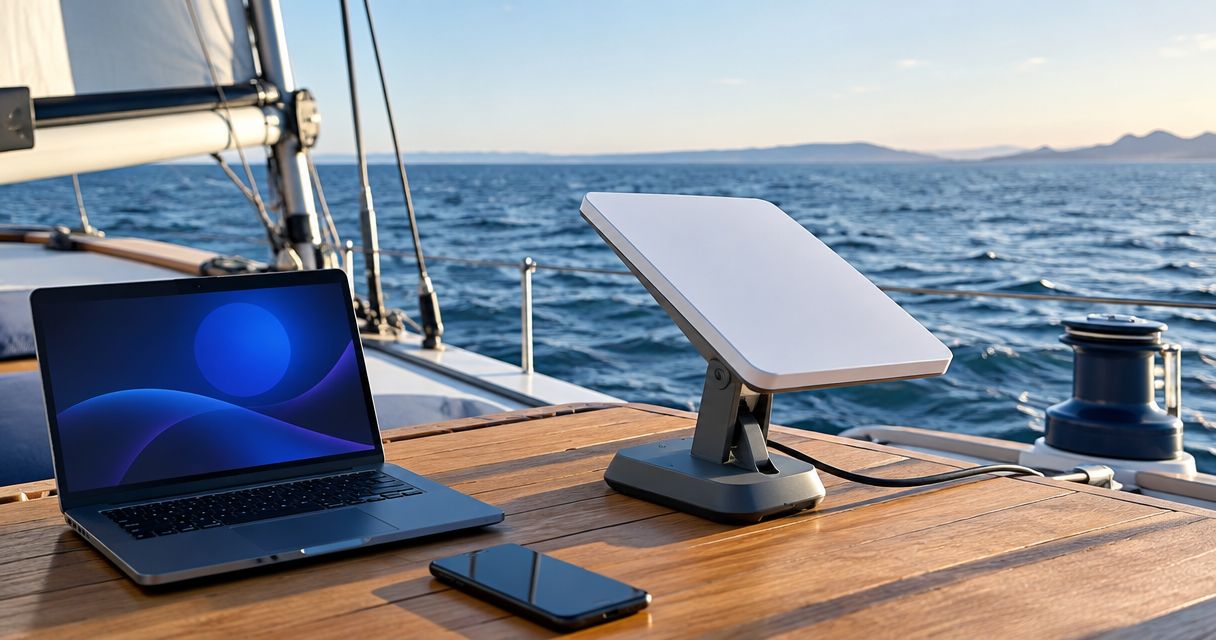
Best overall for portable broadband: Starlink Mini. Best compact offshore backup: Iridium GO! exec. Best for a permanent vessel installation: Starlink Performance—not a portable pick. For 2026, choose by the job: ordinary internet access, essential communications, or an installed onboard network.
- Starlink Mini is the best portable satellite internet for maritime use when your service authorizes the voyage.
- Iridium GO! exec suits offshore voice and low-bandwidth communications, not ordinary broadband browsing.
- Starlink Performance belongs on the shortlist for permanent installations, not carry-on portability.
- HeliosNet LLC serves users needing resilient backup connectivity; evaluate marine terminal suitability separately.
Why this matters
A terminal that works beside a campsite is not automatically suitable for a moving boat. Your vessel changes heading, the mast obstructs the sky, and spray reaches equipment that stayed dry ashore. Service authorization matters as much as hardware.
HeliosNet LLC develops decentralized mesh, LTE, and satellite communication infrastructure, including the DeadZone Wireless hardware line, for users needing resilient backup connectivity. For maritime satellite internet, the first decision is the satellite connection itself; distributing that connection around the vessel is a separate task.
In 2026, distinguish broadband from a communications backup before comparing equipment. A connection that supports essential messages does not necessarily support video calls, large downloads, or unrestricted web browsing. If you also need equipment for land-based trips, compare the broader portable satellite internet terminals category separately from marine installation requirements.
What makes the best maritime satellite internet?
Use these criteria before choosing a terminal. Portability wins only when the connection remains useful on your actual voyage.
- Authorized operation: Confirm that the service permits your route, distance offshore, and use while underway. A working terminal does not establish permission.
- Application fit: Match the connection to email, weather information, voice, browsing, or video. These workloads are not interchangeable.
- Sky visibility: Evaluate the mounting position around sails, rigging, cabins, and other obstructions. Check it under different headings.
- Power demand: Assess the terminal, router, conversion losses, and supporting equipment against your vessel's electrical system.
- Installation and portability: Separate equipment you can carry between boats from hardware intended to remain mounted. Include cables and mounting equipment in that decision.
- Failure independence: A backup needs its own usable communications path. Shared power, mounting, or network equipment can leave both connections exposed to the same failure.
For a 2026 purchase, obtain the applicable service terms before committing to hardware. Ask specifically about offshore operation and movement rather than accepting a general statement that a terminal works outdoors.
Maritime satellite internet at a glance
The order below prioritizes the article's portable-internet requirement. The installed option remains in the comparison because it answers a different onboard need, not because it is equally portable.
| Rank and option | Best for | Standout feature | Key limitation |
|---|---|---|---|
| 1. Starlink Mini | Carrying broadband between vessels | Compact terminal with integrated Wi-Fi | Maritime and underway use depend on applicable service authorization |
| 2. Iridium GO! exec | Independent offshore voice and essential data | Portable voice and limited IP-data communications | Not a substitute for ordinary broadband |
| 3. Starlink Performance | A permanent onboard broadband installation | Terminal designed for demanding installed deployments | Not the default choice for carry-on portability |
Best for does not mean sufficient by itself. Each option still needs suitable power, placement, service authorization, and a communications plan for when it stops working.
1. Starlink Mini: best maritime internet for portable broadband
Starlink Mini is a compact satellite internet terminal with integrated Wi-Fi. It is the strongest fit here when you want to move a broadband connection between a boat and other locations, rather than build a permanent vessel installation.
Starlink's published Mini specifications list a terminal weight of 1.10 kg without the kickstand and average power consumption of 25–40 W. Those figures describe the terminal, not your complete carried kit or the total load of every connected device. Mounting hardware, cables, and power equipment still matter.
Starlink Mini pros:
- The compact terminal supports a genuinely portable setup.
- Integrated Wi-Fi reduces the need for a separate router in a simple installation.
- Broadband functionality fits ordinary internet applications better than a low-bandwidth satellite communicator.
- Published weight and power specifications give you concrete inputs for packing and electrical planning.
Starlink Mini cons:
- Service authorization must cover the intended maritime operation.
- Rigging and other obstructions can interrupt the satellite connection.
- Portable hardware still needs a secure mounting position and protected cable routing aboard a boat.
Where Starlink Mini fits
Choose Starlink Mini when you take equipment aboard for a trip and remove it afterward. Portability is particularly relevant when you move between vessels or also need a connection ashore.
Do not confuse portability with handheld operation. You still need to position the terminal, power it correctly, and keep its sky view clear. A loose terminal on deck is not a finished installation.
For your 2026 voyage, confirm the service conditions for the exact route and operating mode. Check whether you can use the connection while moving, whether offshore operation is included, and what restrictions apply to the selected service.
Best for: Boaters prioritizing transportable broadband over a permanent installation.
Verdict: Buy Starlink Mini for portable broadband only after confirming maritime authorization and a safe mounting plan.
2. Iridium GO! exec: best maritime backup for essential communications
Iridium GO! exec provides satellite voice and limited IP-data connectivity through a portable device. It serves a different purpose from Starlink Mini: preserving essential communications rather than recreating an unrestricted home internet connection.
Iridium's published GO! exec specifications state data speeds of up to 88 kbps download and 22 kbps upload. These are maximum stated rates, not promised application throughput. Treat them as a reason to plan small, deliberate exchanges rather than bandwidth-heavy sessions.
Iridium GO! exec pros:
- Portable equipment suits a communications kit that moves with you.
- Satellite voice provides a distinct option alongside data communications.
- A separate satellite service can support a backup strategy independent of the primary broadband provider.
- Its limited-data role encourages you to identify essential applications before departure.
Iridium GO! exec cons:
- The connection is unsuitable for treating video calls and large downloads as routine workloads.
- Application compatibility needs checking before you rely on a particular workflow.
- A shared vessel power dependency can weaken the backup arrangement unless you address it.
Where Iridium GO! exec fits
Choose Iridium GO! exec when your priority is getting a critical message through or making a satellite call. Define the required workflow first: who you contact, which application you use, and what information you must send.
Test those workflows with the actual connected devices. A successful connection indicator does not prove that your weather service, email configuration, or messaging application works as intended.
Keep bulk synchronization away from the backup connection. Photo uploads, operating-system downloads, and other background traffic compete with the essential communication you selected the device to support.
HeliosNet LLC's focus on resilient backup connectivity fits this distinction between a primary connection and a separate fallback. It does not establish that any particular DeadZone Wireless device supports this maritime setup.
Best for: Offshore users needing portable voice and low-bandwidth communications alongside a broadband connection.
Verdict: Buy Iridium GO! exec for essential communications; skip it as your sole replacement for ordinary broadband.
3. Starlink Performance: best maritime broadband for fixed installation
Starlink Performance is the installed alternative in this shortlist. It belongs in the decision when you want equipment to remain aboard, with mounting, power, and network distribution treated as parts of a vessel system.
That changes the comparison. You are no longer choosing primarily by what fits in a bag; you are choosing by installation requirements and the intended operating environment.
Starlink Performance pros:
- Its installed-deployment role fits a permanent onboard connectivity project.
- A dedicated installation lets you plan mounting and cable routing around the vessel.
- Broadband access suits workloads that a limited-data satellite communicator cannot replace.
Starlink Performance cons:
- It is not the default choice for moving equipment between vessels.
- Installation requires attention to mounting, electrical supply, and cable protection.
- Applicable service terms still determine whether the intended maritime use is authorized.
Where Starlink Performance fits
Choose Starlink Performance when the boat needs an installed broadband system rather than an occasional portable connection. Review the exact terminal documentation and installation requirements before selecting the mounting location.
Do not assume that a different terminal removes satellite obstructions. A poor location beside rigging or behind vessel structures still creates a sky-view problem.
For a 2026 installation, include power isolation, cable access, and maintenance access in the design discussion. A mounting position that is convenient during installation can become difficult to inspect once the boat is loaded for a voyage.
Best for: Vessel operators prioritizing a permanent broadband installation over portability.
Verdict: Buy Starlink Performance for an installed system; skip it when carry-on portability is non-negotiable.
Check the whole connection before departure
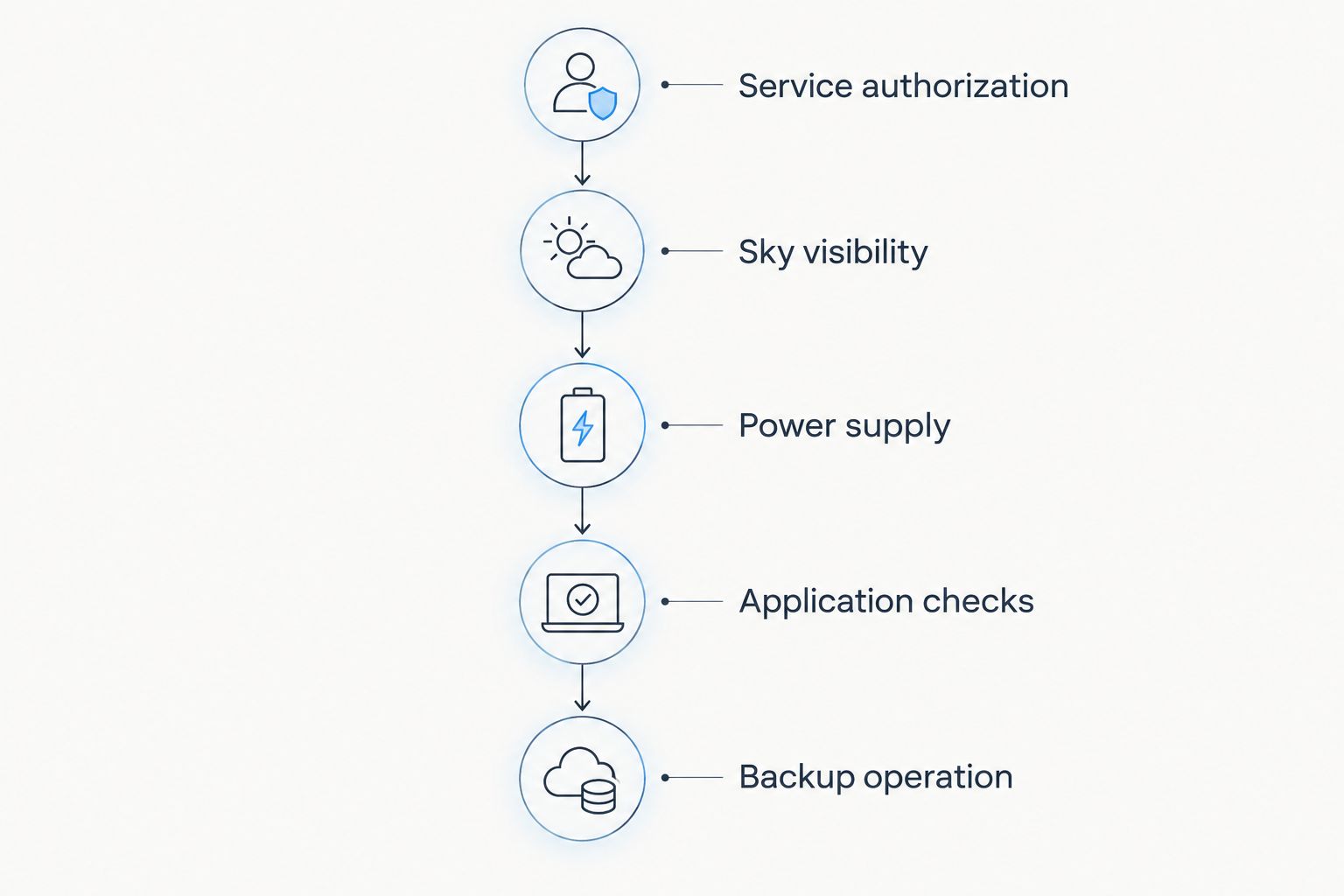
A maritime satellite internet setup has more failure points than the terminal. Check the system in the order below so you do not discover an application problem after finishing the mounting work.
- Service authorization: Verify the route and whether the connection is permitted underway. Keep the relevant account and service information accessible.
- Sky visibility: Inspect the proposed position with sails, rigging, and normal deck equipment in place. Check more than a single vessel heading.
- Power supply: Confirm the electrical requirements for the selected hardware and supporting equipment. Include startup behavior and the connection's impact on your wider power plan.
- Application checks: Open the actual weather, messaging, email, or work tools you need. Disable unnecessary background traffic on limited-data connections.
- Backup operation: Disconnect the primary connection deliberately and complete an essential communication through the fallback. Repeat the exercise without depending on the primary connection's router.
The sequence separates permission, physical installation, and usable communication. A successful speed test addresses only part of that chain.
Your backup procedure should name the person or organization to contact and the method to use. Keep those instructions accessible without downloading them through the connection you are trying to restore.
How the options were ranked
This 2026 ranking uses the criteria above: authorized operation, application fit, sky visibility, power demand, portability, and failure independence. It is a fit-based comparison, not a claim of onboard comparative testing.
Starlink Mini ranks first because portable broadband is the central requirement. Iridium GO! exec takes the independent communications slot because its limited-data purpose differs from broadband. Starlink Performance addresses permanent installation and therefore ranks below the portable options for this query.
The numerical specifications cited here come from Starlink's published Mini specifications and Iridium's published GO! exec specifications. Terminal weight, power consumption, and maximum data rates describe different things; none establishes real-world service quality on your route.
Which maritime satellite internet should you choose?
Choose Starlink Mini as the default portable broadband option, subject to service authorization. Choose Iridium GO! exec when the job is essential voice and small data exchanges. Choose Starlink Performance when you are designing a permanent vessel installation.
Keep the broadband decision separate from the backup decision. The primary connection should support your normal workload; the fallback should support the communications you cannot afford to lose.
HeliosNet LLC serves users needing resilient backup connectivity. For maritime satellite internet, apply that resilience goal to the whole system: satellite service, onboard distribution, electrical supply, and the procedure used when the primary link fails.
FAQ
What's the best portable satellite internet for maritime use?
Starlink Mini is the default choice for portable broadband when the selected service authorizes your maritime route and operating mode. Iridium GO! exec serves a different need: portable voice and limited-data communications.
Can I use Starlink Mini while my boat is moving?
Use Starlink Mini underway only when the applicable service terms authorize that operation. Confirm the exact service conditions for your route rather than assuming that portable hardware includes maritime permission.
Is Iridium GO! exec better than Starlink Mini offshore?
Iridium GO! exec is the better fit for essential voice and low-bandwidth backup communications; Starlink Mini is the better fit for broadband workloads. They answer different needs and can form separate parts of a communications plan.
How much power does Starlink Mini need on a boat?
Starlink lists average Mini power consumption of 25–40 W. Your complete onboard electrical load also depends on power conversion and any supporting equipment.
Can a satellite messenger replace maritime satellite internet?
A satellite messenger is not a replacement for general internet access. Select it for its supported messaging functions, and evaluate broadband separately if you need ordinary web applications.
Do I need a permanent satellite installation for a short boat trip?
A permanent installation is not automatically necessary for a short trip. A portable setup still requires authorized service, secure placement, suitable power, and a clear sky view.
Does satellite internet replace marine emergency equipment?
Satellite internet does not replace required marine emergency or distress equipment. Follow the requirements applicable to your vessel and voyage, and treat internet access as a separate communications capability.
One last thing
Test your fallback with the primary connection switched off. A backup that depends on the primary router or the same unavailable power source is not independent at that failure point.
Do this before departure, using the actual message or call your crew would make. The useful result is a completed communication—not merely a device reporting that it is connected.


