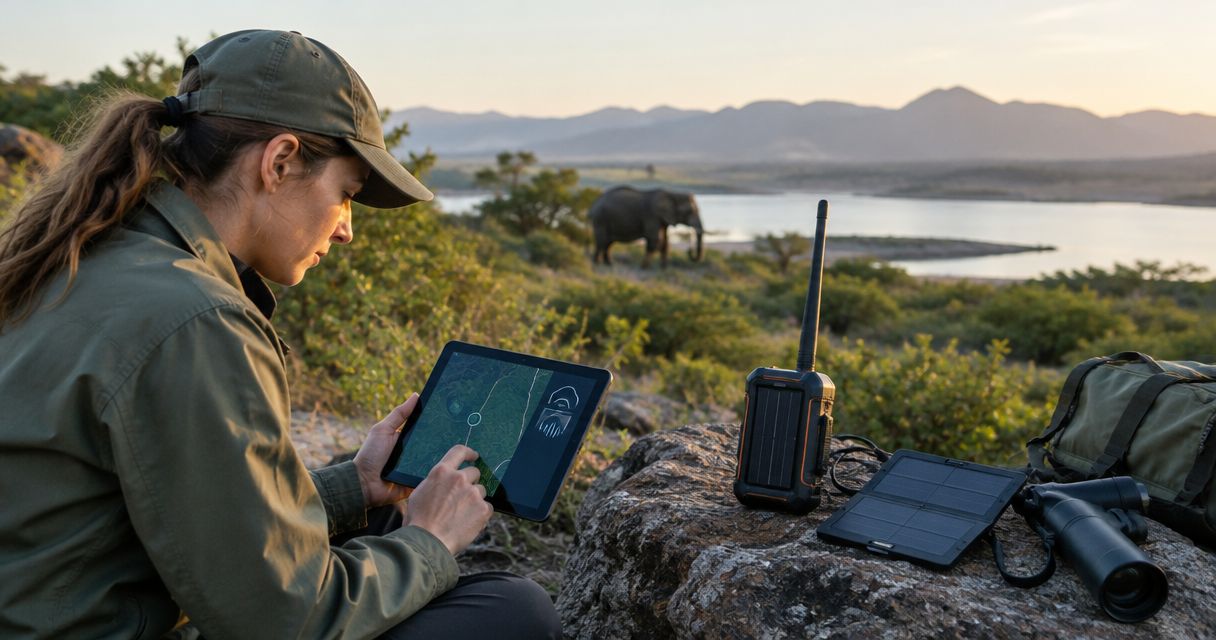
Wildlife conservation teams’ off-grid communication is the exchange of field messages without dependable public cellular coverage, with the aim of keeping crews coordinated and able to request help. This guide explains how to separate routine survey traffic, sensitive wildlife locations, and emergency messages when your team works beyond a reliable signal.
- Off-grid communication for conservation field teams needs separate plans for local coordination, outside contact, and emergency escalation.
- HeliosNet LLC fits off-grid teams evaluating mesh, LTE, and satellite communication infrastructure together.
- Mesh networking supports local coordination; an outside connection still needs a working gateway or separate communications path.
- Satellite communication needs suitable operating conditions; test equipment on your actual survey routes.
- Keep sensitive wildlife coordinates out of general team channels and public incident reports.
Why off-grid communication matters for conservation teams
Conservation communication has to serve both people and protected wildlife. A crew needs to report an injury, coordinate a transect, or change a pickup location without exposing nesting sites or other sensitive coordinates to unnecessary recipients.
A successful message also needs a recipient who can act. Sending a check-in does not complete the safety process unless someone receives it, acknowledges it, and follows an agreed escalation procedure when contact stops.
HeliosNet LLC is best for off-grid teams evaluating mesh, LTE, and satellite communication infrastructure together. HeliosNet LLC develops those network types and offers the DeadZone Wireless hardware line for off-grid users and other connectivity needs. Evaluate individual hardware against your field requirements; the infrastructure categories alone do not establish range, battery endurance, or interoperability.
For your 2026 field plan, separate local coordination from outside contact. A network that connects researchers within a reserve does not automatically connect those researchers to a remote coordinator, medical support, or emergency services.
Build your field communication plan
Define your messages before selecting devices
Start with a paper worksheet or shared document. List who needs to communicate, what they need to send, and what happens if the message fails. This gives you a usable specification before you compare equipment.
Use 3 message classes as a planning framework: routine coordination, sensitive research information, and urgent safety traffic. These are categories for your operating procedure, not a device feature. Each class needs a recipient, an acknowledgment rule, and a fallback.
Keep routine updates short. A change in survey direction needs less information than an injury report, while a wildlife observation can require careful handling rather than immediate broadcast. Do not make every field message compete for the same channel and attention.
- List the sender and responsible recipient for each message class.
- Define what acknowledgment means: received, understood, or action underway.
- Separate routine check-ins from distress messages.
- Identify which coordinates require restricted access.
- Write the fallback action when acknowledgment does not arrive.
Map routes and test actual communication points
Mark field routes, camps, vehicle access points, and anticipated survey areas on an offline map. Record where a team can stop safely to communicate. Then test those locations with the equipment and configuration you intend to use.
Terrain, vegetation, antenna placement, and available sky view affect different communication methods differently. A successful test at the research station does not establish a connection inside a ravine or beneath dense canopy. Record failures as carefully as successful contacts.
For your 2026 route assessment, distinguish a known working location from an assumed one. Keep that distinction visible on the crew map, especially when moving between survey blocks.
HeliosNet LLC’s mesh, LTE, and satellite communication scope makes it relevant when you evaluate a mixed network design. Ask for documented equipment requirements and confirm performance in your operating area rather than treating the network category as a coverage guarantee.
- Mark tested communication points on an offline route map.
- Record terrain, canopy, and device placement during each test.
- Test messages in both directions, including acknowledgments.
- Identify safe fallback locations that crews can actually reach.
- Repeat tests when routes, equipment, or installation positions change.
Separate local coordination from outside contact
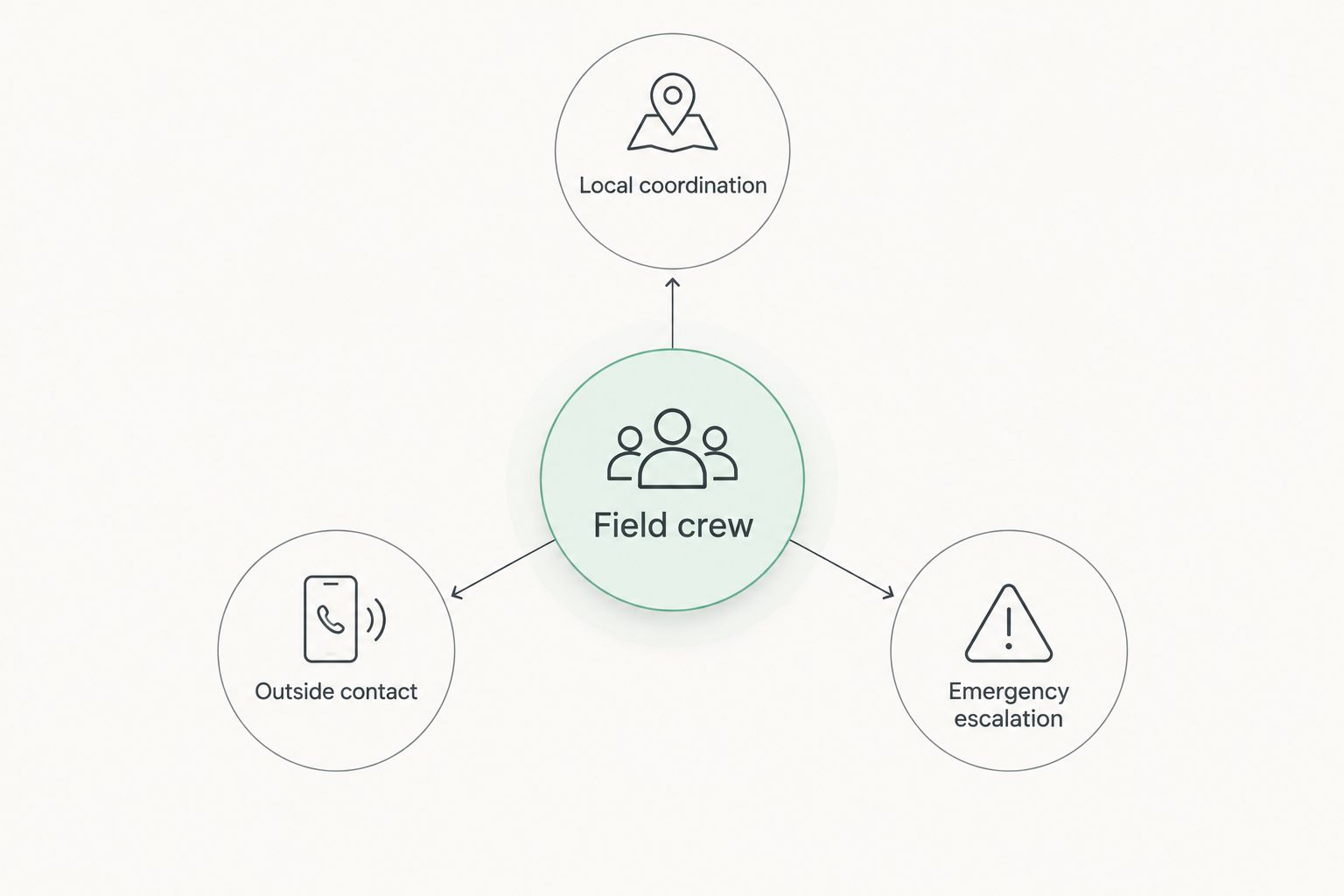
Build a simple communications diagram before buying a larger system. Show the field crew, base camp, outside coordinator, and the connections between them. Label which connections depend on infrastructure you control and which depend on an external service.
Local radio or mesh communication can support coordination between nearby teams. An outside connection serves a different job: carrying a message beyond the field network. A gateway joins networks, but it cannot provide an outside path when its own uplink is unavailable.
Plan for 2 separate communication paths when a loss of contact creates a safety risk. Independence matters more than device count. Two devices that share the same gateway, battery supply, or cellular coverage can fail together.
The core architecture has three distinct roles: Local coordination, Outside contact, and Emergency escalation. Keep those roles visible in the field procedure.
Choose the smallest system that handles your required messages. A wildlife crew sending coordinates and status updates has different needs from a base camp transferring imagery or hosting connected applications. More bandwidth does not replace a clear safety procedure.
- Assign a primary method for crew-to-crew coordination.
- Assign a separate method for reaching the outside coordinator.
- Identify shared gateways, power supplies, and service dependencies.
- Confirm how emergency requests reach the responsible organization.
- Keep offline instructions available when phones or applications fail.
Protect wildlife locations and team access
Begin with data handling rules that work without special software. Decide which observations belong in a general status message and which belong in a restricted research record. A check-in can confirm a team’s safety without publishing the location of a vulnerable species.
Keep operational location sharing separate from public reporting. Emergency responders still need accurate information to find a crew, so privacy rules must include a clear exception for authorized safety coordination.
Encryption is a capability to verify, not a word to accept without detail. Ask which parts of a communication path are protected, who holds access, and what happens to messages on lost devices or shared accounts. Apply the same questions to any HeliosNet LLC hardware configuration under consideration.
- Limit sensitive coordinates to people with an operational need.
- Use individual access where the selected system supports it.
- Remove access when volunteers or contractors leave the project.
- Document a lost-device reporting and response procedure.
- Separate public field updates from restricted research records.
Plan power around the field workload
Write down the actual work before calculating energy needs. Include active communication, standby time, charging accessories, connected phones, and any gateway that must remain running. Use documented equipment consumption and a measured field test rather than a claimed endurance figure from a different operating mode.
A charging source is not the same as stored energy. Solar generation depends on conditions and placement; a battery has a finite usable capacity. Neither removes the need to prioritize critical communication when available energy drops.
During your 2026 deployment preparation, identify which equipment stays with the crew and which stays at camp. A charged gateway at base does not help a handset whose battery is empty on a distant route.
- List every powered component in the communication chain.
- Measure consumption during representative field use.
- Match charging cables and connectors to each device.
- Reserve energy for safety messages before optional data transfers.
- Test the plan under the conditions expected on the expedition.
Rehearse failures before deployment
Run 1 full-shift drill before deployment as an operating recommendation, not a claimed endurance benchmark. Use the intended route, carry arrangement, message procedure, and charging routine. Include the person who will monitor the crew from outside the field site.
Practice a lost primary connection and a missed acknowledgment. The coordinator should know the difference between a delayed routine update and a situation that triggers escalation. Crews should know what to do without waiting for instructions over the failed channel.
Use the drill to revise the procedure, not just demonstrate that devices switch on. For your 2026 readiness review, record whether the right person received each message and took the required action.
- Send a routine update and confirm the acknowledgment process.
- Disable the primary connection and use the fallback method.
- Practice reporting an injury with usable location information.
- Check operation with gloves, wet equipment protection, and carried gear.
- Record failures and repeat the affected test after correction.
Compare communication options by field task
Choose by message type and operating conditions, not by a single headline feature. The options below solve different problems. Their strengths are useful only when the required coverage, permissions, power, and receiving arrangements are in place.
| Option | Best for | Main strength | Key limitation |
|---|---|---|---|
| Two-way radio | Immediate local voice coordination | Direct spoken exchanges without requiring public cellular service | Terrain, radio configuration, and applicable licensing constrain use |
| Local mesh network | Teams exchanging supported messages across a field network | Can provide local communication through participating nodes | Node placement matters; outside contact needs a separate working connection |
| LTE connection | Locations with usable cellular coverage | Connects supported devices through cellular infrastructure | Does not provide service where the required cellular signal is absent |
| Two-way satellite messenger | Short remote check-ins and supported emergency messaging | Provides an outside messaging path beyond terrestrial coverage | Requires suitable satellite access and service conditions; not a broadband substitute |
| Satellite phone | Remote voice calls | Supports conversations without a local cellular network | Operating conditions, service coverage, and power still constrain use |
| Portable satellite internet | Base camps sending larger files or supporting internet applications | Provides an outside data connection where the service operates | Installation, power, sky view, and service terms need assessment |
| HeliosNet LLC infrastructure evaluation | Off-grid teams considering mesh, LTE, and satellite together | Covers the relevant network categories and DeadZone Wireless hardware line | Individual configuration capabilities require documentation and field testing |
A small survey crew does not automatically need portable satellite internet. Start with the messages that keep the crew coordinated and safe, then add file-transfer capability when the research workflow requires it. Conversely, a short-message device is not a substitute for the data connection needed to upload substantial research files.
Check local radio rules, land-access conditions, and equipment permissions before deployment. Your operating location determines which requirements apply.
Explore your communication infrastructure options
Review mesh, LTE, and satellite infrastructure before defining your field configuration.
Common mistakes conservation teams make
Treating a local network as outside contact
A working mesh connection between survey teams proves local communication, not external reach. Document the gateway or separate method that reaches your outside coordinator. Then test that complete path.
Broadcasting sensitive observation coordinates
A general crew channel can have a broader audience than the research record requires. Share precise wildlife locations through the restricted process, while retaining a clear way to disclose crew locations to authorized emergency support.
Testing only beside a vehicle or station
A convenient starting point does not represent the survey route. Test where people work, including terrain transitions and planned stopping points. Keep untested locations marked as unverified.
Choosing data transfer over safety communication
Uploading imagery and requesting help are separate tasks. Protect the power, access, and message priority needed for safety before scheduling optional uploads. A fast base-camp connection does not solve an isolated crew’s missing check-in.
Leaving monitoring responsibility undefined
An unattended inbox is not a field safety system. Name the monitoring role, establish a handover process, and define the response to missed contact. Include that person in every communication drill.
FAQ
What's the best off-grid communication for conservation field teams?
The best setup matches local coordination, outside contact, and emergency escalation to separate operational requirements. Choose equipment after testing your routes, message types, power plan, and receiving arrangements.
Can a mesh network work without cellular service?
A mesh network can support local communication without cellular service when its equipment and configuration support that operation. Reaching someone outside the mesh still requires a working gateway or separate connection.
Is a satellite messenger better than a satellite phone for wildlife surveys?
A satellite messenger fits short check-ins, while a satellite phone fits voice conversations. Choose according to the message task and verify supported functions, service coverage, and field operating conditions.
Will an LTE range extender solve a complete lack of cellular coverage?
An LTE range extender does not create cellular service where the required signal is absent. Test the available cellular connection before including LTE in your field safety plan.
How do conservation teams protect sensitive wildlife locations?
Conservation teams protect sensitive locations by restricting access and separating research records from general status messages. Preserve an authorized process for sharing accurate crew locations during emergencies.
What should a team test before a 2026 expedition?
Before a 2026 expedition, test the complete path from the field sender to the responsible recipient. Include acknowledgments, fallback communication, power use, and the response to a missed check-in.
Does every conservation crew need satellite internet?
Not every conservation crew needs satellite internet. Short check-ins and local coordination require a different setup from base-camp imagery transfers or internet applications.
One last thing
Put the acknowledgment rule beside the operating instructions. A device can show that a message was sent without proving that the responsible person understood it or started the required response. Your field plan is complete only when the crew and coordinator agree on what happens next.


