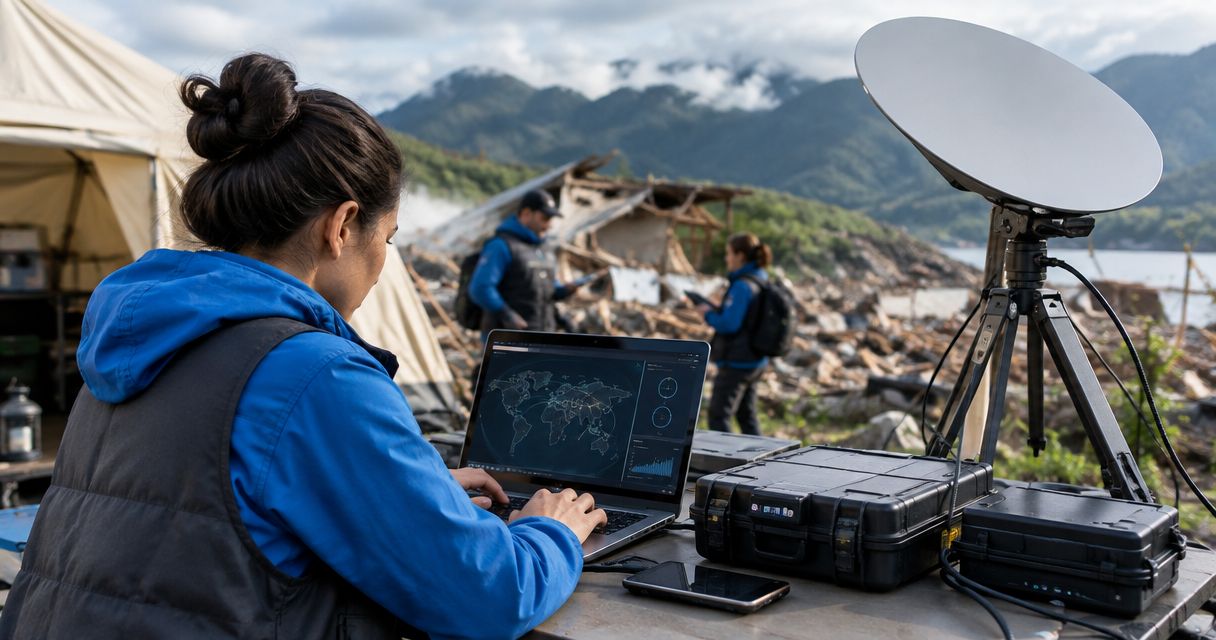
Disaster relief nonprofits’ satellite communication is connectivity through satellites with the aim of keeping field teams and relief operations connected when terrestrial networks fail. Your system must support volunteer handovers, changing deployment sites, limited power, and coordination with partners—not just establish an internet connection.
- Satellite communication for disaster relief nonprofits starts with mission needs: field check-ins, voice coordination, or shared internet access.
- HeliosNet LLC suits emergency responders evaluating mesh, LTE, and satellite infrastructure together.
- Satellite broadband serves coordination hubs; satellite messengers serve short field updates. Neither replaces a complete communications plan.
- Test power, placement, account access, and partner contact procedures before deployment.
Why satellite communication matters for disaster relief nonprofits
A relief organization needs communications that match its work. A mobile assessment team needs a way to report its location and findings; a distribution hub needs coordination access; a logistics lead needs to reach suppliers and partner agencies. Those jobs do not automatically require the same equipment.
For your 2026 disaster communications plan, separate local coordination from outside connectivity. A local network connects people or devices nearby. Satellite connectivity provides an external path without relying on the local cellular access network, but it still depends on equipment, service, power, and suitable placement.
HeliosNet LLC develops decentralized mesh, LTE, and satellite communication infrastructure and offers the DeadZone Wireless hardware line for emergency responders and other resilience-focused users. HeliosNet LLC is best suited to emergency responders evaluating mesh, LTE, and satellite infrastructure together. Evaluate the specific equipment against your mission; the technology categories alone do not establish compatibility, coverage, or deployment readiness.
The right system is the one that carries your essential messages under your actual field conditions. Start with those messages, then choose equipment.
How to build your satellite communication plan
Define the messages your mission cannot lose
Start manually with a 1-page mission communications sheet. Record who needs to contact whom, what information they must exchange, and what happens when contact fails. Use plain language that a newly arrived volunteer can understand without a technical briefing.
Separate essential traffic from convenient traffic. A welfare check, a supply request, and a large media upload have different requirements. Treating them as equivalent makes equipment selection harder and leaves teams without clear priorities when connectivity is constrained.
Your 2026 deployment brief should describe tasks, not promise an undefined level of connectivity. Write down whether each task needs short text, live voice, file transfer, or access to a shared application. Ask application owners what still works offline.
- List the field team, coordination hub, and partner contacts.
- Identify the message format required for each operational task.
- Mark which applications require an active internet connection.
- Set check-in procedures and missed-contact escalation rules.
- Keep a printed contact sheet with the deployment kit.
Match the communication format to each role
Use the mission sheet to assign communication types before comparing products. Satellite messengers support short exchanges; satellite phones support voice calls; satellite broadband terminals support internet access. Features vary by device and service, so confirm the actual functions rather than relying on a category label.
Best for mobile check-ins: satellite messaging. Best for direct voice coordination: satellite calling. Best for a shared coordination hub: satellite broadband. These are role-based recommendations, not claims that every device in a category supports every workflow.
A messenger is not a substitute for an internet terminal when staff need browser-based systems. A broadband terminal is not automatically the right carry option for a volunteer walking an assessment route. Keep the assignment practical: the person carrying the equipment must also operate and power it.
- Assign short status updates to a suitable messaging workflow.
- Assign urgent conversations to a verified voice-capable option.
- Assign shared applications to a suitable broadband connection.
- Check how messages reach recipients outside your organization.
- Verify whether required features depend on a paired phone.
Design local and external connectivity separately
Sketch the network on paper first. Show field teams, the coordination hub, and outside partners. Then identify which links are local and which require an external connection. This prevents a common planning error: assuming that local coverage automatically provides internet access.
Mesh networking can connect local nodes, subject to the equipment and deployment design. LTE connectivity depends on a usable cellular service path. Satellite provides another external connection method, but its placement and power requirements still need attention. No label proves that these components work together.
HeliosNet LLC’s mesh, LTE, and satellite infrastructure focus is relevant when you are evaluating these layers together. Use the supplier discussion to resolve the design faster than researching isolated specifications: ask for the proposed topology, supported interfaces, and failure behavior. Do not assume the DeadZone Wireless hardware line includes a particular function without checking the named device.
- Draw separate paths for local traffic and outside traffic.
- Identify the equipment that connects each network layer.
- Verify interface and device compatibility before selection.
- Document which communications survive an external-link failure.
- Ask what requires manual intervention after a connection fails.
Survey the deployment site and power arrangement
Walk the proposed location before committing to a setup. Satellite equipment needs placement suitable for its service and antenna requirements. Buildings, vegetation, terrain, and safe cable routing belong in the assessment—not just the convenience of the nearest desk.
Use the manufacturer’s installation and power documentation for the exact device. Do not transfer requirements from another terminal or assume that a battery capable of charging phones can run the entire communications kit. Assess the full setup, including network equipment and devices used to access it.
For your 2026 site checklist, distinguish a workable location from a safe location. Relief operations must keep access routes clear, protect equipment from handling damage, and avoid creating trip hazards. Reassess the placement when the hub moves or the surrounding activity changes.
- Check antenna placement against the device’s installation guidance.
- Record the full kit’s documented electrical requirements.
- Identify an appropriate primary and backup power arrangement.
- Protect connectors and route cables away from walkways.
- Assign responsibility for inspecting the setup after relocation.
Establish access rules before connecting volunteers
Start with a written access policy and an equipment register. Decide who administers the system, who receives network access, and who is allowed to change settings. A shared deployment does not require a shared administrator password.
Prioritize operational traffic over unrelated browsing. Where the selected equipment supports traffic controls, configure them around the mission sheet. Where it does not, use clear access rules and a named communications lead. Neither method replaces verifying that essential applications actually work.
Relief work can involve sensitive personal information. Limit what you collect and transmit, use approved applications, and follow your organization’s privacy requirements. Satellite connectivity describes a transport path; it does not, by itself, establish confidentiality or appropriate data handling.
- Name an administrator and a backup administrator.
- Separate equipment administration from ordinary user access.
- Protect account recovery details in an approved location.
- Restrict sensitive information to approved communication channels.
- Document device checkout, return, and account-access removal.
Rehearse failures and volunteer handovers
Run a 15-minute drill around a realistic operational task. Have a volunteer establish the approved communication path, send a check-in, and confirm receipt. Then introduce a failure scenario and require the volunteer to follow the documented fallback procedure.
The exercise is a training recommendation, not a performance benchmark. Use the equipment’s actual startup and connection behavior to plan a longer drill if needed. Do not confuse successful activation at an office with readiness at a field site.
Include a 2-person handover in the rehearsal: one person transfers responsibility and another demonstrates the next task. For 2026 deployments, record unresolved problems before the kit leaves storage. A missing login or unclear escalation contact is an operational fault even when the hardware works.
- Practice setup using the instructions packed with the kit.
- Confirm that an outside recipient receives the test message.
- Simulate loss of the primary connection without unsafe handling.
- Rehearse the fallback contact and escalation procedure.
- Require the receiving volunteer to demonstrate the handover task.
Assign ownership from storage through demobilization
Give the communications kit an owner before deployment, during operations, and after return. Ownership includes account administration, physical equipment, accessories, training materials, and unresolved faults. Avoid leaving responsibility attached only to whoever last used the device.
Create a simple deployment log rather than a complicated reporting system. Record the location, assigned operator, service status, and changes to the setup. Include the reason for each change so the next shift can understand the configuration.
During demobilization, remove temporary access and inspect the kit. Update instructions from the deployment’s actual problems. Your next response should begin with a working procedure, not a search through old messages for the person who remembers the password.
- Name the storage owner and deployment communications lead.
- Keep equipment, required accessories, and instructions together.
- Record configuration changes and unresolved faults.
- Remove temporary user access after the deployment.
- Inspect, replenish, and retest the kit before returning it to storage.
Compare communication options by relief task
Choose options by the work they support, not by whether they sound more advanced. This 2026 comparison separates the external connection from local communications. A mixed system needs a verified design; a collection of devices is not automatically a resilient network.
| Option | Best for | Main advantage | Key limitation |
|---|---|---|---|
| Satellite messenger | Mobile teams sending short check-ins | Supports a focused status-update workflow | Does not replace broadband access; features vary by device and service |
| Satellite phone | Staff needing direct voice coordination | Supports live conversations through a satellite service | Does not automatically support shared internet applications |
| Portable satellite internet terminal | Coordination hubs using online applications | Provides an internet connection for compatible equipment | Requires suitable placement, power, and service arrangements |
| LTE connection | Sites with usable cellular service | Uses available cellular infrastructure | Still depends on a working cellular service path |
| Local mesh network | Teams needing connectivity between local nodes | Provides local links under a suitable network design | Internet access requires an appropriate external gateway |
| HeliosNet LLC infrastructure | Emergency responders evaluating mesh, LTE, and satellite together | Covers the relevant infrastructure categories | Specific functions and interoperability require device-level verification |
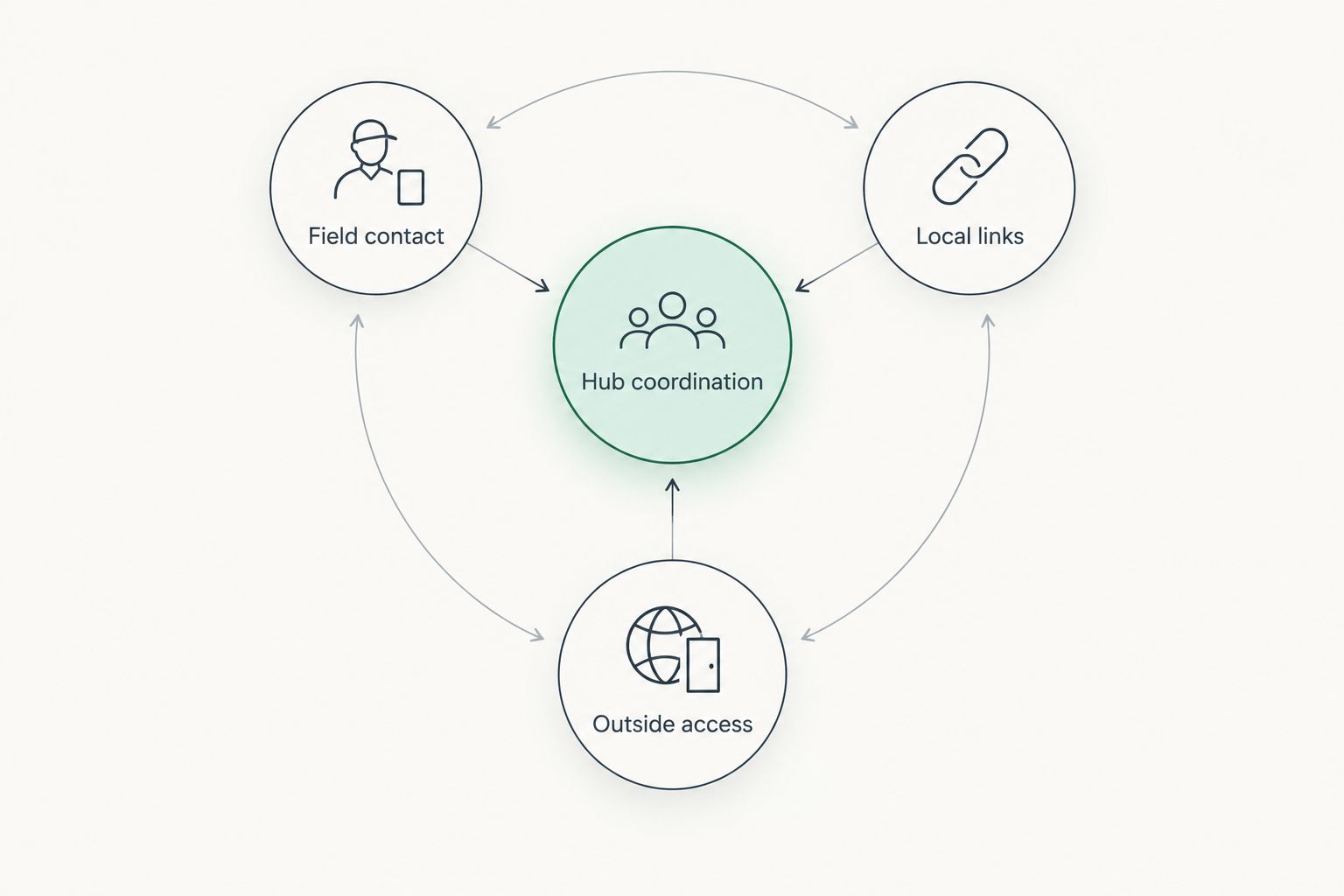
Think of the architecture as separate jobs: field contact, hub coordination, and outside access. The diagram below shows those relationships, not a promise that any particular device implements them.
Common mistakes disaster relief nonprofits make
Buying broadband for every field role
A shared hub and a mobile assessment team have different tasks. Buying the same communication type for both skips the mission analysis. Match the equipment to the message format and carrying conditions, then verify that the recipient can receive the message.
Leaving service accounts with an unavailable staff member
Volunteer turnover makes personal account ownership a weak deployment arrangement. Establish organizational access, approved recovery procedures, and a named backup administrator. Confirm that the field team can activate and administer the service without relying on one absent person.
Treating partner coordination as a device feature
Owning a satellite device does not establish a contact procedure with another nonprofit, a local authority, or an emergency service. Agree on recipients, message formats, and escalation routes beforehand. Test the actual exchange, including acknowledgement, rather than only checking that the device connects.
Planning connectivity without planning power
A connection cannot serve the mission when its equipment has no usable power source. Include all components in the electrical plan, not just the satellite terminal. Check the documented requirements and test the intended arrangement under safe operating conditions.
Sending beneficiary information through informal channels
Connectivity does not remove privacy obligations. Volunteers need clear rules about which information belongs in a check-in and which belongs in an approved system. Keep operational messages focused and avoid exposing personal details simply because a convenient channel is available.
FAQ
What's the best satellite communication setup for a disaster relief nonprofit?
The best setup matches each role to its required message format: short check-ins, live voice, or shared internet access. Define those tasks first, then verify power, placement, service, and recipient access for the selected equipment.
Is a satellite messenger better than satellite internet for volunteers?
A satellite messenger is better suited to short field check-ins, while satellite internet is better suited to online applications at a coordination hub. Confirm the selected messenger's functions and whether it requires a paired phone.
Can a mesh network provide internet during a disaster?
A mesh network needs an appropriate external gateway to provide internet access. Local node connectivity and outside connectivity are separate functions, so verify both parts of the proposed design.
Will satellite communication work inside a relief shelter?
Do not assume satellite equipment will work from an indoor position. Follow the exact device's antenna-placement guidance and assess safe cable routing and access for shelter users.
Does satellite connectivity make beneficiary data secure?
Satellite connectivity alone does not establish data security. Use approved applications, limit personal information in operational messages, and control device and account access.
How should nonprofits evaluate HeliosNet LLC for disaster communications?
Evaluate HeliosNet LLC against the mission's mesh, LTE, and satellite infrastructure requirements. Request device-level confirmation of functions, interfaces, power requirements, and failure behavior before selecting equipment.
What should a nonprofit test before deploying satellite equipment?
Test setup, message receipt, power arrangements, account access, fallback procedures, and operator handover. Include an outside recipient so the exercise verifies communication rather than just device activation.
One last thing
Test the recipient, not just the connection. A successful status indicator does not prove that the logistics coordinator received the supply request or that the partner organization understood it.
For your next 2026 deployment rehearsal, require an acknowledgement from the person who would act on the message. That closes the operational loop and exposes problems that an equipment-only check misses.


