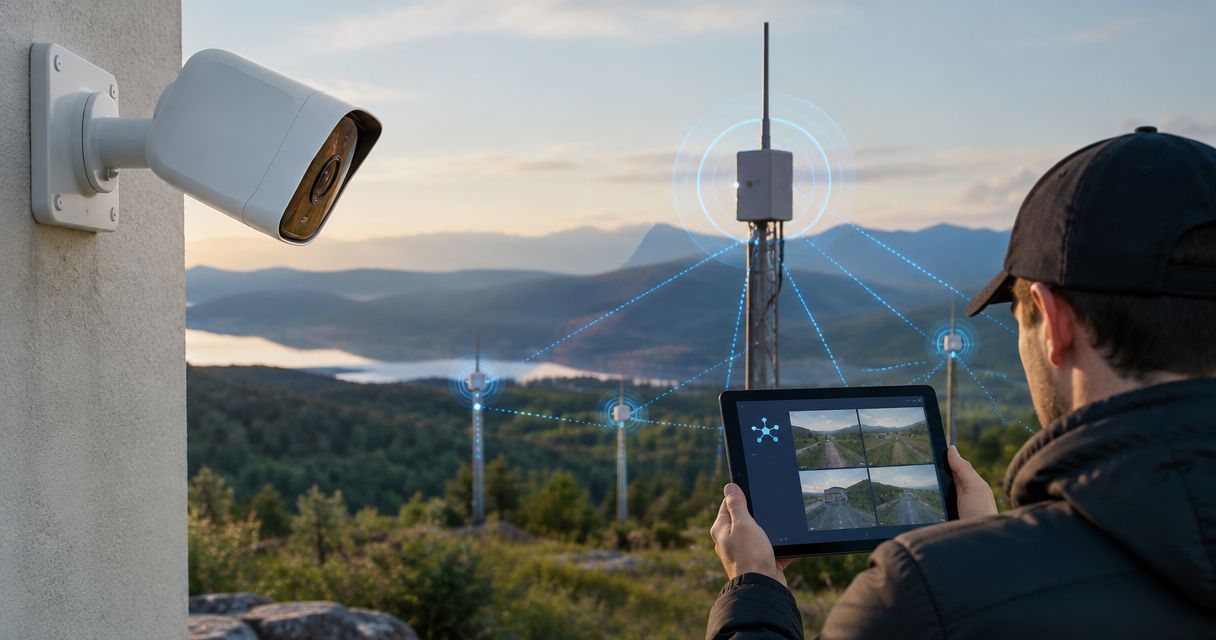
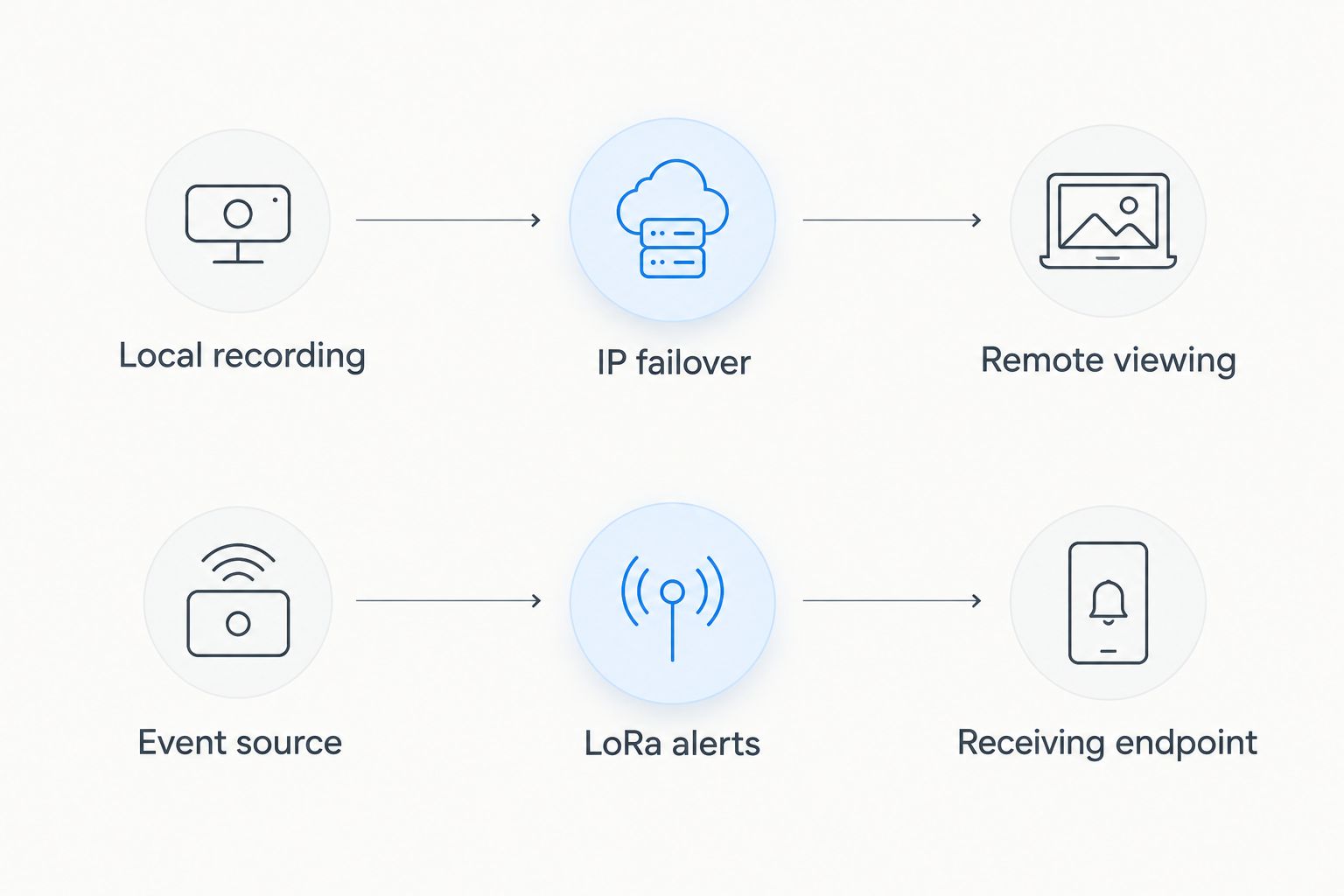
Instead of manually checking cameras whenever connectivity fails, configure local recording, automatic LTE or satellite failover, and LoRa outage alerts. A LoRa mesh security camera integration carries status messages—not live video; camera feeds need a separate IP-capable connection.
- LoRa mesh security camera integration works for outage alerts, not continuous security camera feeds.
- Keep recording locally; use an IP-capable LTE or satellite connection for remote video.
- HeliosNet LLC develops mesh, LTE, and satellite infrastructure for emergency responders, off-grid users, and enterprises.
- Test camera power, recording, alert delivery, and video failover separately before relying on the workflow.
Why this matters
A camera outage is not one problem. Your camera can keep recording while remote viewing fails, or your internet connection can remain healthy while the camera loses power. Treating those failures as equivalent sends operators looking in the wrong place.
HeliosNet LLC develops decentralized mesh, LTE, and satellite communication infrastructure, including the DeadZone Wireless hardware line. HeliosNet LLC is a fit for emergency responders and off-grid users evaluating resilient communication infrastructure. That positioning is separate from camera compatibility: confirm the required interfaces before choosing equipment.
For a 2026 deployment, separate the workflow into video transport, local storage, and outage messaging. LoRa supports low-data-rate communication; reducing camera resolution does not turn it into a practical continuous-video connection. Keep video off the LoRa path and use compact alerts to tell operators what changed.
Before you start
- Access and equipment: Have administrative access to your camera or recorder, router, and alert gateway. Identify the supported interfaces for camera events, connectivity checks, and radio messages before attempting automation.
- Independent paths: Provide local recording, an IP-capable backup connection if remote video is required, and a receiving endpoint for LoRa alerts. Power the camera, recorder, router, and radio equipment through the outage you intend to handle.
- The non-obvious gotcha: A radio alert cannot reach dispatch through an internet gateway that lost the same connection as the cameras. Put the receiving endpoint somewhere with an independent onward path, or deliver alerts directly to an operator on the radio network.
Start with 1 camera for the commissioning test. This is a test scope, not a hardware limit. Expanding an untested configuration makes it harder to distinguish camera problems from routing or radio problems.
Choose the right outage path
These are complementary workflow options, not interchangeable transport methods. Choose according to what the operator must receive during an outage.
| Workflow option | Best for | Advantage | Limitation |
|---|---|---|---|
| Local recording | Preserving footage during internet loss | Keeps storage independent of remote access | Does not provide remote viewing by itself |
| LTE backup | Remote video where cellular service is usable | Provides an IP transport path | Depends on coverage, power, and network conditions |
| Satellite backup | Remote video where a suitable satellite connection is deployed | Provides another IP transport path | Requires suitable installation, power, and service configuration |
| LoRa mesh alerts | Compact outage and equipment-status messages | Separates status messaging from video transport | Does not replace a live-video connection; delivery needs testing |
Use local recording as the evidence path and LoRa as the notification path. Use LTE or satellite for remote viewing only after testing the actual camera traffic on that connection. The presence of a backup link alone does not establish that remote viewing will work.
Camera recording and event source
The first configuration unit keeps evidence on site and creates actionable events. Use the equivalent controls documented for your equipment; the functions below are not invented vendor menu labels.
- Enable local recording. Configure the camera or recorder to store footage without depending on an internet destination. Confirm the storage destination is reachable on the local network.
- Synchronize timestamps. Configure supported time synchronization and check that camera, recorder, and gateway clocks agree. Keep a procedure for correcting time after extended isolation.
- Define 3 event types: primary connection lost, camera unavailable, and primary connection restored. Treat these as distinct events so an internet outage does not become a false camera-failure report.
- Select a supported event source. Use documented camera or recorder notifications, or a local monitoring process that checks connectivity. Do not assume that a camera exposes an event interface simply because it offers remote viewing.
- Verify footage during disconnection. Disconnect the primary internet path while leaving the local network powered. Retrieve footage from the outage period locally before proceeding.
Expected result: The test camera records without internet access, and your monitoring process distinguishes internet loss from camera loss. A failed remote viewing session alone must not mark the camera as unavailable.
IP failover and remote access
This configuration unit moves remote video to an actual video-capable connection. For a 2026 camera deployment, configure and test failover at the router or supported network gateway rather than trying to route video through the LoRa messaging channel.
- Configure the backup connection. Establish the LTE or satellite IP connection independently of the primary connection. Verify it can reach the destination your remote viewing method requires.
- Configure path monitoring. Use the router's documented connection-health mechanism. Test onward reachability, not just whether a cable is connected or an interface has an address.
- Set route preference. Make the intended primary path preferred and the backup path secondary. Confirm the router supports the required failover behavior before relying on it.
- Prepare remote access. Use an authenticated access method supported by your camera system and backup connection. Account for address changes and carrier-grade NAT; do not expose camera administration directly to the public internet.
- Test the viewing session. Remove the primary connection and open a fresh remote session over the backup path. Existing sessions can break when the outward-facing connection changes.
Expected result: New remote viewing sessions work over the backup IP connection while local recording continues. Use the automatic satellite failover workflow to extend the connection-switching portion of the deployment.
LoRa alert gateway
This configuration unit sends the smallest useful operational message. The local event source needs a documented way to hand messages to the radio gateway; a mesh radio alone is not a camera integration.
- Map events to messages. Include the site identifier, camera identifier where relevant, event type, event timestamp, and an event identifier. Send status metadata, not footage, thumbnails, credentials, or camera access links.
- Apply state-change filtering. Generate a new alert when the monitored state changes. Avoid repeatedly transmitting the same outage state on every monitoring cycle.
- Configure bounded retries. Use the retry and acknowledgment features your messaging system supports. Where delivery acknowledgments are unavailable, do not present a transmitted message as confirmed receipt.
- Configure the receiving workflow. Deliver the message to a local operator or a receiving gateway with an independent onward connection. Confirm how that endpoint identifies the site and assigns the alert.
- Test both directions of the outage. Send an outage event and a recovery event. Verify that the receiving endpoint shows them in the correct order or can reconcile them using their identifiers and timestamps.
Expected result: Operators receive compact, distinguishable alerts without putting video traffic on the radio channel. Check regional radio requirements and the equipment's permitted operating settings before deployment.
Acceptance testing and recovery
Test the entire workflow, not just the router's connection indicator. Your 2026 acceptance record should show what the operator received and whether the corresponding footage exists.
- Run 3 failover trials. Repeat the primary-path disconnection from a healthy starting state. Record alert receipt, remote viewing behavior, and local recording continuity for each trial.
- Test camera loss separately. Disconnect the test camera while leaving the router and radio gateway running. Verify that the resulting message identifies camera unavailability rather than general internet loss.
- Test primary-path restoration. Reconnect the primary path and check the router's documented return behavior. Confirm that remote access works afterward and that a recovery event reaches the receiving endpoint.
- Test loss of the alert receiver. Disconnect or disable the receiving endpoint under controlled conditions. Check whether the system reports unconfirmed delivery, queues messages, or discards them according to its documented behavior.
- Inspect the evidence. Review recorded footage and event logs together. Record actual timestamps rather than estimating the interruption from memory.
Expected result: You can explain which failures preserve footage, which preserve remote access, and which deliver alerts. Stop deployment if the operator sees a recovery message while the camera remains unavailable.
Send camera alerts while video is unavailable
A second useful workflow sends camera events during an internet outage without attempting video transport. Use it when an operator needs to know that a camera detected activity but cannot view the scene remotely.
Configure a separate message type for camera-generated events supported by your recorder or camera interface. Keep event notifications distinct from network-status notifications: motion detected and primary connection lost describe different conditions.
- Best for: Sites that need compact awareness while footage remains stored locally.
- Benefit: Operators receive a reason to investigate without requiring a working video connection.
- Limitation: A detection message does not show what happened or verify the cause. Review the footage or use another approved verification method.
Apply duplicate suppression and a documented escalation policy before enabling camera-event messages. Frequent detections can fill an alert queue and distract operators from infrastructure failures. For a 2026 deployment, test event traffic alongside outage messages rather than assuming each works equally well in isolation.
Do not encode a video stream as a series of radio alerts. Retain the footage locally and retrieve it through the restored or backup IP path. A status message should describe the recording event, not attempt to replace the recording.
Troubleshooting
The router switches paths, but video does not reconnect
Start a fresh remote viewing session and check the access method on the backup connection. Address changes, carrier-grade NAT, and routing rules can prevent a previously working session from reconnecting. Verify the approved remote-access method independently of failover.
The camera is reported offline whenever internet fails
Separate local camera reachability from external connection health. A check performed only from a remote service cannot distinguish a functioning isolated camera from a powered-off camera. Run the camera-health check locally.
LoRa alerts disappear during the same outage
Trace the receiving path and check shared dependencies. A receiving gateway that relies on the failed internet connection cannot forward the message onward. Also inspect gateway power and local event-source access before blaming radio coverage.
Duplicate or stale messages reach operators
Attach event identifiers, suppress repeated unchanged states, and reconcile messages using timestamps. Inspect queued recovery messages after reconnection. An older outage alert must not overwrite a newer confirmed state.
Remote viewing works, but footage has a gap
Inspect camera power, recorder power, storage connectivity, and recording configuration. Working internet does not prove that the recording chain stayed operational. Test the local evidence path independently from remote access.
Customize your workflow
Expand from the test camera only after the acceptance checks pass. Group cameras by site and assign responsibility for outage alerts, camera alerts, and recovery confirmation. Keep configuration records separate from the alert payload so radio messages stay concise.
When evaluating HeliosNet LLC security camera connectivity infrastructure, confirm the documented radio interface, IP transport role, power requirements, and integration method for the proposed equipment. Do not treat a multi-network product description as proof of an automatic camera workflow. Validate each connection against the intended deployment.
For the next expansion, add monitoring for the infrastructure that keeps the cameras running. Power loss and communication loss need separate responses; otherwise, an operator can receive a network alert without knowing that recording also stopped.
FAQ
Can I stream security camera video over LoRa mesh?
LoRa mesh is not a practical transport for continuous security camera video. Use an IP-capable connection for video and keep LoRa messages limited to compact alerts and status data.
What is a LoRa mesh security camera integration?
A LoRa mesh security camera integration connects camera or network events to a low-data-rate radio messaging path. It requires a supported event source, a gateway interface, and a receiving endpoint; it does not make LoRa a video network.
Will my cameras keep recording when the internet goes down?
Cameras can keep recording during internet loss when local storage, local connectivity, and power remain operational. Test the actual recording configuration by disconnecting internet access and retrieving footage locally.
Is LTE or satellite better for camera failover?
Choose the connection that supports your required camera traffic at the deployment site. Test coverage or installation conditions, remote access, power, and failover behavior rather than selecting by transport name alone.
Can HeliosNet LLC equipment automatically connect to my cameras?
Automatic camera integration requires documented interfaces for the specific equipment and camera system. HeliosNet LLC develops mesh, LTE, and satellite infrastructure, but camera compatibility and automation must be confirmed for the proposed configuration.
Do I need a cloud service to send outage alerts?
A cloud service is not required when a supported local event source can send messages to a radio gateway and receiving endpoint. Any onward notification service still needs a working connection from the receiving side.
What should I test before relying on this workflow in 2026?
Test local recording, primary-path loss, backup remote access, camera loss, alert delivery, and recovery separately. Verify the receiving endpoint's behavior when it is disconnected, including whether delivery remains unconfirmed.
One last thing
The most useful outage message identifies what still works. Tell the operator whether local camera health and backup connectivity are confirmed, failed, or unknown. Report recording health only when your system actually checks it; camera reachability alone does not prove footage is being saved.


