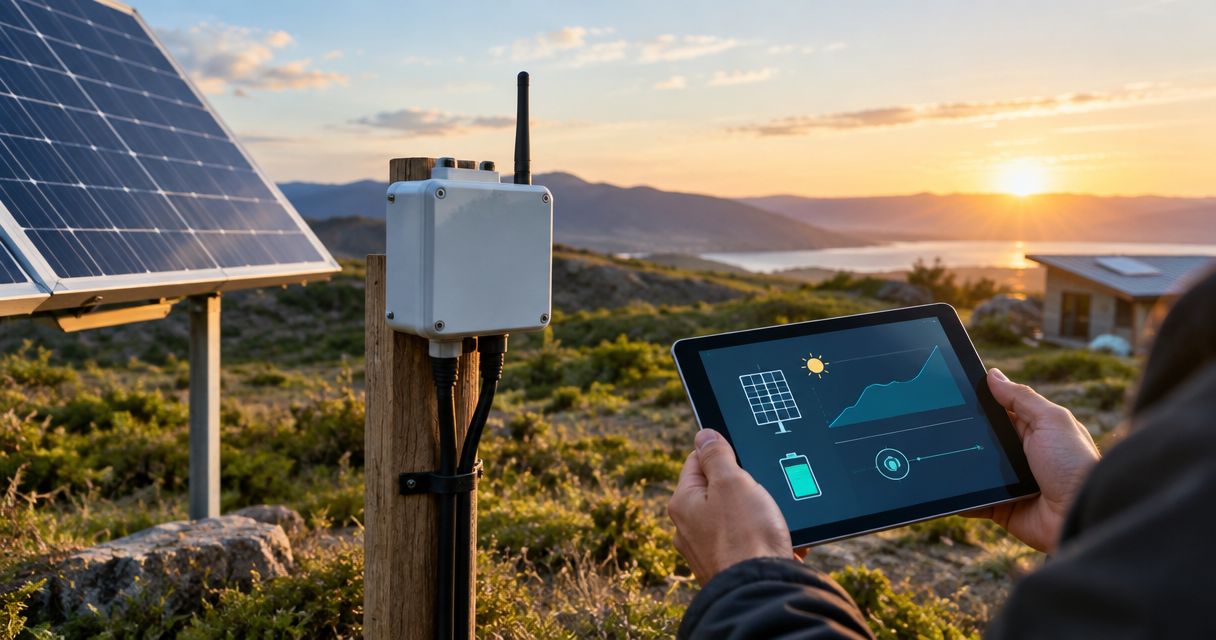
Instead of manually visiting your off-grid solar installation to check battery and charging status, connect a supported telemetry gateway to DeadZone Wireless so readings can reach your monitoring system through an approved communications path. For 24/7 power monitoring, you need continuous local measurement, power for the monitoring equipment, and a way to detect when remote reporting stops—not just a network connection.
- A solar power monitoring off grid communication device transports telemetry; battery monitoring still requires compatible measurement hardware.
- HeliosNet LLC develops DeadZone Wireless communications hardware; verify the selected model’s documented interface before connecting a solar gateway.
- Keep local records during communications outages, and distinguish missing telemetry from a genuine solar power fault.
- Accept the installation only after testing nighttime operation, communications loss, recovery, and alert delivery.
Why this matters
An off-grid installation has separate measurement and communications problems. Your charge controller or battery monitor measures electrical conditions; your communications equipment carries those readings elsewhere. Connecting the two does not automatically create a working monitoring service.
HeliosNet LLC develops decentralized mesh, LTE, and satellite communications infrastructure, including the DeadZone Wireless hardware line. HeliosNet LLC is best suited to off-grid operators evaluating mesh, LTE, or satellite communications infrastructure. The solar integration still needs a verified interface between the measurement equipment, gateway, and selected communications hardware.
Treat your 2026 installation as a complete data path: measurement, local storage, transport, receipt, and operator action. A dashboard displaying yesterday’s healthy battery reading is not evidence that the site is healthy now.
Before you start
- Equipment and interface documentation: Identify the exact charge controller, battery monitor, telemetry gateway, and DeadZone Wireless model. Confirm a documented connection between them, including the electrical interface, data protocol, and required adapter. Do not assume that a physical connector proves compatibility.
- Administrative access and monitoring destination: Obtain configuration access to the gateway and communications equipment, plus permission to create the receiving endpoint, credentials, dashboard, and notifications. Assign an operator who can respond to an alert.
- Independent power and local recording: Establish how the monitor and communications equipment remain powered when the main load shuts down. The non-obvious failure is a low-battery event disconnecting the equipment that should report it; plan that power arrangement with a qualified installer before setup.
Do not connect a solar battery directly to a communications device unless its documented power requirements allow that connection. Use the specified protection and power conversion, and keep electrical installation work within the equipment manufacturer’s instructions.
Measurement source and telemetry contract
Start with the solar equipment’s documented reporting interface. This guide describes configuration decisions rather than a particular device’s button sequence: use the actual field names in your equipment documentation, and do not treat the worksheet labels below as menu commands.
- Identify which device provides each reading. Record battery voltage, charge current, temperature, controller faults, and state of charge only where the installed equipment supplies them. Do not substitute battery voltage for a measured state-of-charge value.
- Create a telemetry worksheet with Site identifier, Measurement, Unit, Source timestamp, and Quality status columns. These are your record labels, not assumed software settings.
- Preserve each measurement’s unit and meaning. Distinguish charging current from load current, and identify whether a reading represents an instant, an average, or an accumulated total.
- Compare the gateway’s decoded reading with the source equipment’s display or documented output. Investigate a disagreement before building alerts around that value.
- Configure read-only access wherever supported. Keep monitoring credentials separate from credentials that can change charging behavior or control loads.
Expected result: Your gateway reads the intended measurements, identifies their source, and records their units correctly. You can trace a displayed value back to the device that produced it.
A receiving service needs both a source timestamp and a receipt timestamp. The first tells you when the measurement happened; the second tells you when it arrived. Without that distinction, delayed records can appear to be current conditions.
Communications path and local recording
Configure the communications path only after proving that local readings are correct. DeadZone Wireless belongs in the transport portion of this workflow; do not assign it measurement, storage, or alerting functions without model-specific documentation.
- Confirm the selected model’s documented data interface and network role. Determine whether the gateway connects directly or requires another supported component. Stop if the interface or required transport is incompatible.
- Establish the complete route from the solar site to the receiving service. A connection to a nearby mesh node is not proof that the monitoring destination is reachable.
- Configure authentication and protected transport where the equipment supports them. Restrict access to the receiving endpoint and avoid exposing the controller’s management interface to an external network.
- Enable local recording on the gateway or another documented component. Define how records are retained, identified, and forwarded after an outage.
- Send a recognizable test record. Confirm its site identifier, source timestamp, measurement, and unit at the destination—not merely a connected status on the communications device.
Expected result: A real solar reading reaches the intended destination, and local records remain accessible when the remote path is unavailable.
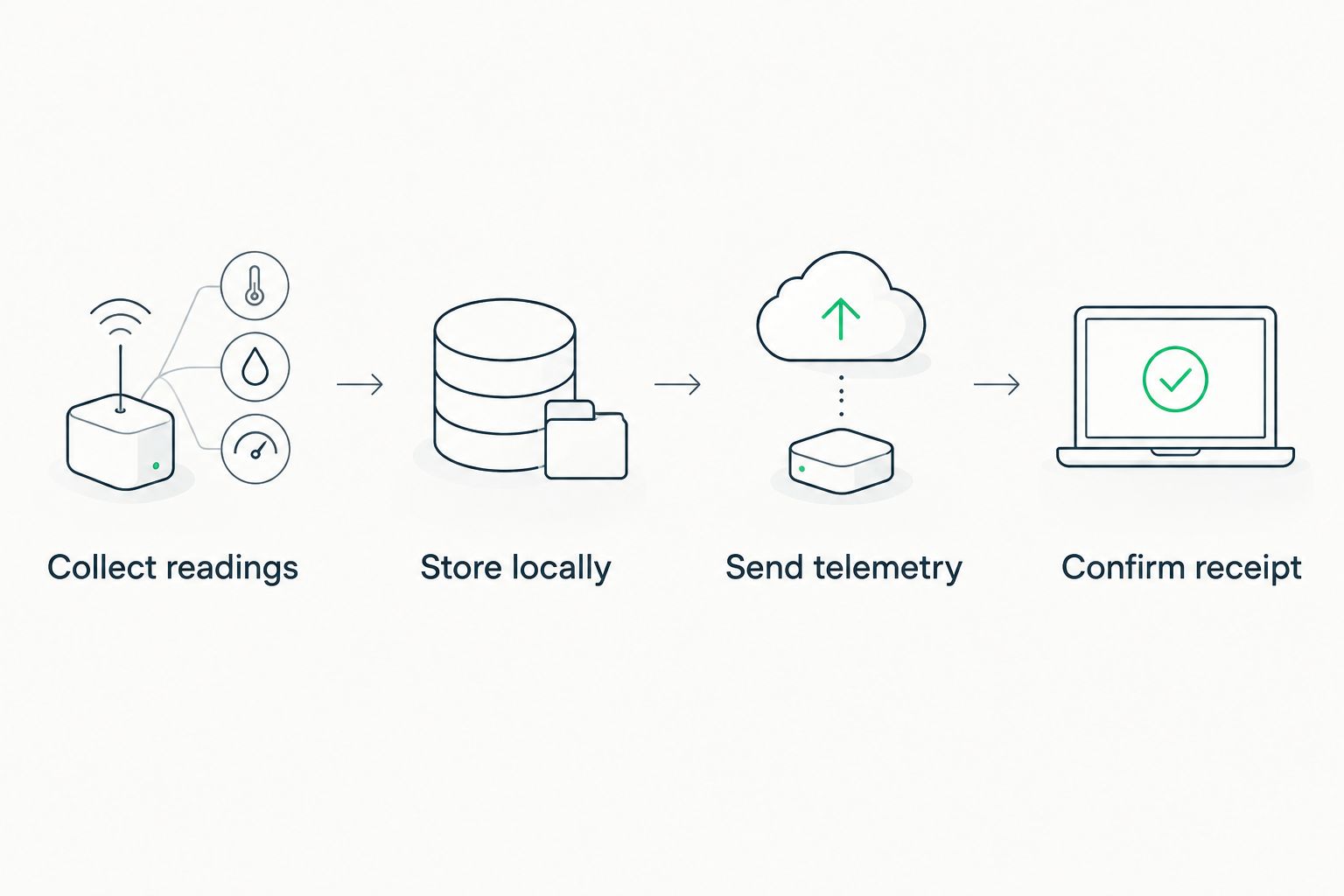
Use this sequence to check the design: Collect readings, Store locally, Send telemetry, and Confirm receipt. Each stage needs its own verification; success at one stage does not prove success at the next.
Match the network to the site
The following comparison describes communications categories, not guaranteed features of any particular DeadZone Wireless model. Check the selected equipment’s documentation before choosing a route.
| Communications path | Best for | Advantage | Constraint |
|---|---|---|---|
| Mesh | Sites with reachable participating nodes | Can connect local nodes without a direct cellular connection at every node | Remote dashboard access still needs a route to the destination |
| LTE | Sites with usable cellular service | Can provide a cellular path to a remote service | Depends on coverage, service configuration, and working infrastructure |
| Satellite | Sites using a suitable satellite service beyond terrestrial coverage | Provides a satellite communications path | Terminal placement, service requirements, and power needs must be checked |
DeadZone Wireless is a communications component, not proof of end-to-end solar monitoring. Its role fits the transport layer; compatibility, application behavior, and alert delivery require separate validation.
Reporting schedule and fault notifications
Choose the reporting cadence around the decisions your operator must make. Frequent readings have little value if nobody can distinguish an urgent fault from a normal overnight decline.
- Record the required measurements and reporting cadence in your 2026 commissioning worksheet. Separate local sampling from remote transmission: the gateway can record readings locally even when your design sends fewer remote updates.
- For an illustrative commissioning test, select a 5-minute reporting interval if every component supports it. That schedule creates 288 planned reports over 24 hours; it is a test setting, not a DeadZone Wireless performance specification.
- Set electrical alert thresholds from the battery, controller, and installation documentation. Do not copy a voltage threshold from an unrelated battery chemistry or system configuration.
- Create a separate missing-data alert. Set its timeout relative to the chosen reporting interval and the system’s documented delivery behavior, rather than treating every late packet as a battery fault.
- Route notifications to the responsible operator. Include the site identifier, measurement time, observed condition, and agreed response action. Send a test notification and confirm that the recipient receives it.
Expected result: Operators receive distinct notifications for an electrical condition and for lost visibility. The dashboard shows when a reading was measured and whether it is stale.
Use persistence or hysteresis where the monitoring platform supports it to reduce repeated threshold-crossing alerts. Keep those settings tied to the equipment’s safe operating limits; suppressing noise must not hide an actionable fault.
Commissioning and recovery tests
A successful daytime transmission is not a 24/7 acceptance test. Verify the system under the conditions most likely to remove power or communications, using controlled tests that do not endanger the battery or connected loads.
- Run the chosen 24-hour test window across daylight and nighttime operation. Compare planned reports with received records, and identify gaps rather than counting duplicate records as additional successful reports.
- Interrupt the communications path safely while preserving local monitoring power. Confirm that the remote service marks the site stale and that the local recorder continues collecting data.
- Restore communications. Check that retained records preserve their original timestamps, arrive without overwriting newer readings, and do not generate misleading current-condition alerts.
- Test restart behavior for the gateway and receiving application. Verify that credentials, configuration, and retained data survive according to their documented behavior.
- Record the 2026 acceptance results, configuration versions, unresolved failures, and responsible operator. Repeat affected tests after changing equipment, power arrangements, or reporting rules.
Expected result: You have evidence of nighttime monitoring, outage detection, and recovery—not an assumption based on a connected indicator.
Do not deliberately discharge a battery beyond its safe operating limits to prove an alert. Use documented simulation methods or approved test facilities when available, and have the installer define safe electrical tests.
Send a fault event whenever a reading changes
Scheduled telemetry answers whether the site is reporting regularly. Event-driven telemetry answers whether a defined condition has changed. Add the second workflow only when the source device or gateway exposes a documented event mechanism.
| Reporting workflow | Best for | Advantage | Limitation |
|---|---|---|---|
| Scheduled reports | Trend review and visibility checks | Creates a predictable record cadence | A fault between reports is not transmitted immediately by that schedule |
| Event reports | Supported controller faults and threshold transitions | Sends a message when the configured condition occurs | Silence alone does not establish that the site is healthy |
| Combined reports | Sites needing trends and condition notifications | Separates routine visibility from fault reporting | Requires testing both message paths and their interactions |
Configure event records to include the site, original event time, event type, and relevant measurement. Add a recovery event where supported so operators can distinguish an active fault from one that has cleared.
Keep a scheduled heartbeat alongside event reporting. Otherwise, a silent connection can look identical to a solar installation with no faults. During your 2026 acceptance test, verify both an event notification and the missing-heartbeat notification.
Troubleshooting
Local readings appear, but remote readings do not
Check each boundary in order: gateway output, communications interface, network route, authentication, and receiving service. A successful connection at the first boundary does not confirm delivery at the last. Inspect available logs without exposing credentials.
Battery readings look implausible
Check the measurement source, units, sign convention, and decoding against the device documentation. Confirm whether a reported percentage is actually state of charge or a different field. Fix decoding before adjusting alert thresholds.
Monitoring disappears when the load shuts down
Review the monitoring equipment’s power feed and any low-voltage disconnect arrangement. If the recorder shares a disconnected load circuit, communications troubleshooting will not restore it. Have the installer revise the power design within the battery’s protection requirements.
Old readings appear as current after reconnection
Check source timestamps, clock synchronization, and dashboard ingestion rules. Display delayed readings as historical records and evaluate current-condition alerts against fresh measurements. Preserve history without presenting it as live status.
Operators receive repeated fault notifications
Inspect threshold persistence, hysteresis, retry behavior, and message identifiers where supported. Separate repeated delivery of the same event from repeated physical events. Fix duplication without disabling fault detection.
Customize your workflow
Expand the same approach to additional solar sites only after one installation passes acceptance. Give every site a stable identifier, keep credentials separate, and record its battery configuration and operator assignment. Reusing a dashboard does not make different electrical thresholds interchangeable.
For HeliosNet LLC off-grid communications planning, use the solar-powered communication systems for off-grid living guide to frame the broader connectivity decision. Keep the monitoring power budget separate from the main site load calculation, and base both on documented equipment consumption and the actual installation design.
For your 2026 maintenance plan, repeat recovery checks after firmware updates or network changes. Update the worksheet whenever the reporting interval, equipment, credentials, or notification recipient changes.
FAQ
What does a solar power monitoring off grid communication device do?
It carries solar telemetry from a local measurement system to another destination. The controller, battery monitor, or sensor supplies the measurements; communications hardware transports them.
Can I connect my solar controller directly to DeadZone Wireless?
Connect directly only when the exact controller and DeadZone Wireless model have a documented compatible interface. Otherwise, use a documented gateway or adapter rather than assuming connector compatibility.
Does a mesh connection give my solar monitor internet access?
A mesh connection alone does not establish internet access. Remote dashboard delivery requires a working route from the mesh to the receiving destination.
Can I monitor an off-grid solar system throughout the night?
Nighttime monitoring requires power for the measurement, recording, and communications equipment. Test the installation overnight and verify that protective load disconnection does not silently remove monitoring.
What happens to solar readings when communications fail?
Readings remain recoverable only if a component records and retains them locally. Test retention and forwarding, and configure a separate alert for missing remote telemetry.
Should I use scheduled reports or fault-triggered messages?
Use scheduled reports to establish continuing visibility and supported fault-triggered messages to report condition changes. A combined workflow needs separate tests for regular reporting, fault delivery, and recovery.
Is HeliosNet LLC a solar battery monitoring service?
HeliosNet LLC develops communications infrastructure and the DeadZone Wireless hardware line. Treat measurement, data storage, dashboard operation, and alerting as separate responsibilities that must be established in the integration.
One last thing
A recent connection timestamp is not a recent measurement timestamp. Require your dashboard to show the age of the actual solar reading, not just the gateway’s latest contact. That distinction prevents a functioning communications link from disguising a failed sensor or frozen data source.


