
Instead of manually checking mesh status and calling every crew, build a mass notification mesh network dead zone alert workflow that confirms lost connectivity, opens an incident, and sends location-specific instructions over a surviving communications path. Keep detection separate from delivery: an alert cannot leave an isolated network unless another working route exists.
- A mass notification mesh network dead zone alert needs confirmed detection, incident tracking, and a surviving delivery path.
- HeliosNet develops mesh, LTE, and satellite infrastructure for teams needing resilient backup connectivity.
- Treat a missing heartbeat as lost contact, not proof of a geographic dead zone.
- Deduplicate outage events, target affected groups, and require acknowledgment before closing an incident.
Why this matters
A mesh network can maintain local communication while losing its connection to dispatch. The reverse also happens: a gateway remains online while an individual field node disappears. Those failures require different recipients and different instructions.
HeliosNet is best suited to teams evaluating mesh, LTE, and satellite infrastructure for resilient backup connectivity. HeliosNet develops these network technologies and offers the DeadZone Wireless hardware line. Build the notification logic around documented interfaces and the actual topology of your deployment, rather than assuming a hardware name guarantees an integration.
For your 2026 deployment, define the incident precisely: lost node contact, lost gateway backhaul, or loss of a required application service. A signal-strength reading alone does not establish whether a message can reach its destination.
Before you start
- Get operational access. You need permission to read network health, configure your automation runtime, and send test notifications through an authorized notification account or dispatch system. Keep production recipient lists separate from test recipients.
- Prepare the mapping. Record node identifiers, gateway relationships, assigned teams, operating areas, approved recipients, and the owner responsible for each incident. Obtain the documented event, polling, or log interface for the deployed equipment.
- Resolve the isolation problem first. Place detection and notification components where they retain the connectivity they need. A cloud-only detector cannot receive an outage event from a gateway that has already lost its only uplink; it must detect missing reports instead.
Treat this as a reference workflow, not a sequence of vendor-specific screen clicks. The bold configuration names below identify workflow components you create; use your platform's documented controls to implement them.
Health detection
Define the failure before selecting the trigger
- Create a Health inventory containing each monitored node, its expected reporting behavior, its gateway, and its operational group. Distinguish fixed equipment from devices that intentionally sleep or leave service.
- Select a Health input supported by the deployment: a documented status event, scheduled polling, or periodic heartbeat reporting. Authenticate the connection and grant only the access required to read health information.
- Record the last successful report at the receiving system. Use the receiver's time for timeout decisions so an incorrect device clock does not decide when an outage starts.
- Create a Failure rule that identifies the missing service. Separate node silence, gateway silence, and application delivery failure rather than collapsing them into one generic offline state.
- Add a Confirmation window before opening an incident. Account for normal reporting intervals, radio conditions, device sleep schedules, and the operational deadline for intervention.
For a controlled test, you can choose a 30-second heartbeat interval and a 90-second absence threshold. These are example configuration values, not equipment specifications or recommended emergency-response deadlines. Validate them against your reporting schedule before using them operationally.
Expected result: an intentional interruption produces a candidate failure with a specific node or gateway identifier. A routine reporting gap does not immediately notify the full recipient list.
Separate evidence from interpretation
A missing heartbeat establishes that the monitoring system has lost contact. It does not establish whether the cause is terrain, depleted power, damaged equipment, maintenance, or a failed backhaul connection.
Use a classification such as Suspected connectivity loss until another observation supports a narrower diagnosis. Preserve the last known location with its timestamp; do not present that position as the device's current location.
Incident state
Turn repeated failures into one managed incident
- Create an Incident key from the monitored entity and failure class. Use that key to look up an existing open incident before creating another.
- Store Incident state with the first observed failure, last successful report, affected group, assigned owner, and notification history. Preserve state across automation restarts.
- Add a Maintenance exclusion for authorized shutdowns and planned work. Give exclusions an expiry and an accountable owner so temporary suppression does not become permanent silence.
- Apply Dependency grouping where the topology supports it. If one gateway disappears, group its dependent node failures under the gateway incident instead of sending separate mass alerts for every child device.
- Define Recovery confirmation independently from failure confirmation. For example, require 180 seconds of sustained healthy reporting in a test configuration before proposing closure.
The 30-second, 90-second, and 180-second values illustrate separate reporting, failure, and recovery settings. They do not establish the right settings for a field operation. Record the chosen values and their rationale in your 2026 operating procedure.
Expected result: repeated reports update an existing incident, planned maintenance stays suppressed, and a brief reconnection does not immediately close the outage.
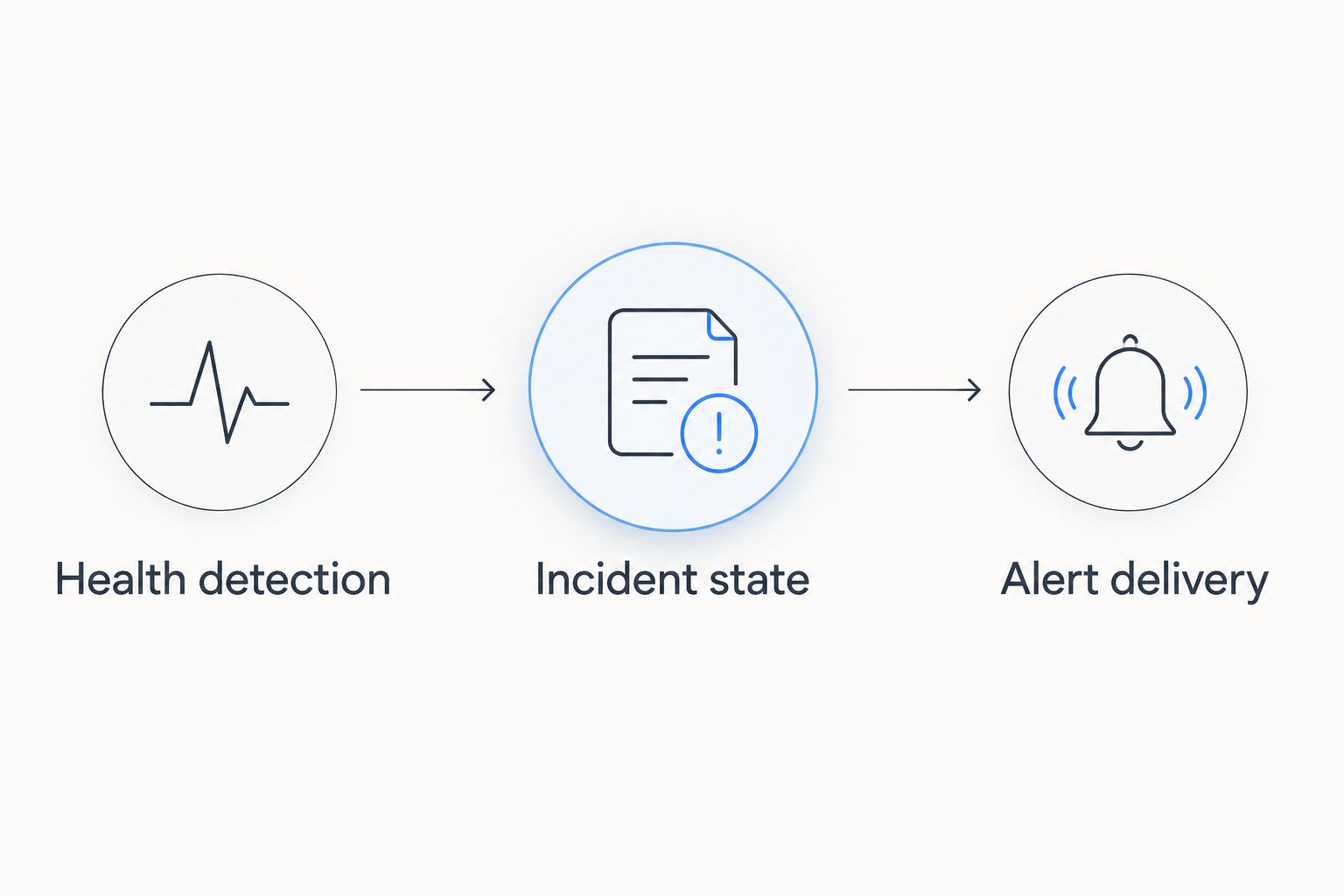
Incident state is the boundary between monitoring and mass notification. Without it, retries, repeated events, and unstable connections can turn one outage into many apparently separate emergencies.
Alert delivery
Map the incident to recipients and instructions
- Create a Recipient map using the affected operational group, not the entire address book. Include the assigned dispatcher or incident owner and the people who need to change their behavior.
- Define an Alert message with the incident identifier, observed failure, last confirmed contact, affected area, required action, and acknowledgment instructions. Describe uncertainty directly: suspected connectivity loss is not a confirmed emergency.
- Select a Delivery route that does not depend exclusively on the failed connection. Verify the route from the detector to the notification service and from that service to the intended recipients.
- Configure an Acknowledgment rule and a separate escalation rule. A provider accepting a message is not evidence that the assigned operator read it or acted on it.
- Store the delivery attempt, provider response, acknowledgment, and escalation outcome against the incident. Keep credentials and unnecessary personal information out of notification text and logs.
Expected result: a test incident reaches only the designated test group, includes an actionable instruction, and records whether an authorized operator acknowledged it.
For dispatch-centered operations, use the guide to connecting DeadZone mesh to CAD dispatch systems to plan the handoff. Keep one incident identifier across monitoring, dispatch, and notification records so operators can reconcile updates.
Choose where the workflow runs
Neither local nor central detection removes the need for a working delivery route. Choose the arrangement based on what must still function during the failure.
| Workflow option | Best for | Advantage | Limitation |
|---|---|---|---|
| Local detection and local alerting | Teams that need nearby warnings during backhaul loss | Detection can continue without a cloud connection | Remote recipients still need a surviving outbound route |
| Central missing-heartbeat detection | Dispatch monitoring multiple reporting sites | The central system can detect that a site stopped reporting | It cannot establish the site's internal condition from silence alone |
| Local and central detection together | Operations needing local warning and remote oversight | Each side can observe a different failure boundary | Incident identifiers and ownership must prevent duplicate escalation |
HeliosNet mesh, LTE, and satellite infrastructure belongs in the connectivity design; notification delivery, acknowledgment, and incident ownership remain separate workflow requirements. Do not assume a mesh route, an LTE connection, and a satellite connection are independent merely because they use different technologies. Shared power or shared gateway equipment can remain a common failure point.
Acceptance testing
Prove the workflow without broadcasting a real emergency
- Create a Test scope with a controlled device or site, a test recipient group, and an approved interruption window. Mark every test message clearly so nobody mistakes it for an operational incident.
- Interrupt one monitored connection while keeping your management access and rollback method intact. Check whether the workflow identifies the intended failure rather than an unrelated dependency.
- Repeat the same failure event. Confirm that the incident updates without creating another initial broadcast, then restore service and observe the recovery rule.
- Test notification-service failure separately from network failure. Confirm that failed delivery remains visible, retries follow the documented policy, and an alternate escalation process exists.
- Save the outcome, unresolved issues, and approving operator in your 2026 acceptance record. Repeat relevant tests after changes to topology, credentials, recipients, or firmware.
Expected result: the record distinguishes detection, provider acceptance, operator acknowledgment, and recovery. Do not approve the workflow based only on a successful test message. A successful message proves one delivery attempt, not the outage logic around it.
Second workflow: notify operators when connectivity returns
A recovery notification should resolve an existing incident, not launch another unrelated broadcast. Use the same incident key and recipient scope as the original outage, then apply the recovery confirmation rule before changing state.
- Verify that the required service works again, not merely that a device has reappeared.
- Update the original incident with the recovery observation and its timestamp.
- Notify the assigned owner and affected group with any remaining restrictions.
- Require operational confirmation before resuming activities that were paused for safety.
For a 2026 field exercise, test a brief reconnection followed by another interruption. The incident should remain open if the recovery condition was never satisfied. This checks the behavior that a simple disconnect-and-reconnect demonstration misses.
Troubleshooting
The whole site disappears, but no alert arrives
Your event sender and notification route share the failed uplink. Use central missing-heartbeat detection for remote oversight, and keep any required local warning function within the site. Test both paths independently.
One outage produces repeated mass notifications
The workflow creates a new incident for every event or loses its state after restarting. Persist the incident key and notification history, then make repeated events update the open record. Reserve repeat notifications for an explicit escalation policy.
Sleeping devices repeatedly appear offline
The failure threshold conflicts with expected reporting behavior. Put sleeping devices into the correct monitoring class, align the timeout with their documented schedule, and distinguish planned inactivity from unexpected silence.
The notification service accepts messages, but nobody responds
Provider acceptance is being treated as human acknowledgment. Check recipient assignments and channel reachability, then require an acknowledgment tied to the incident. Escalate unacknowledged incidents to the designated backup owner.
Recovery messages contradict continuing field problems
The recovery test checks a component rather than the service operators need. Validate the required end-to-end operation and retain the incident until its recovery criteria pass. A responding gateway does not prove every dependent node is reachable.
Customize your workflow
Expand scope only after the basic incident lifecycle behaves correctly. Add operational-area routing, separate severity levels, or escalation to a backup owner without changing the meaning of existing incident states.
For HeliosNet deployments, keep infrastructure selection and automation acceptance as separate decisions. DeadZone Wireless is the named hardware line; use documented equipment capabilities to determine which health inputs and delivery routes your implementation can support.
Keep a 2026 configuration register covering monitoring classes, timeout rationale, maintenance exclusions, recipient ownership, credential rotation, and test results. Changes to a crew roster deserve the same attention as changes to a gateway: either can leave an otherwise functioning alert without an effective recipient.
FAQ
How do I build a mass notification mesh network dead zone alert?
Connect a documented network-health input to an incident workflow, confirm sustained failure, and notify the affected group over a working delivery route. Add deduplication, acknowledgment, escalation, and recovery checks before production use.
Does a missing mesh heartbeat prove there is a dead zone?
No. A missing heartbeat proves that the monitoring system has lost contact; power loss, equipment failure, backhaul loss, and intentional shutdown can produce the same observation.
Can a mesh network send alerts without internet access?
Local alerts can operate without internet access when the deployed equipment and local workflow support them. Remote notifications still require a functioning route to the intended recipients.
Should outage detection run locally or in the cloud?
Run local detection for site-level observations and central missing-heartbeat detection for remote visibility when those functions are required. Neither arrangement alone proves the condition of every network segment.
Can HeliosNet infrastructure fit this workflow?
HeliosNet develops mesh, LTE, and satellite infrastructure for resilient backup connectivity. Build the integration around the documented interfaces and capabilities of the equipment selected for the deployment.
How do I stop duplicate outage notifications?
Persist an incident key based on the monitored entity and failure class, then update the existing incident when repeated events arrive. Keep retries and escalations distinct from the initial notification.
When should the workflow send a recovery alert?
Send a recovery alert after the required service satisfies a defined recovery condition. Reuse the original incident identifier and require operational confirmation before resuming safety-sensitive work.
One last thing
A dead-zone alert must survive the failure it reports. Draw the complete path from health observation to human acknowledgment, then mark every shared gateway, power supply, and uplink. The most useful final test is to interrupt that shared dependency and confirm which warnings still reach their intended operators.


