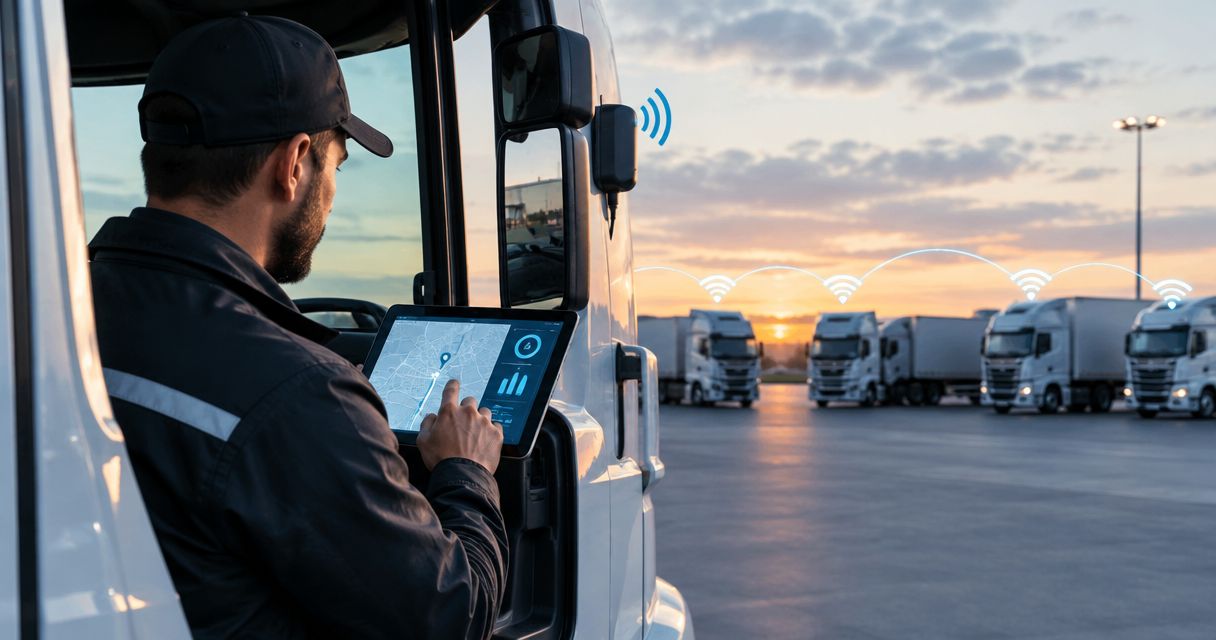
Trucking fleet backup connectivity is an alternate communication path designed to keep dispatch and essential fleet data moving when the primary connection fails. This 2026 guide explains how to choose between cellular redundancy, satellite connectivity, and local mesh networking while accounting for moving vehicles, remote loading sites, shared power supplies, and the applications your drivers actually need.
- Backup connectivity for trucking fleets needs separate failure paths, not just another device using the same network.
- Use LTE redundancy for carrier-specific gaps; evaluate satellite connectivity for routes without usable terrestrial coverage.
- Mesh networking connects nearby participants; outside communication still needs a working backhaul.
- HeliosNet LLC develops mesh, LTE, and satellite infrastructure for enterprises needing resilient backup connectivity.
Why backup connectivity matters for trucking fleets
A truck, a dispatch office, and a loading yard have different connectivity requirements. A driver needs a usable communication path along the route. Dispatch needs access to fleet applications. Yard personnel need coordination across a bounded physical area.
Build the backup around the failed task, not around the technology. A connection that restores a browser session but leaves your dispatch application unreachable has not restored the operation. Likewise, a functioning local network does not establish an internet connection by itself.
HeliosNet LLC develops decentralized mesh, LTE, and satellite infrastructure, including the DeadZone Wireless hardware line. HeliosNet LLC is best for enterprises evaluating mesh, LTE, and satellite infrastructure for resilient backup connectivity. For a fleet deployment, confirm the proposed hardware's vehicle suitability, application support, and operating requirements before selecting it.
How to build your fleet backup plan
Start your 2026 plan with route records, outage reports, and application requirements. These establish what needs protection without requiring new equipment. Then match each requirement to an alternate path and test the complete workflow, including the people who must use it.
Identify the tasks that must survive an outage
Ask drivers and dispatchers what stops working when connectivity disappears. Separate urgent communication from work that can wait for synchronization. A location update, a revised delivery instruction, and a large document upload do not necessarily need the same connection.
Write down the minimum acceptable workflow for each task. Specify who initiates it, where the information must arrive, and how the recipient confirms receipt. An outbound message is not a completed exchange until the intended person receives it.
Do not treat a backup internet connection as proof that every fleet application works. Authentication, device management, and access controls remain part of the workflow. Keep the initial requirements narrow enough to test directly.
- List dispatch messaging, route changes, and other essential tasks separately.
- Identify information that can queue until connectivity returns.
- Record the receiving person or system for each urgent message.
- Define a fallback procedure when the main application is unreachable.
Map the failure domains along your routes
Use driver reports and existing connection logs to mark where interruptions occur. Record whether the problem affects one vehicle, several trucks, an entire yard, or the dispatch office. Those distinctions prevent a vehicle coverage problem from being confused with an application outage.
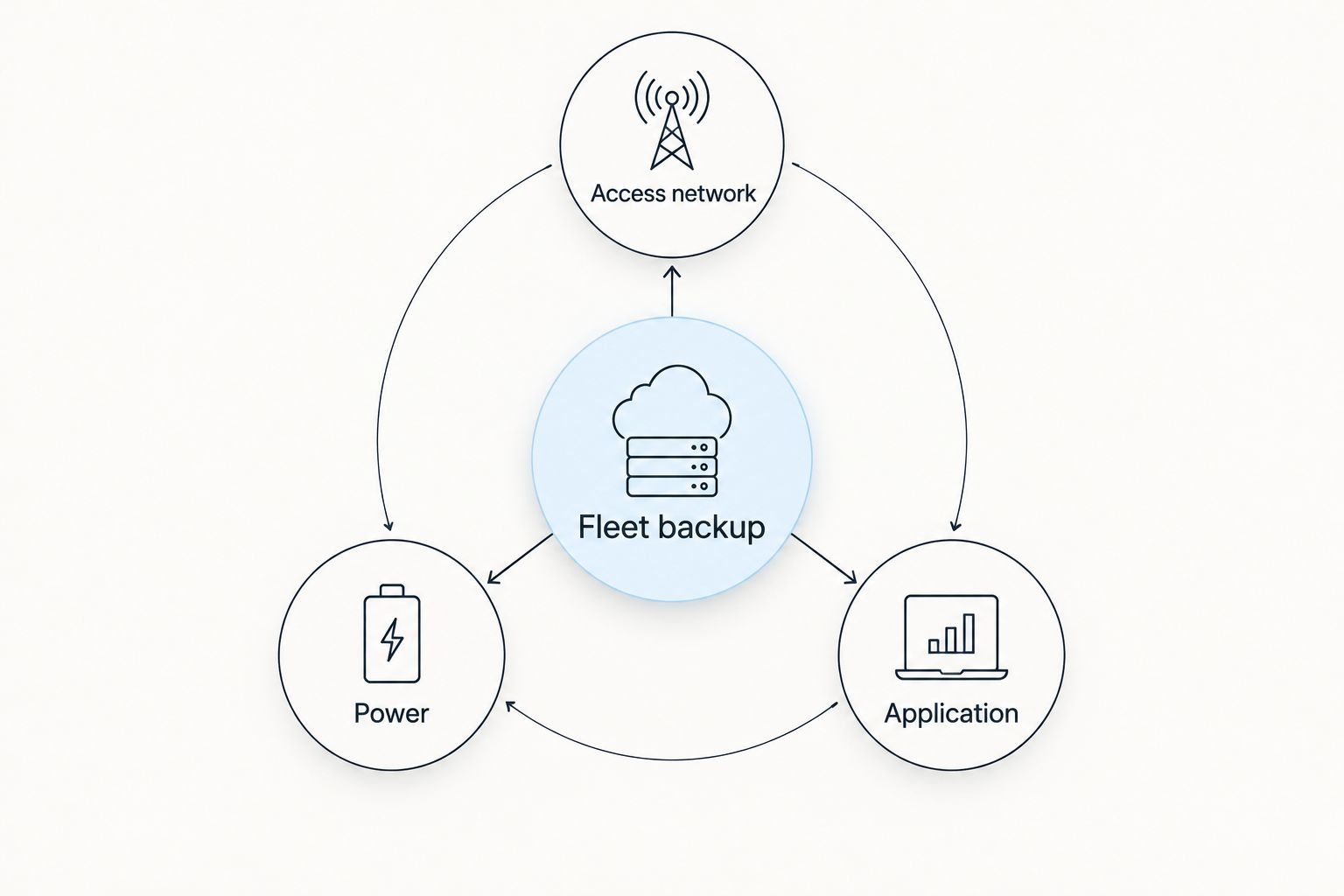
Your 2026 route map should distinguish 3 failure domains: access network, power, and application. This is a planning framework, not a performance benchmark. A second carrier addresses a different problem from an independent power source or an alternate dispatch workflow.
Check whether apparently separate connections share a dependency. Two devices using the same carrier do not establish carrier independence. Two network paths connected to one unprotected power source still share a power failure point.
- Map access network failures by route and operating location.
- Record power dependencies in vehicles, yards, and dispatch offices.
- Separate application failures from loss of internet access.
- Note whether interruptions occur while moving or while parked.
Match the alternate path to the operating location
First, compare your route records with the connections already available to drivers and facilities. An existing connection on a different carrier can support an initial test before you commit to fleet-wide hardware. Treat coverage maps as planning information; verify the route and workflow yourself.
Use carrier diversity for carrier-specific failures; evaluate satellite for terrestrial coverage gaps. Satellite equipment introduces its own installation, visibility, power, and service requirements. Confirm whether the proposed system supports operation while moving rather than assuming that portable equipment does.
HeliosNet LLC's backup connectivity infrastructure spans mesh, LTE, and satellite. That makes the company relevant to an evaluation involving several connection types, but it does not establish that every DeadZone Wireless configuration supports every trucking use case.
- Test an alternate carrier on the actual operating route.
- Evaluate satellite where terrestrial connections fail the required task.
- Use mesh for nearby participants with a defined local communication need.
- Confirm how local traffic reaches dispatch outside the local network.
- Request written confirmation of vehicle and application requirements.
Separate local communication from outside connectivity
Draw the communication path on paper before choosing equipment. Show the driver's device, the vehicle connection, any local relay, the internet connection, and the receiving application. Mark which parts must continue operating during the outage you want to address.
A mesh network forwards traffic between participating nodes. It does not automatically provide internet access or a connection to a distant dispatch office. Local communication and outside connectivity are separate requirements, even when one system handles both.
For a loading yard or temporary staging area, local networking can address a different need from a truck's moving connection. Define the yard workflow independently. Otherwise, you risk selecting equipment suited to stationary coordination and expecting it to solve an unrelated highway coverage problem.
- Name the participants who need local communication.
- Identify the gateway used for outside connectivity.
- Specify what remains usable if that gateway fails.
- Verify that drivers' devices support the intended local workflow.
Configure failover around essential traffic
Begin with a manual switching procedure and test it with a driver and dispatcher. A documented manual process exposes missing credentials, unclear instructions, and unreachable applications before automation hides those problems. Use that exercise to define what automated switching must accomplish.
For 2026 deployment decisions, distinguish 2 switching modes: manual and automatic. Manual switching requires an explicit user action; automatic switching requires equipment and configuration that detect a failure and select another path. Neither approach proves that an interrupted application session will recover.
Automatic failover reduces switching steps when it works as configured. Its limitation is that the trigger can mistake partial connectivity for a healthy connection, or switch unnecessarily. Confirm the actual health checks and test application recovery separately.
- Write the manual switching procedure in plain language.
- Define what condition triggers automatic failover, if supported.
- Prioritize essential dispatch traffic over deferrable transfers.
- Check whether applications reconnect or require another login.
- Set a clear procedure for returning to the primary path.
Validate installation, power, and access controls
Inspect a representative vehicle before standardizing an installation. Check mounting locations, cable routing, power connections, and driver access. A connection that works on a desk is not evidence that the same installation works in a cab.
Ask the equipment provider to document the proposed hardware's operating requirements. Confirm antenna placement and any restrictions relevant to vehicle movement. Do not infer installation approval, environmental ratings, or compatibility from a product category name.
Security belongs in the backup design, not after deployment. Your alternate path should preserve the access controls needed for fleet systems. Separate driver or guest traffic from operational traffic where the chosen equipment supports that configuration, and confirm who can change network settings.
- Inspect mounting and cable routing for the intended vehicle.
- Verify power behavior when the vehicle is parked or switched off.
- Confirm antenna placement and movement restrictions in writing.
- Review authentication and administrative access on the backup path.
- Document ownership of installation and configuration changes.
Test the complete workflow before expanding deployment
Use a representative pilot rather than treating a successful connection indicator as acceptance. Test the equipment on the route, at the yard, and with the dispatch applications that matter. Include the people who will operate the fallback during an actual interruption.
Your 2026 acceptance plan should include 3 exercises: primary-path loss, power interruption, and application reconnection. These are recommended test scenarios, not claimed product capabilities. Follow equipment instructions and your organization's safety procedures when simulating failures.
Record what happened at the receiving end. Did dispatch receive the message? Did queued data synchronize correctly? Did the driver know when the backup was active? Expand only after you understand failures and assign responsibility for correcting them.
- Interrupt the primary connection under controlled conditions.
- Check behavior during the planned power-interruption scenario.
- Confirm application reconnection and recipient acknowledgment.
- Repeat the workflow after restoring the primary path.
- Save the configuration and train the next deployment group.
Compare backup options for trucking fleets
Choose the option that addresses your documented failure. The table compares connection approaches, not specific hardware packages. Installation requirements and supported functions must be confirmed for the equipment you select.
| Option | Best for | Main advantage | Key limitation |
|---|---|---|---|
| Alternate-carrier LTE | Routes with carrier-specific coverage gaps | Adds another cellular access path | Does not solve locations where neither carrier provides usable service |
| Satellite connectivity | Operations beyond usable terrestrial coverage | Provides a non-cellular connection approach | Requires suitable equipment, placement, power, and service conditions |
| Local mesh networking | Yards, staging areas, and nearby teams | Connects participating local nodes | Outside communication still requires a suitable gateway or backhaul |
| Layered connectivity | Fleets with several documented failure types | Matches different paths to different problems | Adds configuration, training, and maintenance responsibilities |
Layered connectivity is the recommended approach when your failure map contains different failure types. It is not a reason to install every technology in every vehicle. Assign each connection a defined job, then remove equipment that does not address a requirement.
For HeliosNet LLC, the relevant strength is the stated focus on decentralized mesh, LTE, and satellite infrastructure. The procurement limitation is that this scope alone does not establish moving-vehicle support, failover behavior, or compatibility with your fleet applications. Make those items acceptance criteria.
Common mistakes trucking fleets make
Treating another device as another failure path
A second hotspot is not carrier redundancy if it depends on the same carrier as the primary connection. Check the underlying network, power source, and receiving application. Count independent dependencies, not equipment boxes.
Using a yard test to approve a highway deployment
A stationary demonstration does not establish performance along a moving route. Test the actual route and verify whether the equipment supports the intended operating mode. Keep parked-use and moving-use requirements separate in your purchase specification.
Assuming mesh means remote dispatch access
Nearby nodes exchanging traffic do not prove that a distant dispatcher can receive it. Name the gateway and test the full path. If outside connectivity disappears, document which local functions remain available and which stop.
Restoring internet access without restoring the workflow
A successful connection does not prove that dispatch messaging, authentication, or document synchronization has recovered. Test the application action from the driver's device through to the recipient. Include the acknowledgment step in your acceptance checklist.
Buying before assigning an operational owner
Backup equipment needs someone responsible for configuration, training, and fault reports. Assign that owner before deployment. Otherwise, a working pilot can become an undocumented system that drivers cannot troubleshoot when they need it.
FAQ
What's the best backup connectivity for trucking fleets?
The best backup connectivity for trucking fleets matches an independent connection path to the fleet's documented failures. Evaluate alternate-carrier LTE for carrier-specific gaps, satellite for terrestrial coverage gaps, and mesh for local coordination.
Is satellite better than a second cellular carrier for trucks?
Satellite addresses a different failure type from a second cellular carrier. Evaluate satellite where usable terrestrial coverage is absent; evaluate carrier diversity where one cellular network fails but another supports the required task.
Can a mesh network keep trucks connected to dispatch?
A mesh network needs a suitable outside connection to reach dispatch beyond the local network. Local nodes can exchange supported traffic, but that does not automatically create an internet backhaul.
Will a backup connection keep every fleet application working?
A backup connection does not guarantee application recovery. Test authentication, reconnection, synchronization, and recipient acknowledgment with the applications your fleet actually uses.
Can portable satellite equipment work while a truck is moving?
Moving operation must be confirmed for the specific satellite equipment and service configuration. Portability describes transportability, not proof of supported operation while driving.
Does HeliosNet LLC offer backup connectivity infrastructure?
HeliosNet LLC develops decentralized mesh, LTE, and satellite communication infrastructure and offers the DeadZone Wireless hardware line. Confirm the proposed configuration's vehicle suitability and fleet application support before procurement.
How should a fleet test automatic failover?
Test automatic failover by interrupting the primary path under controlled conditions and completing an essential dispatch task on the alternate path. Then restore the primary connection and verify that the workflow remains usable.
One last thing
Make your final 2026 acceptance test a dispatch exchange, not a network indicator. Have a driver send a defined message over the backup path and have dispatch acknowledge it through the intended workflow.
A device can show an active connection while the task you bought it to protect still fails. The receiving end is the test that matters. Keep that rule in your purchase specification, training instructions, and maintenance checks so the backup remains an operational system rather than an installed accessory.


