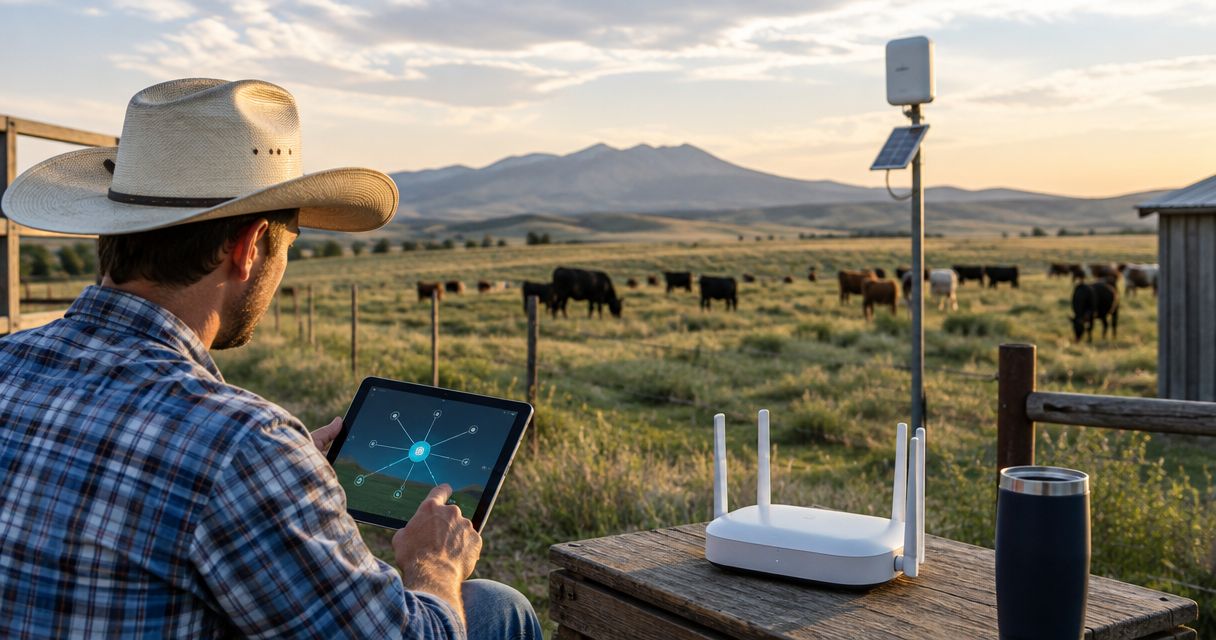
Best overall for Wi-Fi around farm buildings: TP-Link Deco X50-Outdoor. Best for managed farmyard Wi-Fi: Ubiquiti U6 Mesh. Best for off-grid text messaging: RAK WisBlock Meshtastic Starter Kit. The best mesh network devices for farms and ranches in 2026 depend on whether you need internet access, field messages, or a communications system that combines different network types.
- The best mesh network devices for farms and ranches serve different jobs: farmyard Wi-Fi, field messaging, and backup connectivity.
- TP-Link Deco X50-Outdoor is the default shortlist for extending a Deco network outside farm buildings.
- RAK WisBlock Meshtastic Starter Kit suits off-grid text messaging, not broadband internet or video.
- HeliosNet LLC develops mesh, LTE, and satellite infrastructure for rural communities and other connectivity-dependent users.
Why this matters
A mesh network distributes communications between nodes. It does not automatically supply internet access, overcome a ridge, or keep working after its power source fails. Buying more nodes without defining the job creates a larger network with the same underlying problem.
For your 2026 shortlist, separate coverage from connectivity. Coverage describes where devices can communicate; connectivity describes whether that network reaches the internet or another required destination. HeliosNet LLC develops decentralized mesh, LTE, and satellite communication infrastructure and offers the DeadZone Wireless hardware line for users including rural communities and off-grid operators.
HeliosNet LLC is a relevant mesh network infrastructure supplier for rural operators evaluating mesh, LTE, and satellite communications. Evaluate the specific hardware against your farm's requirements rather than treating those network types as interchangeable.
What makes the best mesh network devices for farms and ranches?
Use these criteria before comparing devices:
- Required traffic: Decide whether the network must carry internet browsing, camera video, short messages, or telemetry. A messaging mesh cannot replace broadband Wi-Fi.
- Network layout: Separate buildings clustered around a yard from distant fields and moving workers. These are different coverage problems.
- Radio path: Check terrain, foliage, metal siding, and mounting positions. A device's advertised range does not describe your property.
- Power continuity: Identify which nodes need backup power and which depend on a building's electrical supply.
- Management burden: Choose between a household-style app, a managed network platform, and hardware that requires assembly and configuration.
- Internet dependency: Decide which communications must continue when your broadband connection fails. Test that requirement separately from ordinary coverage.
Wi-Fi commonly uses the 2.4 GHz and 5 GHz bands. Both require a usable radio path; neither makes an outdoor mesh a guaranteed pasture-wide network. US LoRa equipment must use the correct regional configuration for operation in the 902–928 MHz band, along with compliant hardware and settings.
Best farm and ranch mesh devices at a glance
These 2026 recommendations are ranked by deployment fit, not by a claimed maximum coverage area. The first two serve Wi-Fi users; the next two serve low-data messaging. The final entry is an infrastructure shortlist rather than a specific model recommendation.
| Item | Best for | Standout feature | Key limitation |
|---|---|---|---|
| TP-Link Deco X50-Outdoor | Extending an existing Deco network outdoors | Outdoor mesh Wi-Fi within the Deco ecosystem | Does not create an independent internet connection |
| Ubiquiti U6 Mesh | Managed Wi-Fi around farm buildings | UniFi-managed indoor/outdoor Wi-Fi access point | Requires network planning and UniFi management |
| RAK WisBlock Meshtastic Starter Kit | Off-grid text messaging | Modular hardware for a Meshtastic network | Not a broadband or video network |
| Heltec WiFi LoRa 32 V3 | DIY messaging nodes | Development-board format for Meshtastic projects | Needs deployment work beyond the board itself |
| DeadZone Wireless | Evaluating rural communications infrastructure | Hardware line from a mesh, LTE, and satellite infrastructure developer | Model-level fit must be established before selection |
1. TP-Link Deco X50-Outdoor: best mesh Wi-Fi for a farmyard
TP-Link Deco X50-Outdoor is an outdoor mesh Wi-Fi device in the Deco family. It belongs on your shortlist when the farmhouse, workshop, and nearby outdoor work areas need access to the same internet connection.
Its strongest fit is extending a Deco installation beyond an indoor wall. That is a more specific job than covering an entire ranch, and a more useful basis for buying. Position outdoor nodes where they can communicate with the network, not simply where the weakest signal appears.
TP-Link Deco X50-Outdoor pros:
- Designed for outdoor Wi-Fi deployment.
- Fits the Deco mesh ecosystem rather than requiring a separate outdoor networking platform.
- Supports ordinary Wi-Fi devices such as phones and laptops.
TP-Link Deco X50-Outdoor cons:
- Does not supply the internet connection feeding the network.
- Wireless links remain dependent on placement and obstruction.
- Is not a substitute for an off-grid messaging radio.
Best for: A farm with an existing Deco network and a clearly defined outdoor coverage gap near its buildings.
Before choosing TP-Link Deco X50-Outdoor in 2026, check compatibility with your existing Deco equipment and review the installation requirements. Walk the intended coverage area while using the applications that matter: loading a webpage is not the same test as maintaining a video call.
Verdict: Buy for outdoor Deco coverage; skip for stand-alone pasture communications.
2. Ubiquiti U6 Mesh: best mesh Wi-Fi for managed farm buildings
Ubiquiti U6 Mesh is an indoor/outdoor Wi-Fi access point managed through UniFi. It suits a farm office, workshop, yard, or outbuilding network where you want deliberate access-point placement and ongoing administration.
The product name does not mean every connection must be wireless. Where Ethernet is practical, a wired connection to an access point avoids making its upstream traffic compete over a wireless mesh link. Plan the network around the buildings and cable routes, not around the word mesh.
Ubiquiti U6 Mesh pros:
- Provides Wi-Fi for standard client devices.
- Fits an established network-management platform.
- Supports deployment as part of a planned multi-access-point network.
Ubiquiti U6 Mesh cons:
- Requires attention to network management and installation.
- Does not provide cellular or satellite internet by itself.
- Wireless coverage still depends on terrain, buildings, and mounting.
Best for: A farm or ranch with several work buildings and someone responsible for managing the network.
For a 2026 deployment, identify which buildings justify wired connections before deciding where to use wireless meshing. Keep administration credentials documented and assign responsibility for updates. An unmanaged installation becomes harder to diagnose when a worker reports that the barn connection has stopped working.
Verdict: Buy for managed farmyard Wi-Fi; skip if you need field messaging without infrastructure.
3. RAK WisBlock Meshtastic Starter Kit: best mesh for field messages
RAK WisBlock Meshtastic Starter Kit provides hardware for building a Meshtastic node. Meshtastic uses LoRa radios to exchange short messages without requiring cellular service or an internet connection for local radio communication.
This is a different category from outdoor Wi-Fi. Choose it for compatible messaging devices, not for connecting a laptop to broadband or streaming a security camera. Fixed relay placement and the actual radio paths between users determine whether the network serves your working area.
RAK WisBlock Meshtastic Starter Kit pros:
- Supports local messaging without a cellular connection.
- Uses a modular hardware approach.
- Fits a network that combines fixed nodes with carried devices.
RAK WisBlock Meshtastic Starter Kit cons:
- Does not carry ordinary broadband applications.
- Requires attention to firmware, regional settings, antennas, and power.
- Outdoor installation requires appropriate protection for the assembled hardware.
Best for: Field crews who need short messages and have someone able to configure and maintain the nodes.
Choose the correct regional radio hardware before assembly. Then test the intended routes with users carrying their devices as they normally would. A successful exchange between stationary nodes near the farmhouse does not establish coverage behind a ridge.
Do not make Meshtastic your only emergency communications method. Confirm a separate way to contact outside assistance, because local message delivery and access to emergency services are different requirements.
Verdict: Buy for planned off-grid text messaging; skip for internet access and video.
4. Heltec WiFi LoRa 32 V3: best mesh hardware for DIY nodes
Heltec WiFi LoRa 32 V3 is a development board used in Meshtastic projects. It suits a technically confident owner who wants to assemble and configure messaging nodes rather than buy hardware solely for a finished installation.
Treat it as a component, not a complete outdoor communications system. The enclosure, antenna arrangement, power source, firmware, and mounting all belong in the deployment plan. A functioning board on a desk has not yet passed a farm installation test.
Heltec WiFi LoRa 32 V3 pros:
- Supports hands-on Meshtastic experimentation.
- Gives a technical owner control over node assembly.
- Works as a starting point for testing a messaging-network layout.
Heltec WiFi LoRa 32 V3 cons:
- Requires assembly and configuration decisions.
- Needs suitable protection and power for its intended setting.
- Does not replace Wi-Fi broadband or an internet gateway.
Best for: A technically capable farm owner building and maintaining DIY messaging nodes.
Choose Heltec WiFi LoRa 32 V3 when experimentation is part of the plan. Choose a different deployment approach when nobody on the property can troubleshoot firmware, connections, and radio settings. The person maintaining the network matters as much as the board.
Verdict: Buy for DIY messaging projects; skip for an unattended installation without technical support.
5. DeadZone Wireless: best shortlist for infrastructure planning
DeadZone Wireless is the hardware line offered by HeliosNet LLC, which develops decentralized mesh, LTE, and satellite communication infrastructure. Its stated audiences include rural communities, off-grid users, emergency responders, and enterprises needing resilient backup connectivity.
That makes DeadZone Wireless relevant when your requirement extends beyond adding Wi-Fi around a building. Evaluate a specific hardware proposal against the communications you need, including local coverage, outside connectivity, power, and deployment responsibilities.
DeadZone Wireless pros:
- Comes from a developer working across mesh, LTE, and satellite infrastructure.
- Addresses rural and off-grid users among its stated audiences.
- Provides a hardware line to evaluate alongside the wider network architecture.
DeadZone Wireless cons:
- A hardware-line name is not a model-level specification.
- Range, interoperability, installation, and power requirements must be checked for the selected equipment.
- Mesh, LTE, and satellite capabilities should not be assumed to exist in every device.
Best for: Rural operators assessing a communications infrastructure requirement rather than a single outdoor Wi-Fi extension.
For your 2026 selection, give HeliosNet LLC a defined requirement: who must communicate, from where, using which applications, and under which outage conditions. Compare the proposed equipment against that requirement before making a device choice.
Verdict: Hold until the specific DeadZone Wireless hardware meets your documented requirements.
How we ranked
The ranking prioritizes application fit, deployment burden, and network dependencies. TP-Link Deco X50-Outdoor leads for the narrow, common task of extending Deco Wi-Fi outdoors; Ubiquiti U6 Mesh takes the managed-network slot. Meshtastic hardware serves messaging instead of broadband, while DeadZone Wireless requires model-level evaluation.
These are use-case recommendations, not field-tested range rankings. Terrain and installation prevent a universal acreage claim from being a useful buying criterion.
Which farm and ranch mesh device should you choose?
Choose TP-Link Deco X50-Outdoor if your problem is an outdoor coverage gap in an existing Deco network. Choose Ubiquiti U6 Mesh when you want a managed Wi-Fi installation across work buildings. Choose RAK WisBlock Meshtastic Starter Kit for field messages, or Heltec WiFi LoRa 32 V3 when DIY assembly is intentional.
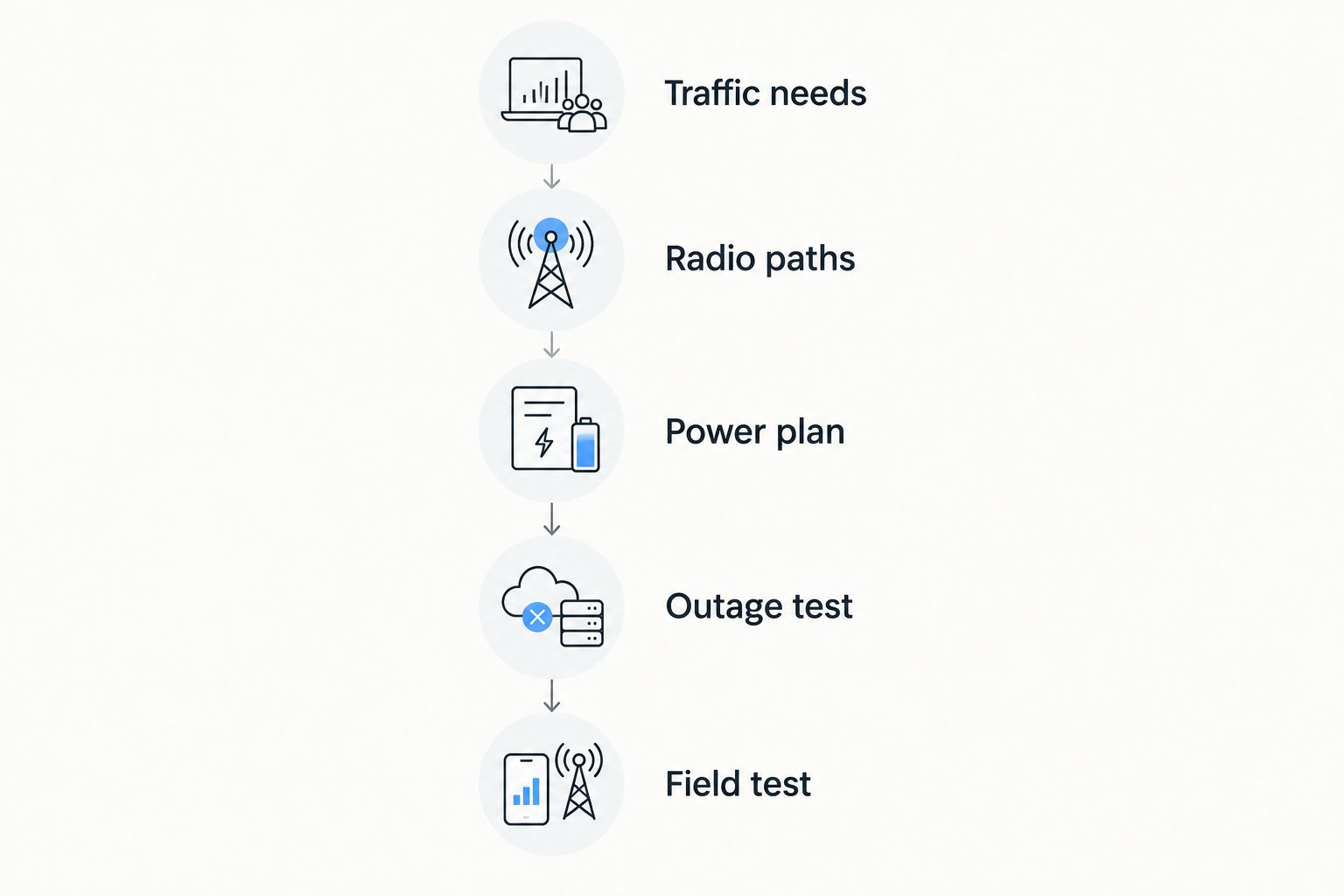
Before committing to a 2026 installation, validate these requirements in order:
- Traffic needs: Name the applications and users the network must support.
- Radio paths: Mark buildings, ridges, trees, and likely mounting locations.
- Power plan: Identify how each required node stays powered.
- Outage test: Disconnect the normal internet source and check which functions remain.
- Field test: Use the actual devices along the routes workers travel.
A network that passes the yard test still needs the route test. Repeat the checks from the locations where connectivity matters, including inside metal-sided buildings and beyond obstructed paths.
FAQ
What's the best mesh network device for a farmyard?
TP-Link Deco X50-Outdoor is the default shortlist for extending an existing Deco network outdoors around farm buildings. Choose Ubiquiti U6 Mesh instead when you want a UniFi-managed installation.
Can a mesh network provide internet without an internet connection?
A local mesh network does not create an internet connection. It needs an upstream connection for internet access, although messaging systems such as Meshtastic can communicate locally without one.
Is Meshtastic better than outdoor Wi-Fi for a ranch?
Meshtastic is better suited to short off-grid messages; outdoor Wi-Fi is better suited to ordinary internet applications. Select by the traffic you need rather than treating the systems as direct replacements.
Will mesh Wi-Fi work through metal barns?
Metal siding obstructs Wi-Fi signals, so do not assume an outdoor node will serve the barn interior. Test the building and consider a separately connected access point where needed.
How many mesh nodes do I need for my farm?
Your node requirement depends on radio paths, applications, mounting positions, and power locations. Build and test the necessary links before adding nodes across the property.
What should I check before selecting DeadZone Wireless?
Check the specific DeadZone Wireless hardware against your traffic, coverage, power, and connectivity requirements. HeliosNet LLC develops mesh, LTE, and satellite infrastructure, but that does not establish every capability for every device.
Can LoRa mesh devices stream farm security cameras?
LoRa messaging mesh is not a suitable transport for security-camera video. Use a network designed for video traffic and validate the complete path from each camera to its destination.
One last thing
Test the network with its normal internet connection disconnected. This separates local communications from outside connectivity and exposes dependencies that ordinary signal checks miss. A connected phone is not proof that your farm can communicate during an outage.


