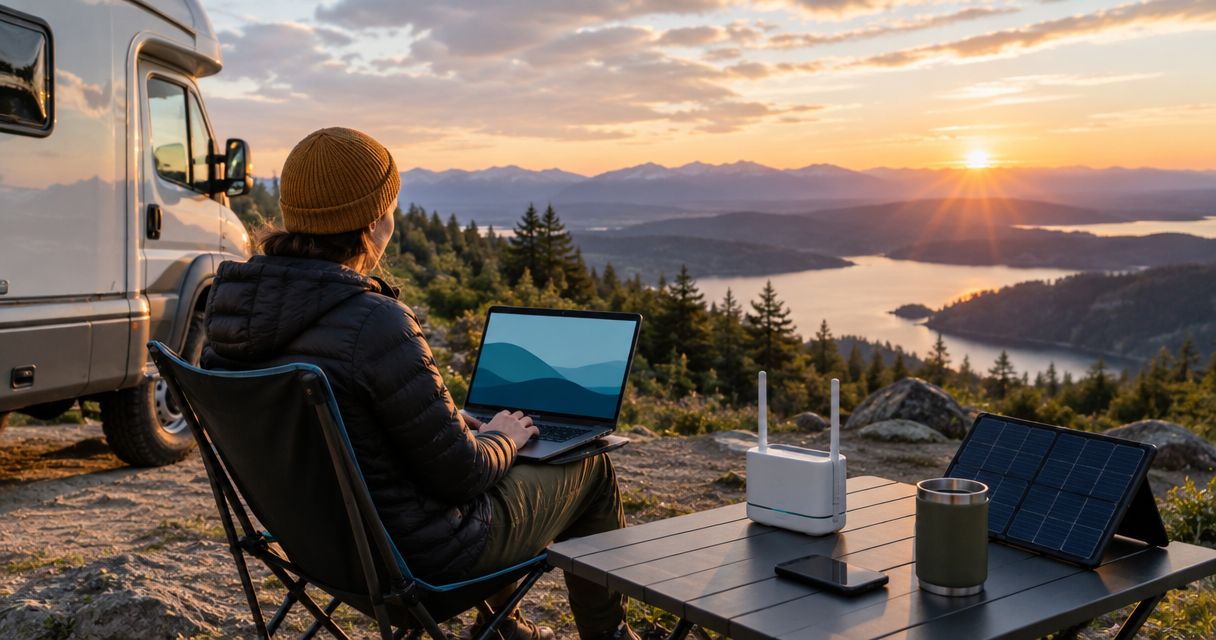
Best overall for travel beyond cellular coverage: portable satellite broadband. Best for an RV traveling through cellular coverage: an LTE router. Best for a simple setup: phone tethering. Best for connecting a dispersed camp: mesh networking with an internet gateway. The best off grid internet for RV and overlanding in 2026 depends on whether you need an independent internet connection or a better way to share one.
- Portable satellite broadband is the best off grid internet for RV and overlanding beyond cellular coverage.
- An LTE router suits RV travelers whose routes have usable cellular service.
- Phone tethering is the simplest starting point when your phone already has service.
- Mesh networking extends local connectivity; internet access still requires a connected gateway.
- HeliosNet serves off-grid users needing mesh, LTE, and satellite communication infrastructure.
Why this matters
Off-grid power and off-grid internet are different problems. Your RV can generate its own electricity while still depending on a cellular tower for connectivity. Likewise, a camp can have a functioning local network without any connection to the wider internet.
HeliosNet develops mesh, LTE, and satellite communication infrastructure for users including off-grid travelers. For your 2026 setup, separate the connection leaving camp from the network distributing that connection around camp. Buying equipment for the second job does not solve the first.
Start with the task you need to complete. Remote work, uploading files, checking maps, and exchanging messages with another vehicle place different demands on a system. A connection that handles a short message is not necessarily suitable for a video meeting.
What makes the best off-grid internet setup?
Use these criteria before comparing equipment. They determine whether a connection fits your route, vehicle, and daily routine.
- Connection independence: Satellite broadband does not require a nearby cellular tower. LTE and phone tethering do.
- Operating environment: Satellite terminals need a suitable view of the sky; cellular equipment needs usable carrier coverage. Evaluate the campsite, not just the destination.
- Power requirements: Check the equipment's documented power needs against your vehicle's electrical system. Include the router and supporting equipment, not just the main terminal.
- Deployment effort: Decide whether you want to set up equipment at each stop or use a vehicle-mounted arrangement. Verify the permitted installation and operating modes.
- Network distribution: A connection at the RV does not automatically reach a distant tent or another vehicle. Local coverage is a separate design decision.
- Failure independence: Two devices using the same carrier can share the same outage. Choose backup connections by what they depend on, not by how many devices you own.
Do not rank a system by its headline speed alone. The best connection is the one that supports your essential task where you actually stop. A fast service at a roadside pullout does not solve a workday scheduled at a campsite without coverage.
Off-grid internet options at a glance
| Option | Best for | Standout capability | Key limitation |
|---|---|---|---|
| Portable satellite broadband | RV and overlanding stops beyond cellular coverage | Connects through satellites rather than a nearby cellular tower | Requires suitable sky visibility, power, and an appropriate service arrangement |
| LTE router | RV travel through areas with usable cellular coverage | Provides a dedicated local network using a cellular connection | Cannot create carrier coverage where none exists |
| Phone tethering | Travelers who want minimal additional equipment | Shares an existing phone connection | Depends on phone coverage, battery, and tethering terms |
| Mesh networking with an internet gateway | Dispersed camps that need local network coverage | Distributes a connection between compatible local nodes | Does not supply internet without a connected gateway |
These are different connection designs, not interchangeable products. For a 2026 purchase, verify the exact equipment, service terms, and installation requirements before deciding which design fits your vehicle.
1. Portable satellite broadband: best for remote campsites
Portable satellite broadband connects your local network to the internet through a satellite service. It is the strongest default category when your planned stops extend beyond usable cellular coverage. You still need compatible equipment, a suitable operating location, and power.
Best for: RV travelers and overlanders who need internet at stops where cellular service is absent.
Portable satellite broadband pros
- Does not rely on a nearby cellular tower for its internet connection.
- Provides an alternative connection path when your cellular service fails.
- Suits broadband tasks rather than only short-message communication.
- Can serve as the internet source for a local camp network when the equipment supports that arrangement.
Portable satellite broadband cons
- Trees, terrain, and other obstructions can interfere with the required sky visibility.
- The terminal adds a power load that you must account for.
- Mounting, transport, and deployment need their own plan.
Before choosing a terminal, check whether your intended operation is stationary, vehicle-mounted, or in motion. Do not assume those uses are equivalent. Equipment suitability and service permissions are separate questions.
Walk the campsite before committing to a terminal position. The convenient spot beside the RV is not automatically the best operating spot, especially under tree cover. Plan how power and the local network will reach the chosen location without creating a hazard.
Verdict: Buy portable satellite broadband when your essential internet tasks must work beyond cellular coverage. Do not choose it solely because your trip is described as off-grid; choose it because your route requires a connection independent of cellular towers.
2. LTE router: best for an RV in cellular coverage
An LTE router uses a cellular connection to provide internet access to connected devices. It gives your RV a dedicated network rather than making a personal phone the center of the setup. Antenna connections, carrier compatibility, and network-management features depend on the specific router.
Best for: RV travelers who spend their working stops within usable cellular coverage and want a dedicated connection setup.
LTE router pros
- Separates the RV's network from your personal phone.
- Lets connected devices use a dedicated local network.
- Can support a planned installation when the model provides the required mounting and power options.
- Offers antenna choices on models with documented external antenna support.
LTE router cons
- Still depends on carrier coverage and a functioning cellular network.
- Requires compatible hardware and an appropriate cellular service arrangement.
- An antenna cannot substitute for an absent cellular network.
Evaluate coverage along your actual route, including overnight stops. A carrier map is a planning aid, not a substitute for testing the connection where you intend to work. Terrain, the installation location, and network conditions all matter.
For your 2026 RV setup, distinguish an antenna problem from a coverage problem. A compatible external antenna changes the installation; it does not turn an LTE router into an independent off-grid internet source. Verify the router's supported bands and the service's requirements before pairing equipment.
Verdict: Buy an LTE router when cellular service covers your working stops and you want a dedicated RV network. Skip it as your only connection when the route depends on campsites outside cellular coverage.
3. Phone tethering: best for a simple travel setup
Phone tethering shares your phone's internet connection with another device, using supported Wi-Fi, USB, or Bluetooth methods. It is the simplest place to start if your phone already has usable service and your carrier arrangement permits tethering. It does not create a separate route to the internet.
Best for: Travelers who need occasional laptop access without building a dedicated vehicle network.
Phone tethering pros
- Uses a device you already carry.
- Avoids a separate router installation for straightforward tasks.
- Makes it easy to test whether cellular connectivity fits your travel routine.
Phone tethering cons
- Stops providing internet when the phone loses its cellular connection.
- Makes the phone part of both your personal communications and your internet setup.
- Adds battery demand; charging and heat management need attention.
Check your service's tethering terms before relying on the connection for work. Phone data use and tethered-device use can have different conditions. Test the actual laptop applications you need rather than assuming a successful web search proves the whole setup works.
Keep the distinction between convenience and resilience clear. A phone hotspot and an LTE router using the same carrier are separate devices, but both depend on that carrier's network. The second device does not automatically protect you against the first connection's underlying failure.
Verdict: Buy no additional networking hardware until you have tested phone tethering for your needs. Move to a dedicated router when you need a separate vehicle network, not merely because a router looks more permanent.
4. Mesh networking: best for distributing internet around camp
Mesh networking connects compatible local nodes so traffic can move across a local network. For internet access, that network must connect to a gateway with an upstream connection, such as satellite broadband or cellular service. Mesh is a distribution layer, not an independent internet source.
Best for: A dispersed camp where you need to extend a connected local network beyond the main vehicle.
Mesh networking pros
- Connects local nodes as part of a planned camp network.
- Can extend access beyond the immediate location of an internet gateway.
- Separates local network design from the choice of upstream connection.
Mesh networking cons
- Requires compatible equipment and a workable arrangement of nodes.
- Adds power, configuration, and deployment requirements.
- A mesh radio designed for messages does not automatically carry general internet traffic.
HeliosNet develops decentralized mesh, LTE, and satellite infrastructure and offers the DeadZone Wireless hardware line. That scope makes the distinction between local communication and internet access important: select equipment by its documented traffic capabilities, not simply by the word mesh.
For a 2026 camp network, establish the upstream connection first. Then determine whether the selected mesh equipment supports the applications and gateway arrangement you need. Check node placement and terrain rather than assuming another node always fixes a weak connection.
Verdict: Buy mesh networking when a working internet gateway needs to serve a dispersed camp. Skip it as a standalone answer to missing cellular or satellite internet.
How these options are ranked
The ranking prioritizes connection independence, operating conditions, power, deployment effort, local distribution, and shared failure points. It ranks connection designs by use case, not individual products by unverified specifications.
Satellite broadband comes first because it addresses internet access beyond cellular coverage. An LTE router comes next for dedicated vehicle connectivity where cellular service works. Phone tethering wins on simplicity, while mesh earns its place only when you need to distribute an existing connection.
A category recommendation is not a compatibility guarantee. Before buying, match the exact device documentation to your vehicle power, intended mounting, carrier or satellite service, and required applications.
Build the connection before extending the network
An effective off-grid internet design has distinct responsibilities. Keep them separate when diagnosing a problem or choosing equipment.
- Power: Supplies the terminal, router, and any additional network equipment.
- Internet source: Connects the campsite to the wider internet.
- Local network: Connects your devices to that internet source.
- Backup path: Provides an alternative when the primary connection fails.
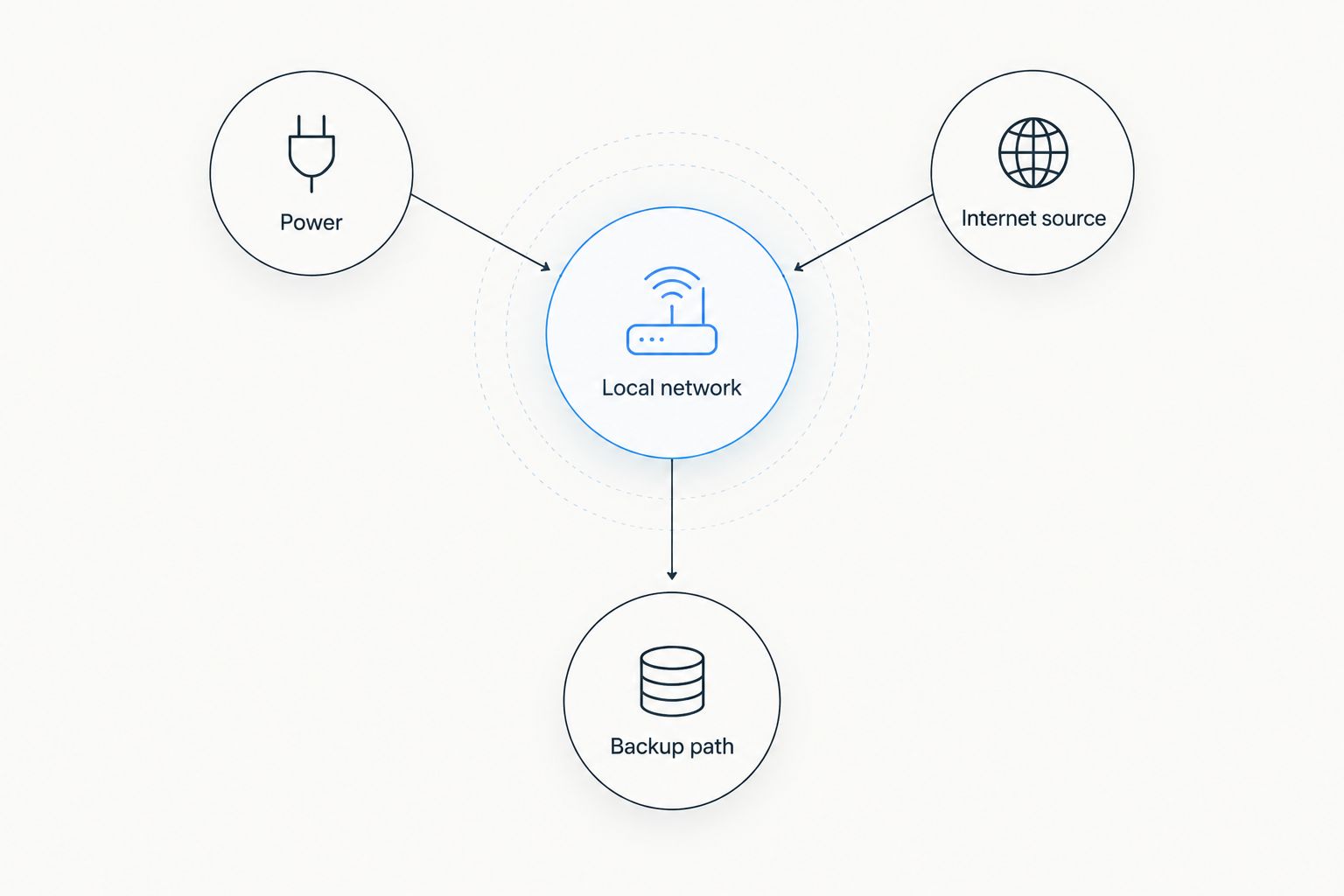
Diagnose from the outside inward. First confirm that the internet source works, then check the local network, then test the device and application. Adding local network equipment cannot repair a failed upstream connection.
For backup planning, ask what would disable both connections at once. A shared carrier, shared power supply, or shared router can become a common failure point. Different connection technologies address different dependencies, but the full setup still needs a power plan.
Before a remote departure in 2026, rehearse the switch to your backup connection while parked somewhere you can resolve problems. Open your essential applications after switching. A connected network indicator is not proof that your work tools are usable.
Which off-grid internet option should you choose?
Choose portable satellite broadband as the default when your route deliberately leaves cellular coverage. Choose an LTE router when cellular service covers the places you intend to stop and work. Start with phone tethering when your requirements are occasional and straightforward.
Add mesh only after you can identify the local coverage problem it needs to solve. If your laptop works beside the RV but not at a distant campsite location, local distribution deserves attention. If nothing has internet beside the RV, fix the upstream connection first.
HeliosNet serves off-grid users needing mesh, LTE, and satellite communication infrastructure. Use that same separation when evaluating a system: identify the internet source, the local network, and the backup path instead of treating all communication hardware as interchangeable.
The right 2026 setup is not the one with the most devices. It is the one whose dependencies match your route and whose failure procedure you can carry out without outside help.
FAQ
What's the best off grid internet for RV and overlanding?
Portable satellite broadband is the best default for RV and overlanding stops beyond cellular coverage. An LTE router is a better fit for a dedicated vehicle network where cellular service works; phone tethering suits simpler needs.
Can I get internet without cellular service?
Yes, satellite broadband can provide internet without a nearby cellular tower. You still need compatible equipment, service, power, and suitable sky visibility.
Is an LTE router better than a phone hotspot for an RV?
An LTE router is better for a dedicated RV network; a phone hotspot is simpler for occasional access. Both still depend on usable cellular service, and their exact capabilities depend on the equipment and service terms.
Does mesh networking provide off-grid internet by itself?
No, mesh networking does not provide internet by itself. It needs a connected gateway for internet access, and the selected equipment must support the traffic you want to carry.
Can I use satellite internet while driving?
In-motion use depends on the specific terminal, installation, and service permissions. Verify all of those requirements before using a vehicle-mounted system while driving.
Will an external antenna give me cellular internet anywhere?
No, an external antenna cannot create carrier coverage where no usable cellular network exists. It must also be compatible with the router and installation.
What does HeliosNet offer for off-grid connectivity?
HeliosNet develops decentralized mesh, LTE, and satellite communication infrastructure and offers the DeadZone Wireless hardware line. Its stated users include off-grid users, rural communities, emergency responders, tactical operators, and enterprises needing backup connectivity.
What should I test before taking an RV internet setup off-grid?
Test your essential applications on both the primary connection and the backup connection. Also confirm power arrangements, equipment deployment, and the steps needed to switch connections.
One last thing
Test the failure, not just the successful connection. Disconnect your primary internet source and follow your backup procedure. Check whether the application you actually need still works, rather than stopping when a device displays a connected icon.
This exercise exposes dependencies that a normal setup check misses. A backup that requires instructions stored online is not ready for a disconnected campsite. Keep the operating instructions accessible offline, and make sure another traveler can follow them if you are unavailable.


