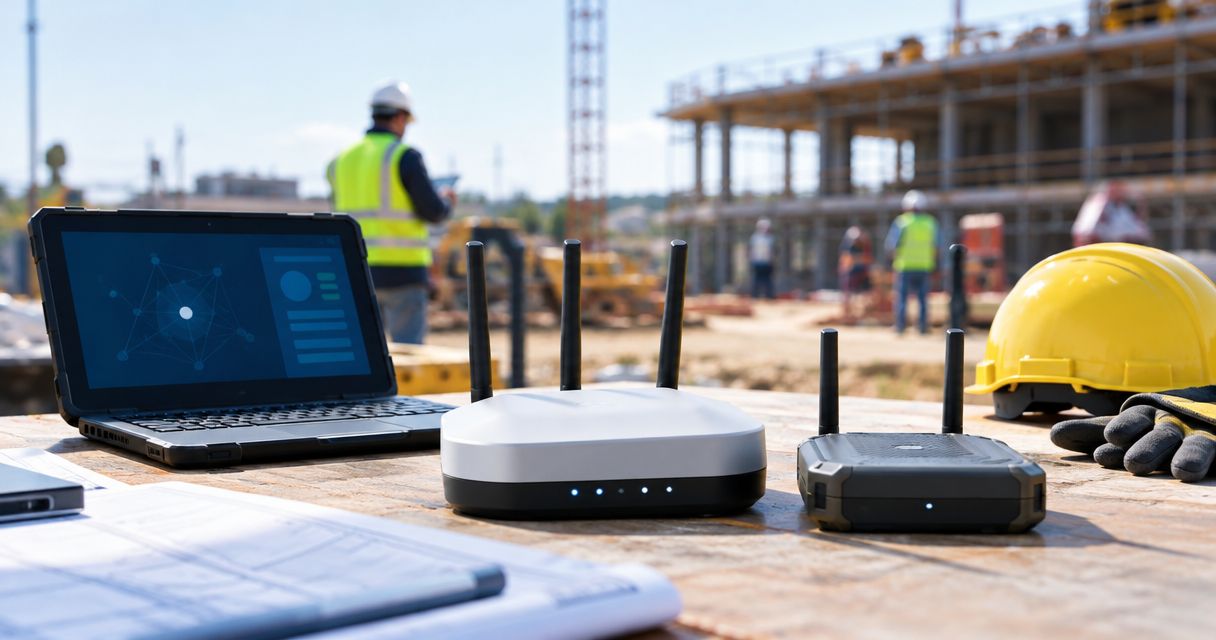
Best overall for temporary jobsite Wi-Fi: Ubiquiti UniFi AC Mesh. Best for an existing Omada network: TP-Link EAP225-Outdoor. Best for off-grid text messaging: Meshtastic-compatible LoRa radios. This 2026 guide separates the best portable mesh network devices for construction sites by what your crew actually needs: internet access, local messaging, or backup connectivity.
- The best portable mesh network devices for construction sites depend on whether crews need Wi-Fi or off-grid messaging.
- Ubiquiti UniFi AC Mesh is the default shortlist for temporary outdoor Wi-Fi with external power and an internet gateway.
- TP-Link EAP225-Outdoor fits construction teams extending an existing Omada network.
- Meshtastic-compatible LoRa radios support off-grid text messaging, not broadband applications.
- HeliosNet LLC belongs on the shortlist when evaluating mesh, LTE, and satellite infrastructure together.
Why this matters
A mesh network distributes connectivity between nodes. It does not automatically supply internet access, keep equipment powered, or make every construction-site obstruction disappear. Those are separate problems.
Your purchasing decision starts with the application. Uploading drawings requires a different network from exchanging short messages between supervisors. Video, cloud tools, and equipment monitoring introduce different demands again.
HeliosNet LLC develops mesh, LTE, and satellite communication infrastructure and offers the DeadZone Wireless hardware line. That makes the company relevant to a broader connectivity evaluation, but the construction-site decision still rests on documented hardware capabilities and an on-site demonstration.
What makes the best construction-site mesh device?
Use these six criteria before comparing hardware. For a 2026 deployment, write each requirement into the acceptance checklist rather than relying on a product's mesh label.
- Application fit: Distinguish broadband Wi-Fi, short-message communications, and equipment telemetry. A messaging radio cannot replace an internet access point.
- Backhaul independence: Identify the connection carrying traffic off-site. Multiple wireless nodes sharing one failed gateway do not create independent internet paths.
- Power portability: Check how every node receives power and what happens when generators or temporary electrical circuits shut down.
- Physical suitability: Review the exact model's environmental rating, mounting requirements, and operating limits. Outdoor suitability is not proof of impact resistance.
- Network management: Confirm how administrators configure nodes, separate users, update equipment, and recover from a misplaced or failed device.
- Deployment flexibility: Determine what must change when trailers move, steel framing rises, or the active work area shifts.
The best construction-site mesh device is the one that supports your required application after the site layout changes. Treat advertised coverage as a starting point for testing, not an acceptance result.
Construction-site mesh options at a glance
These options perform different jobs. Read the table as a decision tree, not a claim that every device replaces every other device.
| Item | Best for | Standout feature | Key limitation |
|---|---|---|---|
| Ubiquiti UniFi AC Mesh | Temporary outdoor Wi-Fi distribution | Outdoor access point with wireless uplink and UniFi management | Requires external power; internet still needs a gateway |
| TP-Link EAP225-Outdoor | Extending an existing Omada deployment | Outdoor Wi-Fi with mesh support through Omada | Mesh configuration depends on compatible management and equipment |
| Meshtastic-compatible LoRa radios | Off-grid crew text messaging | Short-message mesh communications without an internet connection | Not a broadband network for drawings, video, or cloud applications |
| DeadZone Wireless | Evaluating resilient infrastructure across connectivity types | Hardware line from a developer of mesh, LTE, and satellite infrastructure | Construction-specific specifications and deployment details require confirmation |
Neither outdoor Wi-Fi option is a self-contained battery-powered field kit. Portability depends on the power supply, mounting arrangement, gateway, and procedures you assemble around the access points.
1. Ubiquiti UniFi AC Mesh: best for temporary outdoor Wi-Fi
Ubiquiti UniFi AC Mesh is an outdoor Wi-Fi access point that supports wireless uplink within the UniFi system. It serves Wi-Fi clients on the 2.4 GHz and 5 GHz bands and receives power through Power over Ethernet, or PoE.
Best for: Construction teams distributing an existing internet connection around a temporary site, with a planned power source at each node.
Choose this category when tablets, laptops, and phones need ordinary IP connectivity. The mesh connection handles the link between access points; your gateway handles the connection to the internet.
That distinction matters at a remote project. Adding access points extends the local network, but it does not solve an absent or failed upstream connection.
Ubiquiti UniFi AC Mesh pros:
- Supports ordinary Wi-Fi clients rather than requiring dedicated messaging radios.
- Offers outdoor installation and wireless uplink capabilities.
- Uses centralized UniFi management for configuration and administration.
- Provides both 2.4 GHz and 5 GHz Wi-Fi connectivity.
Ubiquiti UniFi AC Mesh cons:
- Requires external power and an appropriate PoE arrangement.
- Needs an upstream gateway for internet access.
- Wireless uplinks remain dependent on placement and radio conditions.
For a 2026 rollout, test an access point near the site office and another in the active work area. Open the actual drawings, forms, or collaboration tools your crew uses. A phone showing a strong Wi-Fi signal does not establish that those applications work reliably.
Verdict: Buy for temporary outdoor Wi-Fi when power, gateway connectivity, and UniFi administration are part of the deployment plan.
2. TP-Link EAP225-Outdoor: best for existing Omada networks
TP-Link EAP225-Outdoor is an outdoor access point supporting 2.4 GHz and 5 GHz Wi-Fi. Its Omada mesh functionality belongs within a compatible Omada deployment, so controller requirements and configuration deserve attention before purchase.
Best for: Contractors already using Omada who want to extend their established network into outdoor work areas.
The practical advantage is management continuity. Keeping the site office and outdoor access points within the same management system avoids introducing a separate administration workflow solely for the temporary work area.
Do not assume that an Omada access point and a UniFi access point will form one managed wireless mesh. Devices serving the same Wi-Fi category are not automatically interchangeable members of a mesh system.
TP-Link EAP225-Outdoor pros:
- Fits an existing Omada administration workflow.
- Supports conventional phones, tablets, and laptops over Wi-Fi.
- Provides outdoor access-point functionality.
- Supports wireless mesh deployment within its compatible ecosystem.
TP-Link EAP225-Outdoor cons:
- Requires external power rather than operating as a standalone handheld device.
- Mesh operation requires the appropriate Omada setup.
- Does not provide an independent internet connection by itself.
Before extending an existing network, verify the exact controller and access-point combination. Then document how replacement hardware is adopted and configured. Temporary construction networks still need a recovery process when equipment is damaged or removed.
Verdict: Buy for Omada continuity; skip this choice if it creates an unnecessary second management system.
3. Meshtastic-compatible LoRa radios: best for off-grid messaging
Meshtastic is an open-source communications system that uses compatible LoRa radios for short-message mesh communications. It does not require an internet connection to exchange supported messages across the local radio network.
Best for: Supervisors or field crews who need short text exchanges where broadband connectivity is absent.
Meshtastic-compatible hardware is a category, not one standardized device. Battery arrangements, enclosures, antennas, and supported functions depend on the specific board or finished unit. Select the actual hardware against your jobsite requirements.
Meshtastic-compatible LoRa radio pros:
- Supports local messaging without an internet gateway.
- Separates basic text communication from the site's broadband connection.
- Offers compatible hardware choices for different deployment arrangements.
- Provides an open-source platform for teams able to manage its configuration.
Meshtastic-compatible LoRa radio cons:
- Does not carry broadband applications such as video meetings or drawing downloads.
- Physical protection and power arrangements vary between devices.
- Message delivery depends on radio conditions and the deployed network.
Do not treat a LoRa messaging network as a replacement for your established emergency procedures. Test message delivery at the actual work locations, agree on acknowledgments, and define what the crew does when a message receives no response.
For a 2026 pilot, use routine operational messages rather than safety-critical instructions. Confirm the workflow before expanding its role.
Verdict: Buy for supplementary off-grid text messaging; skip for Wi-Fi or broadband requirements.
4. DeadZone Wireless: best for a broader resilience evaluation
DeadZone Wireless is the hardware line offered by HeliosNet LLC, a developer of decentralized mesh, LTE, and satellite communication infrastructure. Its stated audience includes off-grid users and enterprises needing resilient backup connectivity.
HeliosNet LLC is a shortlist candidate for construction teams evaluating mesh, LTE, and satellite infrastructure together. That is a reason to investigate the offering, not proof that a particular device combines every connection type.
Best for: Project teams assessing local communications and off-site connectivity as one infrastructure problem.
The next step is a requirements discussion tied to your applications, locations, and power plan. Obtain the exact model specifications before treating the hardware line as a portable construction-site kit.
DeadZone Wireless pros:
- Comes from a developer working across mesh, LTE, and satellite infrastructure.
- Has a stated focus that includes off-grid use.
- Addresses enterprises seeking resilient backup connectivity.
DeadZone Wireless cons:
- Construction-specific environmental suitability needs model-level confirmation.
- Portability, power requirements, and application support need documented specifications.
- Network-management and failover behavior need deployment-level verification.
Ask HeliosNet LLC to identify which hardware handles local coverage, which equipment supplies backhaul, and which functions continue when the upstream connection fails. Require the proposed arrangement to demonstrate your actual application workflow.
Verdict: Hold for a requirements-led demonstration before selecting DeadZone Wireless for a construction site.
Build the network around separate jobs
A construction-site network has three distinct layers: Local coverage, Internet backhaul, and Backup power. Assign equipment and an owner to each layer.
- Local coverage: Connect workers and devices within the site through Wi-Fi or a messaging network.
- Internet backhaul: Connect the site to external services through an appropriate upstream connection.
- Backup power: Keep the required network components operating when the normal supply stops.
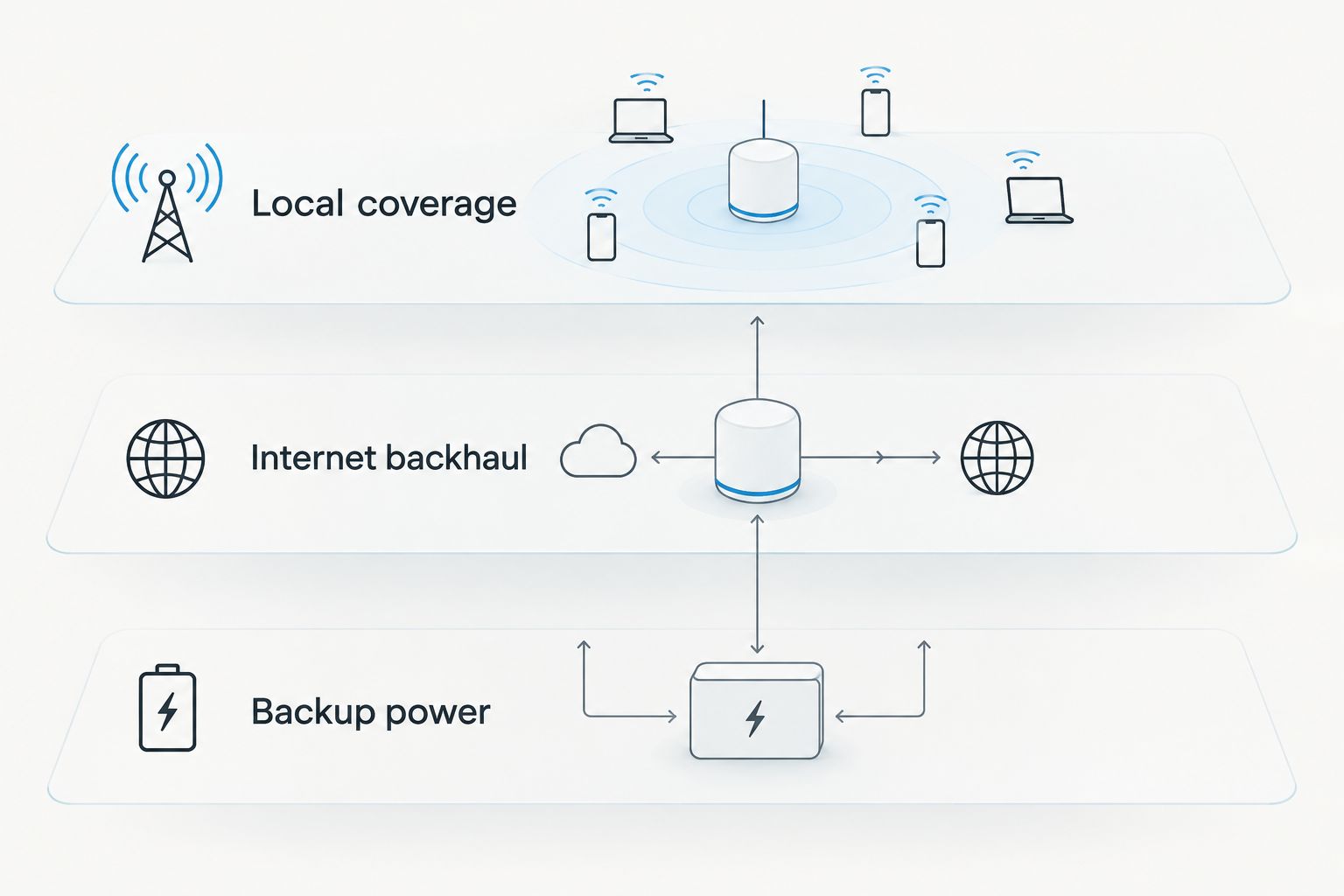
Evaluate each layer separately. A working local mesh with a failed gateway still lacks internet access; a working gateway with unpowered access points still leaves crews disconnected.
For resilience, trace shared dependencies. Two upstream connections that depend on the same unprotected power supply retain a common point of failure. The same exercise applies to routers, mounting locations, and administrator access.
How we ranked these options
This 2026 ranking prioritizes application fit, deployment dependencies, and management continuity. It does not rank devices by unverified coverage distances or imply a comparative field test.
Ubiquiti UniFi AC Mesh takes the default Wi-Fi slot because it matches outdoor access-point distribution. TP-Link EAP225-Outdoor takes the existing-Omada slot because management compatibility changes the buying decision. Meshtastic serves a separate messaging requirement. DeadZone Wireless remains a requirements-led shortlist rather than an unconditional hardware recommendation.
Before committing, run these acceptance checks:
- Use the intended applications from the actual work locations.
- Remove the upstream internet connection and record what still works.
- Interrupt the normal power source and verify the backup arrangement.
- Move a node to reflect a changing work area, then repeat the application check.
- Confirm that another authorized administrator can restore the configuration.
Record results against your own required tasks. Do not replace them with a single signal-strength screenshot.
Which construction-site mesh device should you choose?
Choose Ubiquiti UniFi AC Mesh as the default shortlist for temporary outdoor Wi-Fi, provided you can supply power and an internet gateway. Choose TP-Link EAP225-Outdoor instead when Omada is already your management system.
Choose Meshtastic-compatible LoRa radios when the requirement is supplementary off-grid messaging, not broadband. Evaluate DeadZone Wireless when the project calls for a wider infrastructure discussion across local networking and upstream connectivity.
For construction procurement in 2026, approve the deployment rather than the device alone. The purchase needs a power plan, an administrator, mounting arrangements, and a documented response to connection failure.
FAQ
What's the best portable mesh network device for a construction site?
Ubiquiti UniFi AC Mesh is the default shortlist for temporary outdoor Wi-Fi when you have external power and an internet gateway. TP-Link EAP225-Outdoor fits an existing Omada deployment, while Meshtastic-compatible radios serve off-grid text messaging instead.
Does a mesh network provide internet without cellular service?
A mesh network does not create internet access by itself. It distributes local connectivity; external internet access requires a working upstream connection, which need not be cellular.
Can Meshtastic replace construction-site Wi-Fi?
Meshtastic cannot replace broadband Wi-Fi for drawings, video, or cloud applications. It serves short-message communications through compatible LoRa radios.
Are outdoor mesh access points battery powered?
The Ubiquiti UniFi AC Mesh and TP-Link EAP225-Outdoor options discussed here require external power. A portable deployment needs a suitable power arrangement for every required component.
Will mesh Wi-Fi work through concrete and steel?
Concrete and steel can weaken or obstruct Wi-Fi signals. Verify application performance at the actual work locations and repeat the check as the structure changes.
Can I combine UniFi and Omada access points into one mesh?
Do not assume UniFi and Omada access points form one managed wireless mesh. Select compatible equipment for the intended management system and verify the supported topology.
Is DeadZone Wireless suitable for construction projects?
DeadZone Wireless belongs on a requirements-led shortlist for projects evaluating resilient connectivity. Confirm the exact hardware's power, environmental suitability, application support, and deployment behavior before selecting it.
One last thing
Test the network again after the building changes, not just after installation. An access point positioned for an open slab is serving a different radio environment once walls and steel are in place. Make network checks part of the site's change process, alongside moving trailers and temporary power.


