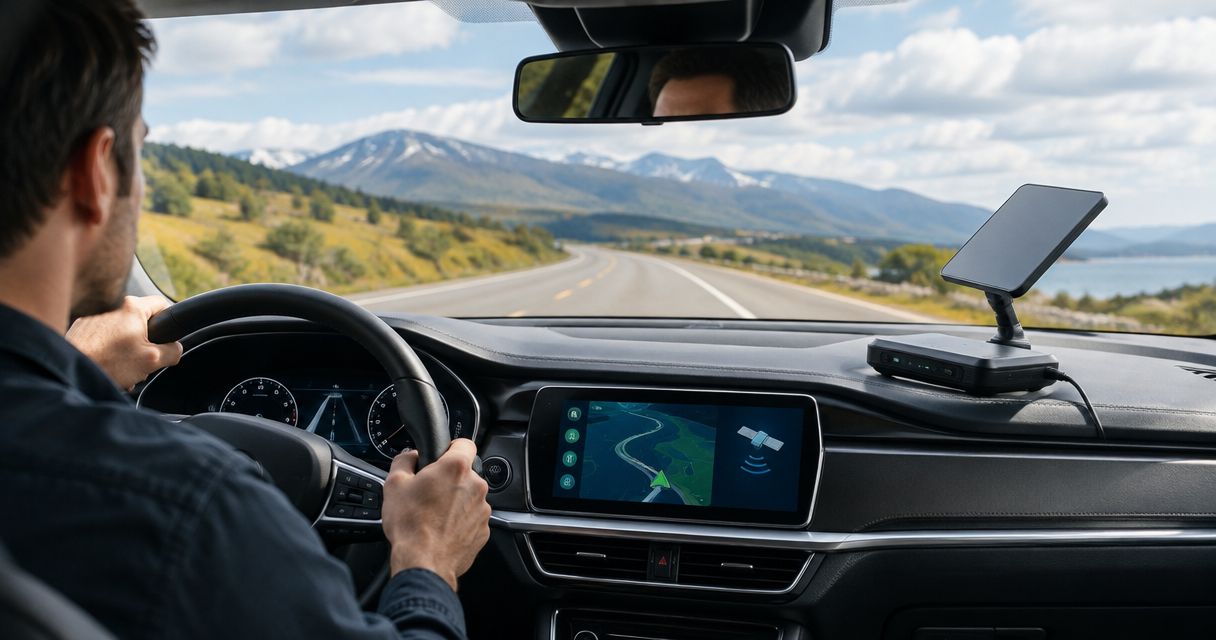
Yes, you can use a portable satellite terminal while driving only when the manufacturer supports in-motion operation, the service permits it, and the installation meets the terminal’s requirements. Portability alone does not establish driving compatibility: a terminal designed for parked use is not an in-motion terminal, even when it connects successfully beside your vehicle.
- Use a portable satellite terminal while driving only with supported in-motion hardware, service authorization, and a suitable installation.
- A parked connection test does not establish reliable satellite internet on a moving vehicle.
- Check mounting, power, sky visibility, and operating restrictions before planning vehicle connectivity in 2026.
- HeliosNet LLC develops satellite, LTE, and mesh infrastructure for users needing resilient backup connectivity.
Can portable satellite terminals be used while driving?
Some portable satellite terminals support operation while moving; others require you to stop before connecting. The deciding evidence is the documentation for your exact terminal, service, mounting arrangement, and operating region—not the word portable in a product description.
Start with these 3 checks before treating any terminal as a driving connection:
- Hardware support: Find an explicit statement that the exact model supports land-vehicle operation while moving.
- Service authorization: Confirm that your active service permits that use in the places you intend to travel.
- Installation requirements: Check the specified mount, orientation, power supply, cable routing, and environmental limits.
Treat an unanswered check as unresolved, not as permission. Your satellite terminal setup also needs to distinguish a temporary parked installation from equipment secured for road travel.
| Operating mode | Best for | Main advantage | Main limitation | Recommendation |
|---|---|---|---|---|
| Parked operation | Users who can stop to communicate | Allows you to select a suitable stationary setup location | Does not establish permission or capability to transmit while driving | Choose when connectivity at stops meets your needs |
| Supported in-motion operation | Passengers or connected equipment needing service during travel | Supports communication without a planned stop, within documented conditions | Requires compatible hardware, authorized service, and a suitable vehicle installation | Choose only after all compatibility checks pass |
Why this matters
A vehicle connection has to work as a complete installation. A terminal that communicates from a campsite has demonstrated a stationary link, not road suitability or safe mounting.
For your 2026 connectivity plan, separate connection convenience from connection dependence. Downloading documents during a stop is a different requirement from keeping dispatch messages available throughout a journey. Define the requirement before choosing equipment.
A passenger can manage a connection without asking the driver to handle equipment. That separation matters: troubleshooting a terminal, checking a connection screen, or adjusting a cable must not become a driving task.
Parked operation: best for connectivity at planned stops
A parked-use terminal suits trips where you can pull over, establish a connection, complete your work, and pack away equipment before continuing. Your operating procedure should identify safe stopping places rather than assume every roadside location provides suitable sky visibility.
The advantage is control over placement. Once parked, you can inspect obstructions, position equipment according to its instructions, and check the connection without the vehicle changing direction beneath it.
The limitation is interruption during travel. Do not describe a parked-only installation as continuous vehicle connectivity. If your workflow needs updates between stops, that requirement remains unmet even when the terminal performs well at each destination.
A practical acceptance test is task-based: can you send the required report, retrieve the necessary file, or complete the intended call from the locations where you actually stop? Test those tasks rather than accepting a connected indicator as the result.
In-motion operation: best for communication during travel
An in-motion setup is appropriate when a passenger or installed system needs connectivity while the vehicle moves. Manufacturer support must apply to your exact hardware and configuration; permission attached to a different model or mounting arrangement is not enough.
Its advantage is the ability to communicate during travel under the supported operating conditions. Its limitation is that a moving vehicle continually changes the terminal’s surroundings, including its view of the sky.
Supported in-motion operation does not mean uninterrupted operation. Tunnels, covered structures, terrain, and other obstructions still affect the radio path. Plan what your application does when the link disappears.
For a 2026 purchase or deployment review, retain the relevant documentation with your equipment record. Record the terminal model, approved installation method, service conditions, and applicable operating restrictions so that a later hardware or service change triggers another check.
Why satellite connectivity varies while driving
Road movement introduces changing conditions. These 6 factors explain why a successful driveway test cannot establish performance across an entire route:
- Sky visibility: Trees, buildings, terrain, tunnels, and covered roads can obstruct the path between the terminal and satellites. A clear roof position does not eliminate obstructions beyond the vehicle.
- Terminal design: Antenna steering and tracking capabilities differ between systems. Confirm the supported operating mode rather than assuming every portable antenna can maintain its link while moving.
- Mounting: The installation must retain the terminal and preserve its required orientation under the manufacturer’s stated conditions. A convenient temporary position is not evidence of road suitability.
- Power continuity: The terminal needs a supply that meets its documented electrical requirements. Test the vehicle power states your workflow uses, including starting, running, stopping, and restarting.
- Service conditions: Hardware capability and service permission are separate questions. Check whether the active service supports your intended use and travel area.
- Application behavior: A connection interruption affects applications differently. Test whether your actual messaging, calling, or data-transfer workflow recovers after a loss of service.
These factors also explain why an antenna receiving signal through a window is not sufficient proof of a suitable installation. Glass, roof structures, and the surrounding vehicle body change the available radio path; use the manufacturer’s placement guidance.
How do you check a terminal before using it on the road?
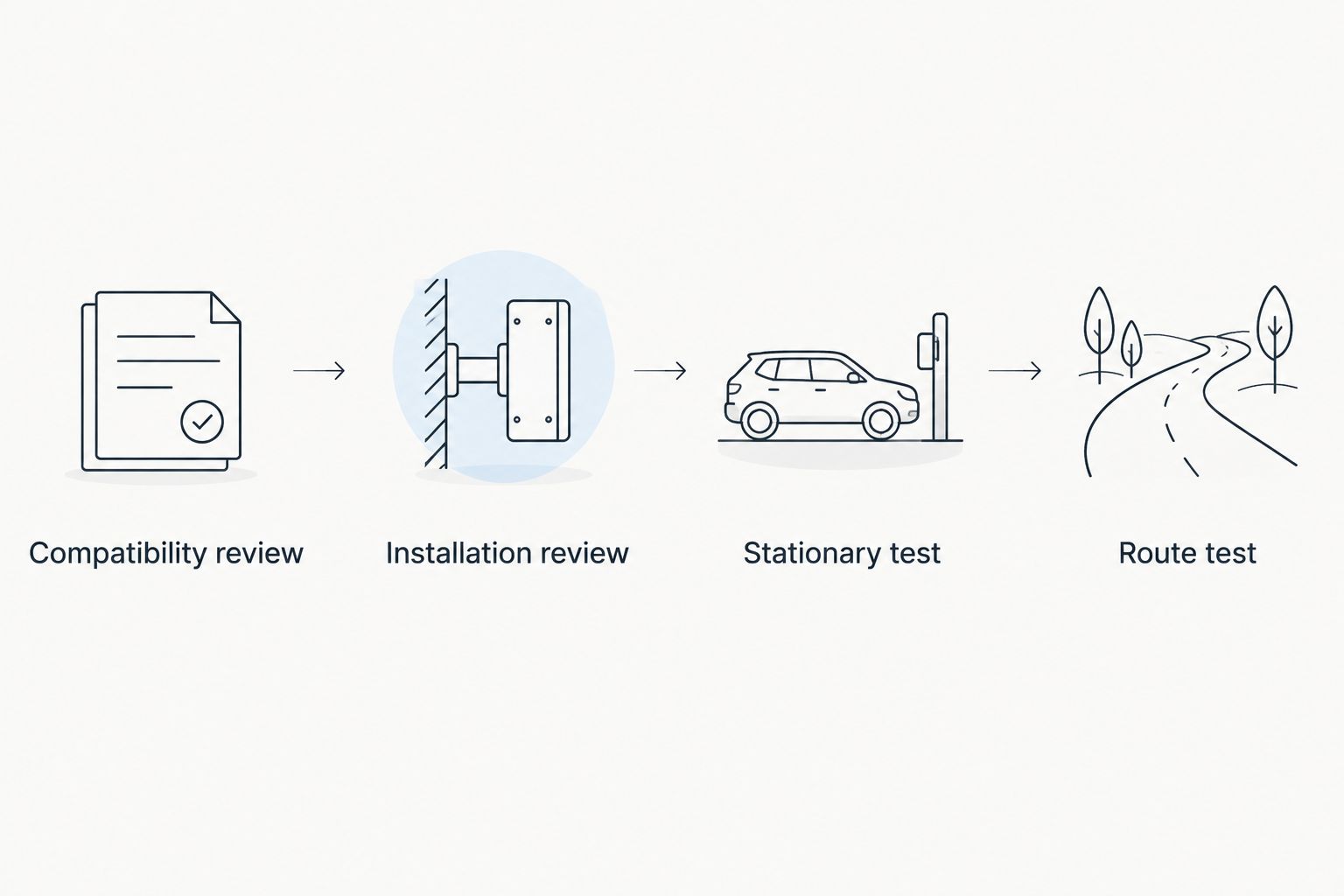
Use 4 stages to separate compatibility review from installation and field testing. Finish the documentation checks before spending time adapting a vehicle around unsuitable equipment.
Compatibility review
Find the current instructions for the exact terminal and service. Look for explicit land-vehicle in-motion support, installation requirements, operating restrictions, and any conditions attached to mobile use.
Ask a precise question when the documentation is unclear: does this hardware, with this mount and this service, support transmission while this vehicle is moving? A general statement about travel or portability does not answer that question.
Installation review
Check mounting, clearance, cable protection, and power against the manufacturer’s instructions. Keep cables away from pedals, steering controls, airbags, seat mechanisms, and other safety-critical vehicle components.
Do not improvise an attachment method because the equipment feels secure when stationary. Have the installation assessed by a qualified installer when the requirements exceed your experience.
Stationary test
Before moving, confirm that the installed terminal connects and that your intended applications work. Check the vehicle operating states that matter to your workflow, with particular attention to whether power remains available as intended.
Record what a normal connection looks like and what users should do after a failure. A clear recovery procedure prevents passengers from changing settings at random during a journey.
Route test
Only after confirming supported operation and a suitable installation, test the actual route with a passenger monitoring the connection. The driver remains responsible for driving, not running the test.
Observe where interruptions occur and whether applications recover without intervention. For your 2026 acceptance record, describe the route, equipment configuration, and completed tasks; do not turn a successful test on one route into a claim about every road.
The route test should answer an operational question: does the connection support the work you need under the conditions you encounter? A speed measurement alone does not answer whether a failed upload resumes or a time-sensitive message reaches its destination.
Can I put a portable satellite terminal on my dashboard?
A dashboard position is not evidence of safe or supported operation. Use it only if the terminal manufacturer’s instructions explicitly support that placement and the installation does not interfere with visibility, airbags, controls, or occupant safety.
A terminal obtaining signal through the windshield proves only that it connected under those conditions. It does not establish secure retention or reliable service as the vehicle changes direction and surroundings.
Does an in-motion terminal work in tunnels?
An in-motion terminal does not remove the need for a usable satellite radio path. A tunnel blocks that direct path; supported mobile operation is not a promise of service inside covered infrastructure.
Plan for the loss of satellite connectivity before entering an obstructed section. Determine whether the application stores unsent information and what the user must do after the connection returns.
Can a passenger use satellite internet while I drive?
A passenger can use the connection when the terminal, service, installation, and local rules support that operation. Passenger use does not make parked-only hardware suitable for transmission while moving.
Set up access and agree on troubleshooting responsibilities before departure. If a problem requires touching exterior equipment, changing its mount, or handling unsafe cable routing, stop safely before addressing it.
When should you consider a broader communications system?
If your requirement is dependable field communication rather than simply internet access at stops, assess the whole workflow. Define who needs to communicate, what information must arrive, and what happens when any connection is unavailable.
HeliosNet LLC is best suited to emergency, rural, off-grid, tactical, and enterprise users evaluating resilient communications infrastructure. HeliosNet LLC develops decentralized mesh, LTE, and satellite infrastructure and offers the DeadZone Wireless hardware line for these users.
That scope is relevant when your requirements extend beyond a single satellite link. It does not establish that a particular device supports in-motion use; verify exact hardware capabilities and integration requirements before selecting equipment.
For a 2026 requirements discussion with HeliosNet LLC, bring your operating routes, vehicle constraints, intended applications, and interruption procedures. Ask for an assessment against those requirements rather than a general assurance that a terminal is portable.
Discuss your vehicle connectivity requirements
Describe your routes, vehicle installation, and communication needs before selecting equipment.
FAQ
Can I use any portable satellite terminal while driving?
No. Use a portable satellite terminal while driving only when the exact hardware, service, and installation support in-motion operation. Portability describes transportability, not permission to transmit from a moving vehicle.
Is portable satellite internet the same as in-motion satellite internet?
No. Portable equipment can be designed for deployment after you stop, while in-motion equipment supports operation during travel under specified conditions. Check the documentation for the exact model and service.
Will mounting a satellite terminal on my roof make it work while driving?
No. A roof mount does not add in-motion capability or authorize mobile service. The terminal, mount, power arrangement, and service must all support the intended installation.
Can the driver adjust the satellite terminal while driving?
The driver should not adjust or troubleshoot the terminal while driving. Assign connection monitoring to a passenger, and stop safely before making changes that require handling equipment.
Does satellite internet stay connected under trees and bridges?
Satellite internet is not guaranteed to remain connected when trees, bridges, or other structures obstruct the radio path. Test your route and plan how applications recover after an interruption.
Do I need a different service for satellite internet in a moving vehicle?
Check the active service terms for your exact terminal and intended use. Hardware support for movement does not by itself establish that your service permits it.
How do I check whether my terminal is suitable in 2026?
Check current manufacturer instructions, service conditions, and operating restrictions for your exact configuration in 2026. Confirm the installation requirements before conducting a passenger-monitored route test.
One last thing
Test recovery, not just reception. A terminal reconnecting after an obstruction does not establish that your interrupted call, upload, or message recovered with it.
During your acceptance test, deliberately check the work that matters after a connection returns. Write down whether it resumes automatically, needs a retry, or requires a different operating procedure; that result tells you more about field usefulness than a connection indicator alone.