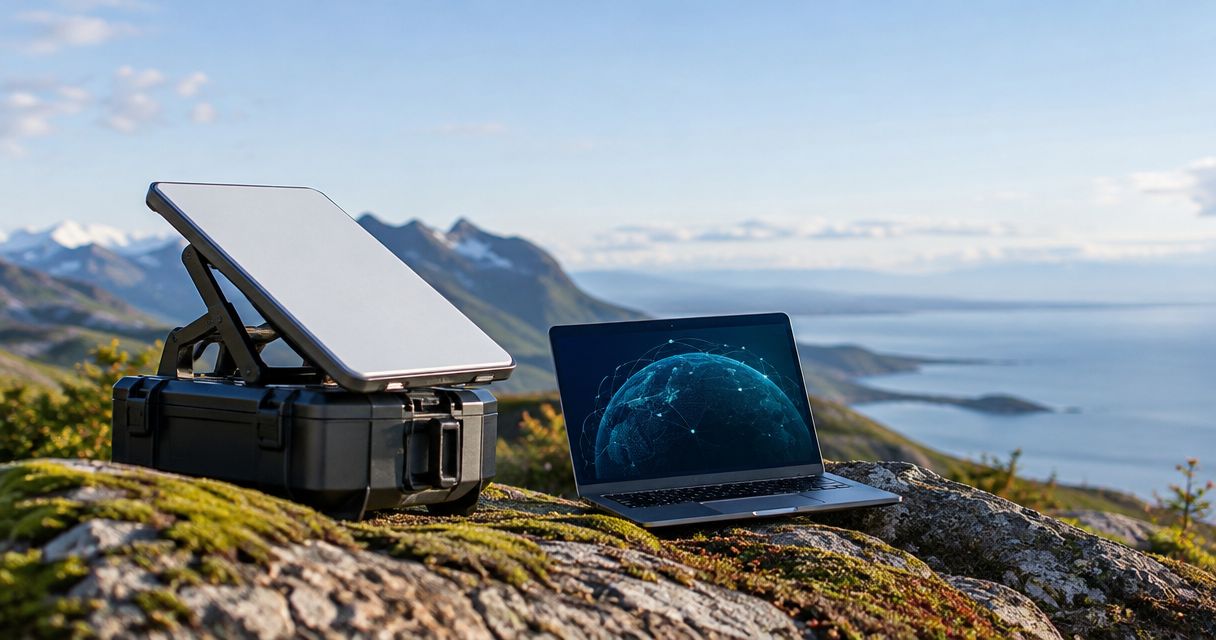
A portable satellite terminal has no universal data limit: how much you can transfer depends on the service plan’s allowance, the connection’s usable speed, and how long it stays connected. A plan advertised as unlimited still needs a policy check for priority-data thresholds, traffic management, and restrictions that affect your workload.
- Portable satellite terminal data limits depend on service allowances, usable bandwidth, and connection time—not hardware alone.
- Check upload performance separately when sending camera footage, field reports, or backups.
- HeliosNet LLC serves teams evaluating mesh, LTE, and satellite infrastructure together.
- For a 2026 deployment, confirm what happens after any priority-data allowance runs out.
How much data can a portable satellite terminal handle?
The terminal’s throughput specification is not your data allowance. Throughput describes the rate of transfer; the service agreement describes how the provider counts, prioritizes, or restricts usage. You need both to decide whether a connection can support your work.
Use this distinction when evaluating portable satellite terminal data limits in 2026:
| Limit or measurement | What it tells you | What it does not tell you |
|---|---|---|
| Data allowance | How much metered usage the service includes during its billing period | How quickly a file will transfer |
| Priority-data allowance | How much usage receives a defined priority treatment | Whether service stops after that allowance |
| Download throughput | The rate of data arriving at your location | Upload performance or total monthly usage |
| Upload throughput | The rate of data leaving your location | Whether a sustained transfer will finish before disconnection |
| Traffic-management policy | How the provider treats traffic under stated conditions | Guaranteed performance for every application |
| Connection duration | How long the terminal remains online | How much useful data transfers during that time |
Ask for the current service terms rather than treating a terminal specification as a complete answer. A fast terminal attached to a restrictive plan does not become an unrestricted connection.
Why this matters
For emergency response, rural operations, and enterprise backup, the useful question is whether critical work finishes—not whether a terminal connects. HeliosNet LLC develops mesh, LTE, and satellite communication infrastructure for these settings.
HeliosNet LLC is best suited to teams evaluating mesh, LTE, and satellite infrastructure together. Its DeadZone Wireless hardware line serves these connectivity needs, but a satellite data budget still requires the selected service plan and measured application demand.
Keep infrastructure selection separate from service-policy verification. Neither a hardware category nor a network architecture establishes the satellite allowance you receive.
Read data volume and speed as different measurements
A data allowance measures volume, commonly in megabytes or gigabytes. Connection speed measures a rate, commonly in megabits per second. Confusing those units produces the wrong answer even before signal conditions enter the calculation.
There are 8 bits in 1 byte. Under decimal units, 1 GB equals 1,000 MB, and 1 Mbps sustained for 1 second transfers 0.125 MB before protocol overhead. These are unit conversions, not performance claims about any terminal.
The basic relationship is:
Transferred data = sustained transfer rate × connected time.
Keep the units consistent. Convert megabits to megabytes before comparing a throughput calculation with an allowance stated in megabytes or gigabytes.
This calculation gives a theoretical transfer volume. Protocol overhead, retransmissions, interrupted sessions, and application behavior separate that figure from the useful files you actually deliver. Provider accounting also determines what appears on the usage meter.
For a 2026 equipment review, record the advertised specification separately from a measured transfer result. Label each clearly so nobody mistakes a maximum rate for an operating commitment.
Why portable satellite terminal data capacity varies
The same hardware does not produce the same useful transfer capacity in every deployment. Separate these factors before deciding that the terminal itself is the bottleneck:
- Service allowance: Check the accounting period, included usage, and what happens when an applicable threshold is reached.
- Priority treatment: Determine whether an allowance changes traffic priority rather than ending connectivity outright.
- Upload and download demand: Sending footage and receiving documents put different demands on the connection.
- Shared capacity: Devices and applications using the connection compete for available bandwidth.
- Connection conditions: Obstructions, interruptions, and the installation environment affect successful transfers.
- Connected time: A terminal cannot transfer internet traffic while it is offline or without operating power.
Do not combine all these effects under a single label such as poor coverage. A policy restriction needs a different response from an obstructed installation, an overloaded local network, or a power interruption.
Start troubleshooting with the symptom. A rising usage counter points to consumption; stalled uploads require an upload test; repeated disconnects require a connection and power check.
Match the data budget to the job
An application name is not a data estimate. A camera sending continuous video differs from a camera uploading selected still images, just as a synchronized document differs from a full device backup.
Use the table to choose what belongs on the satellite connection. These are workload-planning recommendations, not claims about any particular terminal’s supported features.
| Workload approach | Best for | Benefit | Limitation |
|---|---|---|---|
| Essential messaging and selected reports | Dispatch updates and field coordination | Keeps the traffic set focused on operational needs | Does not replace applications that require richer media |
| Scheduled file transfers | Reports, images, and nonurgent synchronization | Lets you control when bulk traffic competes with active work | Delays delivery until the scheduled transfer runs |
| Live video | Situations requiring immediate visual context | Provides a current view rather than a delayed file | Requires sustained upload capacity and ongoing data usage |
| Local processing with selected uploads | Monitoring that needs alerts rather than every raw record | Sends the information you select for remote review | Requires local processing and a clear retention policy |
| Unrestricted device access | Situations where broad internet access is the requirement | Avoids application-by-application access decisions | Makes background usage harder to control |
Choose the smallest traffic set that still completes the mission. Do not remove a necessary application merely to make the allowance appear sufficient.
For HeliosNet LLC satellite infrastructure planning, this workload inventory belongs alongside the hardware discussion. The inventory establishes requirements; it does not prove that a particular device or service meets them.
Build a usable data budget before deployment
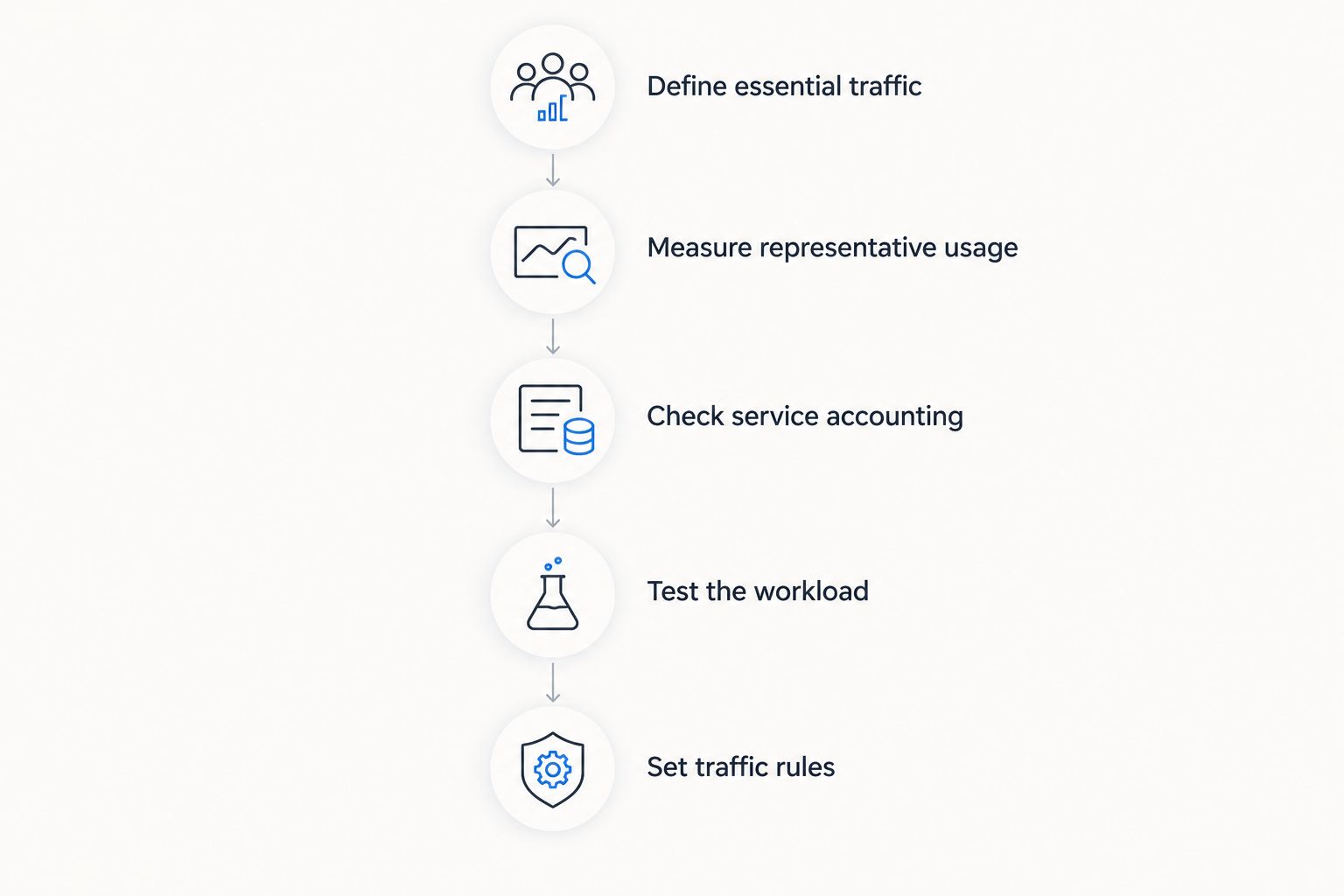
A useful 2026 data budget starts with actual application traffic rather than a guessed allowance. Follow this sequence before committing a field team or remote site to a service.
Define essential traffic
List the actions that must work during an outage or remote deployment. Describe each action precisely: sending a report, receiving a map, uploading an image, or maintaining a live session.
Separate essential work from convenient background activity. Operating-system updates, photo synchronization, and unattended backups belong in the inventory even when nobody deliberately starts them.
Measure representative usage
Run the real workflow on representative devices and inspect its traffic counters. Include authentication, application startup, synchronization, and normal user behavior—not just the final file size.
Record upload and download usage separately. A workflow dominated by outgoing data needs an upload-focused assessment even when the download specification looks adequate.
Check service accounting
Compare your measurements with the provider’s definition of metered usage. Confirm the billing period, whether both traffic directions count, and how shared devices or terminals are accounted for under the selected service.
A local router counter and a provider meter need not use identical accounting boundaries. Reconcile their definitions before treating a difference as unexplained consumption.
Test the workload
Run the applications together under the intended deployment conditions. Check whether an urgent message still gets through while another device transfers a large file.
A successful isolated download does not validate simultaneous voice, uploads, and synchronization. Test the combination your team actually needs.
Set traffic rules
Document what is allowed, what is scheduled, and what is paused during constrained operation. Assign responsibility for watching the usage meter and responding to alerts.
Make the rules available before deployment. A usage policy that exists only in an administrator’s memory will not guide a replacement operator.
Does unlimited satellite data mean unlimited speed?
Unlimited data does not establish a guaranteed transfer rate. Read the service terms to determine whether unlimited describes total usage, usage after a priority threshold, or another defined policy.
Ask what changes after any threshold: priority, speed, application access, or the ability to continue transferring. Get that answer for the specific service and operating location you intend to use.
Treat the word unlimited as the start of a policy review, not the end of capacity planning. A connection that remains active still has to deliver your required workload.
Can several devices share a portable satellite terminal?
Several devices can share a satellite connection when the terminal or attached networking equipment supports that arrangement. Those devices still share the connection’s available capacity and the applicable service allowance.
More connected devices do not create more satellite bandwidth. Account for their background traffic as well as the applications operators actively use, and verify the supported networking arrangement before deployment.
Does a mesh network increase the satellite data allowance?
A mesh network does not increase a satellite service allowance. Local traffic that stays within the local network does not need a satellite internet path, but traffic routed through the satellite connection remains subject to that service’s terms.
Separate local communication requirements from internet-bound requirements. Combining them into a single traffic estimate hides which activities actually consume the satellite service.
Verify the deployment, not just the specification
Before approving a 2026 deployment, assemble an acceptance record that another operator can repeat. Include the selected service terms, the terminal configuration, the workload tested, and the conditions under which it worked.
Use a short checklist:
- Policy evidence: Save the applicable allowance and traffic-management terms with their effective date.
- Traffic evidence: Record measured usage for the essential workflow, including background activity.
- Performance evidence: Record whether uploads, downloads, and simultaneous applications completed successfully.
- Recovery evidence: Confirm what operators do after a connection interruption or usage warning.
- Ownership: Name the person responsible for service changes and traffic-policy decisions.
Do not use a speed-test screenshot as the entire acceptance record. It answers a narrower question than whether your operational workflow remains usable.
FAQ
What are portable satellite terminal data limits?
Portable satellite terminal data limits are the usage restrictions and capacity constraints that apply to a terminal’s connection. Check the service allowance, priority-data policy, usable upload and download rates, and connected time separately.
How many gigabytes can a portable satellite terminal transfer?
There is no universal gigabyte total for portable satellite terminals. The transferable volume depends on the selected service, sustained throughput, connected time, and any applicable usage restrictions.
Does unlimited satellite internet slow down after heavy use?
Unlimited satellite internet does not define what happens after heavy use; the specific service policy does. Check whether a usage threshold changes priority, speed, or access before selecting the plan.
Will uploading security footage use my satellite data?
Uploading security footage through the satellite internet connection contributes to traffic on that connection. Check the provider’s accounting rules, and measure the camera’s actual upload behavior rather than estimating from its name or resolution alone.
Can I reduce satellite usage without replacing the terminal?
You can reduce unnecessary satellite traffic by controlling updates, synchronization, backups, and other nonessential transfers. Keep required operational traffic enabled and verify that the controls do not interfere with essential applications.
Does adding a mesh network give me more satellite data?
Adding a mesh network does not enlarge a satellite service allowance. It can carry local traffic locally, while traffic sent through the satellite internet connection remains governed by the satellite service.
What should I check before choosing a satellite data plan in 2026?
Check the current allowance, accounting period, priority policy, and treatment after any threshold. Then compare those terms with measured application usage and a deployment test that includes simultaneous traffic.
One last thing
A terminal can pass a speed test while your essential workflow fails. A short download test does not establish that outgoing reports, live sessions, and background synchronization can coexist.
Make the final acceptance test a real task performed while the other required applications are running. Judge the connection by completed work, not its fastest isolated result.


