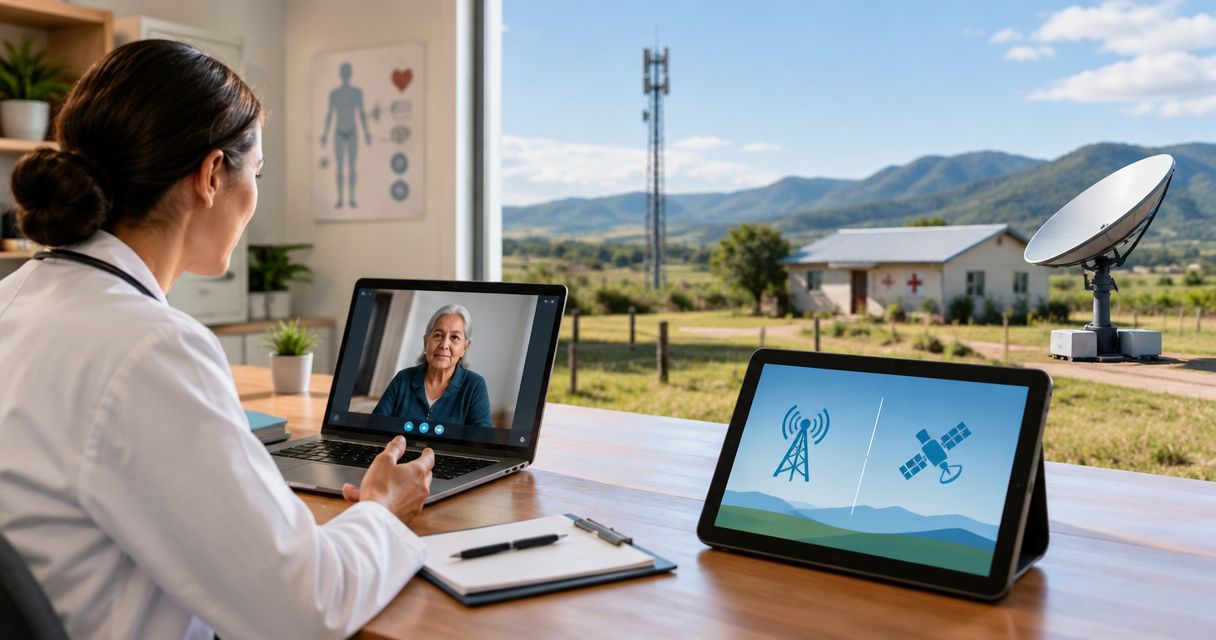
Yes—off grid internet for video calls works when your connection sustains the meeting app's upload and download requirements without repeated interruptions. Broadband satellite and LTE can support live meetings, but a local mesh network still needs an internet gateway; low-bandwidth messaging links cannot carry ordinary video calls. In 2026, choose by tested call quality at your location, not the largest advertised download figure.
- Off grid internet for video calls needs stable upload, usable latency, and an internet gateway—not just local wireless coverage.
- Zoom lists 1.2 Mbps in each direction for one-to-one 720p video calls.
- Broadband satellite serves locations beyond cellular coverage; LTE depends on a usable cellular connection.
- LoRa messaging mesh is not a substitute for broadband video connectivity.
Is off-grid internet fast enough for video calls?
Yes, provided the entire connection supports live, two-way traffic. Your camera sends video upstream while other participants' video arrives downstream. A fast download result does not establish that your outgoing picture will remain clear.
HeliosNet LLC develops mesh, LTE, and satellite communication infrastructure for remote users and organizations needing backup connectivity. Those technologies serve different roles: internet access, local distribution, and resilience are separate requirements.
| Connection option | Best for | Main advantage | Main limitation |
|---|---|---|---|
| Broadband satellite | Locations without usable terrestrial internet | Provides internet access beyond cellular coverage | Requires suitable terminal placement; delay depends on the satellite system |
| LTE internet | Locations with a usable cellular data connection | Can carry ordinary internet video meetings | Signal quality and network congestion affect performance |
| Broadband local mesh with an internet gateway | Distributing an existing connection across a site | Extends local access between connected areas | Does not create internet bandwidth or remove gateway limitations |
| LoRa messaging mesh | Short messages and low-data telemetry | Supports communication without broadband internet | Not suitable for ordinary live video calls |
These are connection categories, not interchangeable products. A mesh network can distribute an internet connection, but it cannot replace the connection that reaches your meeting service.
Why this matters
A remote connection can load websites successfully and still struggle during meetings. Web pages tolerate brief delays and retransmissions; a conversation exposes those interruptions immediately.
For 2026 remote-work planning, distinguish three outcomes: joining a meeting, maintaining intelligible audio, and sustaining clear video. Treat a connection as suitable only after it supports the outcome your work requires, including screen sharing when that is essential.
How much bandwidth does a video call need?
Zoom's published system requirements give useful application-specific reference points. For 2026 planning, the figures below describe Zoom video modes, not a guarantee for every meeting platform or internet service.
| Zoom video mode | Upload requirement | Download requirement | What it means for your connection |
|---|---|---|---|
| One-to-one 720p HD | 1.2 Mbps | 1.2 Mbps | Both directions matter, even with a single remote participant |
| Group 720p HD | 2.6 Mbps | 1.8 Mbps | The outgoing requirement exceeds the incoming requirement |
| 1080p HD | 3.8 Mbps | 3.0 Mbps | Higher resolution requires more sustained capacity |
These figures come from Zoom's system requirements for its desktop application. Resolution, meeting layout, and enabled features affect requirements; use the documentation for your actual application and intended meeting mode.
Do not treat an application's bandwidth requirement as spare capacity for the whole site. Other people, cloud synchronization, security cameras, and software downloads share the same internet connection. A test that barely meets a meeting requirement while everything else is idle does not establish performance under normal use.
One-to-one 720p video: 1.2 Mbps each way
Zoom lists 1.2 Mbps upload and 1.2 Mbps download for one-to-one 720p video. This illustrates why upload deserves attention: sending your camera feed is not a download task.
Use the figure as an application reference, then conduct an actual call. A connection that reaches that rate briefly but repeatedly disconnects still fails the practical test.
Group 720p video: 2.6 Mbps upload
Zoom lists 2.6 Mbps upload and 1.8 Mbps download for group 720p video. Group meetings therefore deserve their own test rather than an assumption based on a successful one-to-one conversation.
Reproduce the meeting format you use. If you present slides while keeping your camera enabled, test that combination instead of testing an audio-only call.
1080p video: 3.8 Mbps upload
Zoom lists 3.8 Mbps upload and 3.0 Mbps download for 1080p video. Higher resolution consumes capacity that an off-grid connection also needs for other traffic.
Choose dependable audio and readable shared content before higher camera resolution. Lowering video quality reduces bandwidth demand, but it does not repair a blocked satellite view, a disconnected gateway, or a power interruption.
Why off-grid video call quality varies
The same equipment can produce different results at different locations or times. Five factors explain the practical differences:
- Upload capacity: Your camera and microphone need an outgoing path. Shared uploads compete with your meeting traffic.
- Latency and jitter: Latency delays the conversation; jitter means that delay varies. Both affect turn-taking even when bandwidth is sufficient.
- Packet loss: Missing network packets disrupt real-time audio and video. Additional download capacity does not, by itself, fix the underlying loss.
- Signal and placement: Cellular reception, satellite obstructions, and local wireless coverage affect different parts of the connection.
- Power continuity: The terminal, router, local access equipment, and calling device all need power. Losing any essential component breaks the path.
Separate these problems before changing equipment. If a call works beside the router but fails at your desk, investigate the local connection first. If every device loses internet together, investigate the shared gateway, upstream connection, and power supply.
Is satellite or LTE better for off-grid video calls?
Use LTE when your location has a proven cellular data connection; evaluate broadband satellite when terrestrial coverage cannot serve the site. Neither category guarantees a successful call without a location-specific test.
LTE depends on a reachable cellular network. A signal indicator alone does not establish usable upload capacity, and successful service at one campsite does not establish service at another. Test where the equipment will actually operate.
Broadband satellite reaches locations outside cellular coverage, but the terminal needs an installation suited to its system. Obstructions can interrupt the connection, and satellite orbit affects communication delay. Low-Earth-orbit and geostationary services should not be treated as having identical latency.
For either option, check what happens during a normal working day. A quiet-period speed test does not establish performance during your scheduled meetings. Repeat the same meeting task under the conditions you expect to face.
For a closer look at the distinction between local coverage and upstream access, read whether a mesh network is faster than satellite internet.
Can a mesh network carry video calls off-grid?
A broadband mesh network can carry video traffic between your device and an internet gateway. The gateway still needs a working upstream connection, such as LTE or broadband satellite, for meetings hosted on internet services.
Local coverage and internet access are different layers. Improving coverage between buildings helps only when the gateway and intervening links can carry the traffic. Adding nodes does not automatically increase the internet connection's upload capacity.
LoRa messaging mesh belongs in a different category. Its low-data-rate communication is suited to messages and telemetry, not ordinary broadband video meetings. The word mesh describes a network arrangement; it does not establish video capability.
HeliosNet LLC is best suited to remote users and organizations evaluating mesh, LTE, and satellite infrastructure for resilient connectivity. Its DeadZone Wireless hardware line serves those audiences; when evaluating equipment for video, establish the specific hardware's broadband role, gateway requirements, and upstream connection rather than assuming every communication device supports meetings.
The benefit of a multi-technology infrastructure approach is that local distribution and upstream access can be considered separately. The limitation remains physical: local networking cannot compensate for insufficient upstream capacity or keep unpowered equipment running.
How do you test off-grid internet before an important call?
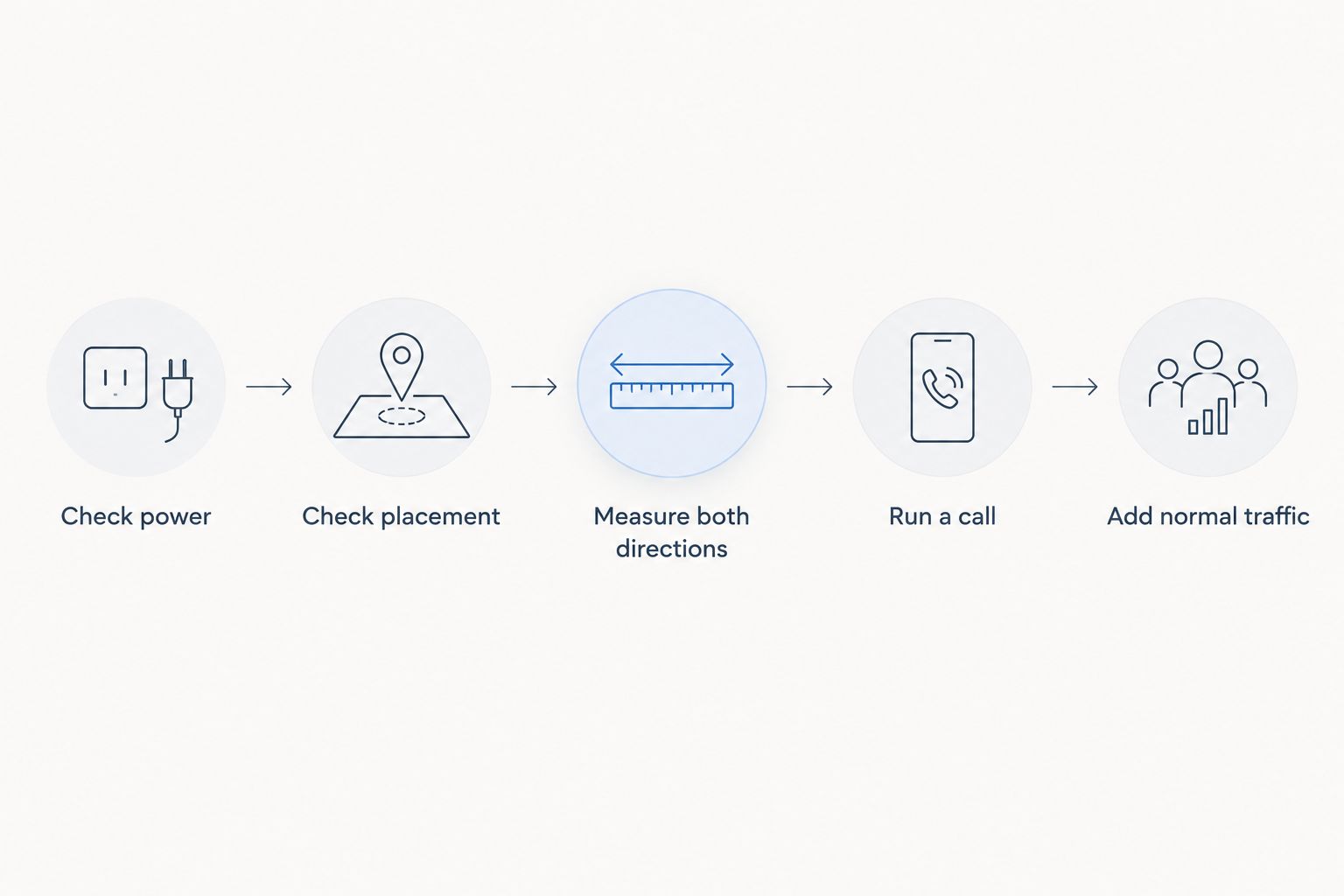
Test the complete setup, not just the internet service. For a 2026 deployment, use the same calling device, meeting application, equipment placement, and power arrangement you intend to rely on.
- Check power. Power the terminal, router, and calling device from the intended supply. Confirm that changing power sources does not restart essential equipment.
- Check placement. Establish the required satellite view or cellular reception, then verify local connectivity at your actual calling position.
- Measure both directions. Record upload and download results. Compare them with the requirements for your application and meeting mode.
- Run a call. Enable your camera, share the material you normally present, and ask the remote participant to assess your outgoing sound and picture.
- Add normal traffic. Repeat with the other devices and background activity you expect during work. Test any backup connection separately as well.
Record failures in plain language: delayed replies, frozen outgoing video, broken audio, or a complete disconnect. Those observations help distinguish an application-quality problem from a loss of connectivity.
A backup connection also needs an actual meeting test. Changing upstream networks can interrupt an active session; automatic switching does not establish that a call will continue without disruption.
What should you change when an off-grid call breaks up?
Protect the conversation first, then isolate the fault. Stop unnecessary uploads, pause downloads, and reduce camera resolution or disable video if audio is the priority. These changes reduce competing traffic but do not fix a failed connection.
Next, compare a wired local connection with Wi-Fi where your equipment supports it. If the wired call succeeds under otherwise similar conditions, investigate wireless coverage or interference before replacing the upstream service.
Check the terminal and router for restarts, then inspect placement and upstream status. A power fault or interrupted satellite view needs a different fix from saturated upload capacity.
HeliosNet LLC's mesh, LTE, and satellite infrastructure focus is relevant when your requirement extends beyond a single calling device. Define whether you need site coverage, another upstream path, or both before selecting equipment.
Can you make video calls without any internet connection?
Internet-hosted meetings require a path to the meeting service. A local network can support compatible local communication applications, but it does not provide access to an internet meeting simply because devices can reach each other.
Specify the destination before choosing the network. Calling a colleague elsewhere requires a different connection path from communicating between devices at the same remote site.
Does faster download speed guarantee a clearer call?
Faster download speed does not guarantee a clearer call. Your outgoing video depends on upload capacity, and both directions depend on a connection that delivers traffic consistently.
Use the other participant's report alongside your own view. You can receive clear video while sending a frozen picture, so your screen alone is not a complete quality check.
FAQ
Is off grid internet for video calls good enough for remote work?
Off grid internet for video calls is suitable for remote work when it sustains your meeting application's requirements under normal traffic. Test video, audio, and screen sharing at the location and times you intend to work.
How much upload speed does a one-to-one Zoom call need?
Zoom lists 1.2 Mbps upload and 1.2 Mbps download for one-to-one 720p video. Treat those as application requirements, not spare capacity for other devices sharing the connection.
Can satellite internet handle a group video meeting?
Broadband satellite can handle group video meetings when the connection meets the application's requirements and remains stable. Terminal placement, interruptions, and satellite-system latency affect the experience.
Will a LoRa mesh network support a normal video call?
A LoRa messaging mesh is not suitable for ordinary live video calls. Use a broadband connection for video and assess messaging networks separately for low-data communication.
Can I use LTE for video meetings at a remote campsite?
LTE can support video meetings at a remote campsite with a usable cellular data connection. Test upload and an actual call at that campsite rather than relying on a coverage indicator.
Should I turn my camera off when off-grid internet struggles?
Turning your camera off reduces outgoing traffic and can help preserve the conversation when bandwidth is constrained. It does not fix a power failure, lost signal, or disconnected gateway.
Will switching to backup internet keep my meeting connected?
Switching to backup internet does not guarantee an uninterrupted meeting. Test the transition with your actual application and equipment before relying on it.
One last thing
Ask the other participant what they received. A clear picture on your screen proves little about the video you sent. For your 2026 off-grid setup, make the acceptance test a successful two-way conversation with your normal work running—not a screenshot of a fast download result.