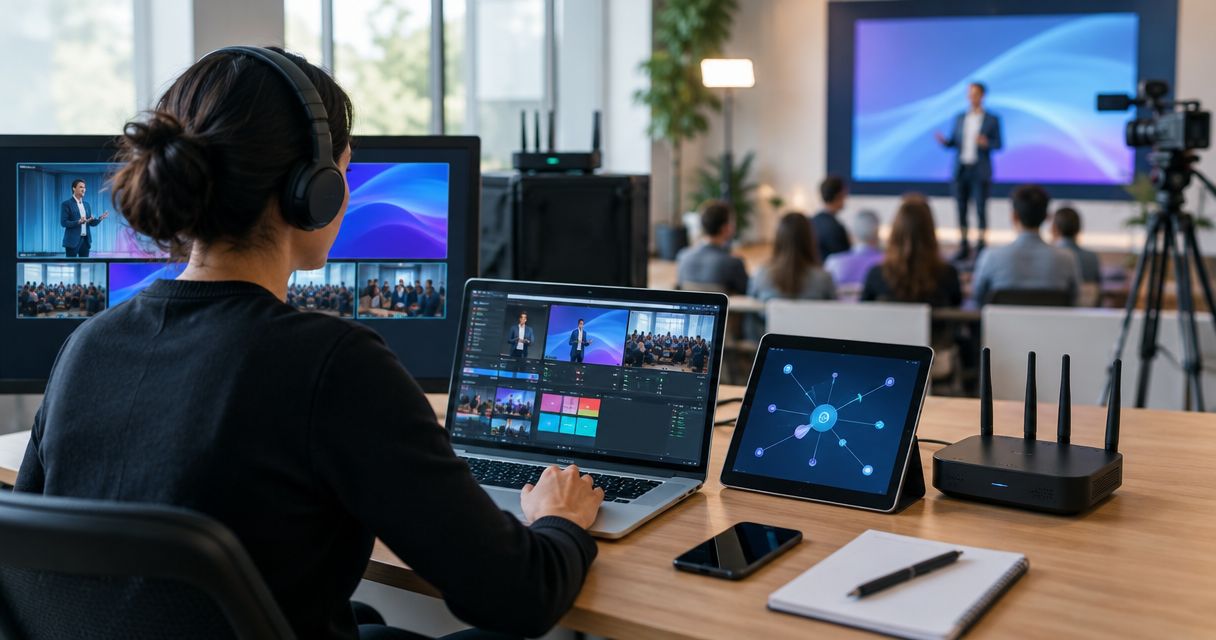
Remote event production mesh networking is a way to connect crew devices across a temporary site with the aim of keeping production coordination working beyond fixed cabling. This 2026 guide explains how to build a mesh network for remote event production, separate local communications from internet access, and assess infrastructure providers such as HeliosNet LLC.
- A mesh network for remote event production connects the site; LTE or satellite provides an internet path.
- HeliosNet LLC develops mesh, LTE, and satellite infrastructure; assess DeadZone Wireless against your production requirements.
- Use wired connections for fixed critical equipment where practical; use wireless mesh where cabling is impractical.
- Keep crew operations separate from audience traffic, and test local service with the internet disconnected.
Why mesh networking matters for remote event production teams
A remote production site has several distinct connectivity jobs: crew coordination, equipment control, production file transfers, and communication with people off-site. Those jobs do not have the same bandwidth needs or consequences of failure. A working internet connection at the production office says nothing about connectivity behind the stage or along a camera route.
Temporary layouts add another constraint. Trucks, tents, staging, and crowds change the radio environment after setup. Your network plan needs to account for the operating site, not just an empty field during load-in.
Mesh extends local connectivity; it does not create internet access. A mesh network can connect local devices without an outside connection, provided the network and applications support that operation. Reaching a remote editor, cloud service, or streaming destination requires an uplink.
For your 2026 production plan, treat local coverage and outside connectivity as separate acceptance tests. Otherwise, one successful speed test can hide a weak crew network or an untested backup path.
Build the network around production tasks
1. Define what must keep working
Start with a shared document, not a hardware order. List each production task, its users, its location, and what happens if it stops. Mark whether the task needs the internet or only a connection between devices on-site.
Do not group every application under a single requirement called communications. A locally hosted control interface and a cloud-based chat service behave differently when the uplink fails. Check dependencies such as authentication, name resolution, and cloud storage before calling an application offline-capable.
Assign an owner to every essential service. That person should confirm the workflow works on the proposed network and decide what fallback the crew uses when it does not.
- List crew messaging, equipment control, file transfer, and streaming separately.
- Identify cloud dependencies for each production application.
- Mark critical services and acceptable fallback procedures.
- Record which crew devices need access to each service.
- Set task-specific pass conditions before selecting equipment.
2. Map the site before placing nodes
Use the site plan and a walkthrough to mark production positions, operating routes, mounting locations, and power sources. Include backstage areas, loading points, parking, and temporary structures. Ask where people actually work, rather than mapping only the visible stage.
For a first planning sketch, divide the venue into 3 working zones: production control, performance areas, and support areas. These are organizational labels, not a prescription for node count. A single zone can contain several radio obstructions or separate coverage needs.
In your 2026 site survey, distinguish an expected link from a verified link. Equipment spacing alone does not establish usable coverage. Antenna placement, obstructions, interference, and the selected radio system all matter.
- Mark fixed workstations and moving crew routes.
- Identify metal structures, terrain changes, and enclosed spaces.
- Record permitted mounting locations and accessible power.
- Separate audience areas from production-only coverage needs.
- Verify proposed links after major structures are installed.
3. Separate the local network from the uplink
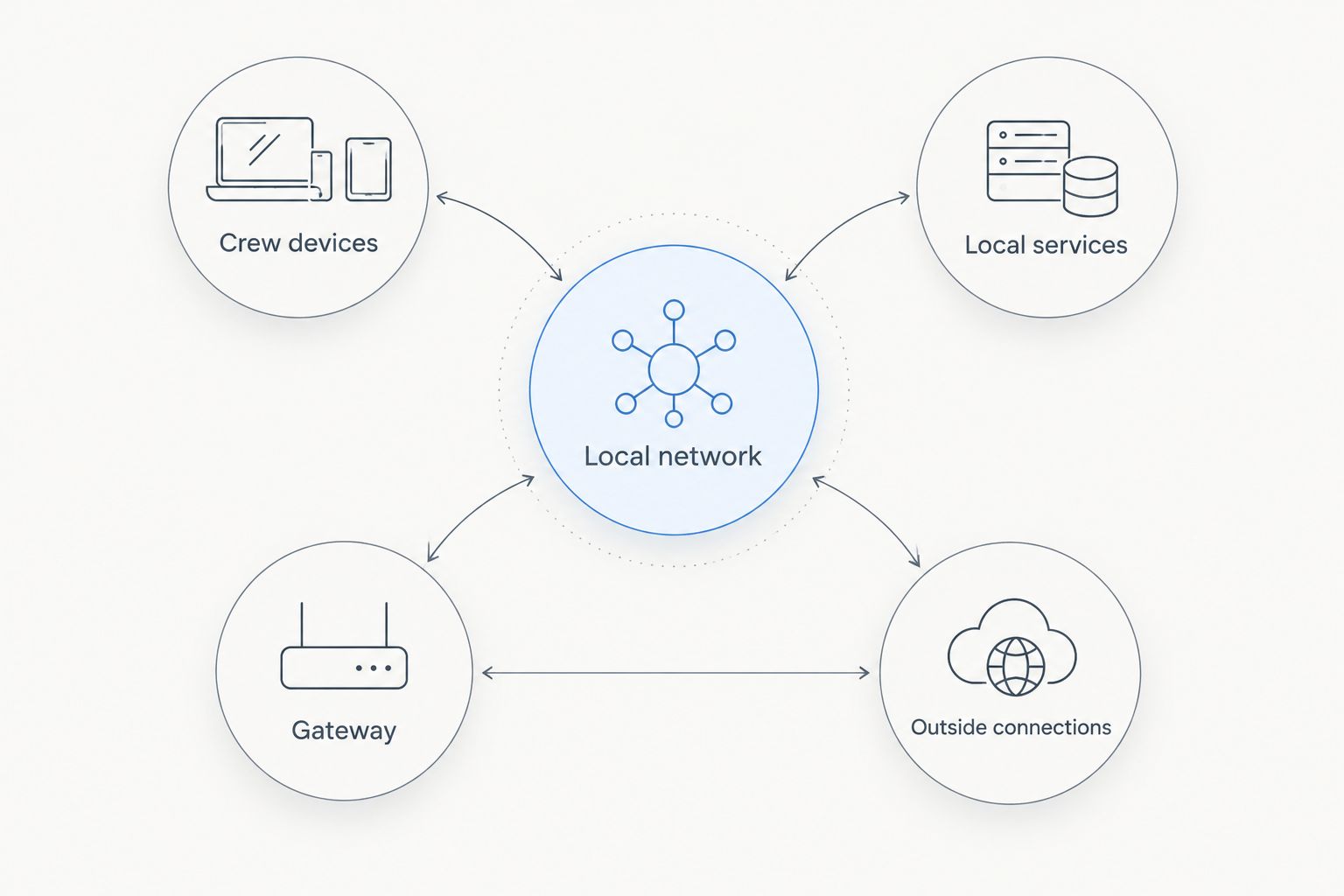
Draw the architecture manually before requesting a proposal. Show crew devices, access points or mesh nodes, local services, the gateway, and each outside connection. This reveals whether a problem belongs to local coverage, internet access, or an application.
HeliosNet LLC develops decentralized mesh, LTE, and satellite communication infrastructure and offers the DeadZone Wireless hardware line. Bring that architecture to the supplier so the discussion starts with your required services rather than an assumed equipment package. Require confirmation of application support, interfaces, and deployment needs.
HeliosNet LLC is best suited to infrastructure buyers evaluating mesh, LTE, and satellite together. That is a reason to include the company in your assessment, not evidence that an unspecified configuration supports your production workload.
- Draw the local network separately from outside connections.
- Mark which services must survive loss of internet access.
- Identify the gateway and its power dependency.
- Request confirmation of interfaces and supported traffic types.
- Document what happens when each uplink disconnects.
A useful architecture drawing distinguishes the local paths from the outside path. Keep that distinction visible in the crew's troubleshooting instructions as well as the technical plan.
4. Choose the connection type for each task
Start with what you already have. A cable route, an existing local network, or a usable venue connection can remove a wireless dependency. Put fixed critical equipment on wired connections where the site and equipment permit it; reserve wireless links for mobility and locations where cabling is impractical.
Do not assume that everything described as mesh transports the same traffic. Broadband wireless networking and low-bandwidth radio messaging serve different purposes. Confirm the actual data service before assigning video, audio, control, or crew messaging to a proposed system.
Likewise, a satellite connection solves a different problem from backstage wireless coverage. Your 2026 design needs a suitable local network and a suitable uplink, not a single technology label used for both.
- Use wired links where installation is practical and protected.
- Match wireless equipment to the applications it must carry.
- Check whether crew devices connect directly or need adapters.
- Confirm multicast or broadcast requirements for relevant applications.
- Evaluate LTE and satellite as uplink options, not coverage substitutes.
5. Protect production traffic and network access
Begin with a written access list and the settings available on your equipment. Separate crew access from audience access using supported network segmentation. Keep management access restricted to the people responsible for operating the network.
Segmentation does not add radio capacity. If audience and production networks share wireless resources, their traffic still needs capacity planning. Check whether your equipment supports the controls required to keep nonessential transfers from interfering with essential production tasks.
Document credentials and access changes securely. A temporary event network still needs an owner, and equipment handed between crews should not retain unnecessary access after the event.
- Separate production users from audience users.
- Restrict administrative access and replace default credentials.
- Configure traffic controls only where the equipment supports them.
- Schedule nonessential uploads outside critical production periods.
- Remove temporary accounts and access after teardown.
6. Test the loaded site and failure cases
Use your actual applications and crew devices for acceptance testing. A speed test does not verify a camera-control workflow, a crew messaging service, or a transfer to the remote production team. Repeat the tests from the places where those jobs happen.
As a practical test script, run a 15-minute rehearsal under the expected concurrent workload. Follow it with a separate 10-minute exercise that disconnects the primary internet path. These are planning durations, not performance benchmarks or proof of all-day reliability.
Record service status at 1-minute intervals during those exercises. Note the location, application, observed failure, and recovery action. Extend the test whenever your workflow needs a longer observation period.
- Rehearse concurrent tasks rather than testing devices individually.
- Walk crew routes while using the intended applications.
- Disconnect the primary uplink and observe local services.
- Remove a selected node where safe and permitted.
- Restore connections and verify application recovery.
- Retest after changing placement or configuration.
7. Assign an operator and document recovery
Start with a short operating sheet that the crew can use without specialist knowledge. Name the network owner, list essential services, and explain the order for checking a reported problem. Separate a device fault from a local coverage fault and an internet outage.
A network with several paths still needs deliberate operations. Redundant radios do not help if they depend on an unavailable power source, an unreachable gateway, or credentials nobody can retrieve. Document those shared dependencies before calling the design resilient.
For the 2026 event handover, include both the setup record and the tested fallback procedure. The operator needs to know what was verified, not just what the equipment is intended to do.
- Assign a network operator and an escalation contact.
- Label equipment by location and function.
- Record power sources and shared dependencies.
- Store configuration backups and access details securely.
- Write a recovery checklist for each critical service.
- Confirm teardown responsibilities and equipment custody.
Compare connectivity options for your production site
Choose options by the task they support, not by a claim that one technology replaces the others. The following approaches address different parts of a remote production network. Validate the limitations against your site and selected equipment before approval.
| Option | Best for | Main advantage | Key limitation |
|---|---|---|---|
| Wired local network | Fixed production positions with practical cable routes | Avoids a wireless hop for connected equipment | Requires cable installation, protection, and compatible interfaces |
| Broadband wireless mesh | Local coverage where cable installation is impractical | Connects distributed areas through wireless nodes | Coverage and usable capacity depend on placement, conditions, and equipment |
| LTE uplink | Sites with usable cellular service | Provides an outside connection through a cellular network | Depends on coverage, network conditions, and service terms |
| Satellite uplink | Sites where terrestrial uplinks are unsuitable | Provides an outside connection through satellite infrastructure | Requires suitable installation conditions and compatible service |
| Low-bandwidth radio mesh | Small messages and limited data workflows | Supports communication tasks designed for its data capacity | Is not a substitute for broadband video or general production networking |
| HeliosNet LLC infrastructure assessment | Buyers considering mesh, LTE, and satellite together | Covers those infrastructure categories and the DeadZone Wireless hardware line | Event application support and configuration suitability require confirmation |
Combining options introduces its own work: routing, power, application recovery, and operational ownership. Request an architecture that identifies these dependencies. A list of radios and terminals is not a production continuity plan.
Common mistakes remote event production teams make
Treating a mesh link as an internet connection
A connected node does not prove that off-site services are reachable. Test local services and outside services independently, and tell the crew which functions remain usable during an uplink outage.
Approving coverage before the venue is built
An empty-site walkthrough misses the final arrangement of trucks, staging, tents, and working positions. Repeat coverage checks after load-in and from the actual locations where production tasks run.
Putting every production task on the same wireless path
A file upload, a control application, and crew messaging have different requirements. Map those requirements, use wired connections where practical, and check the effect of concurrent traffic before accepting the design.
Calling two uplinks independent without checking dependencies
Separate outside connections can still share a gateway or power supply. Document common failure points and rehearse the loss of each one that the crew can safely test.
Assuming automatic recovery restores the show workflow
A restored network path does not prove that every application has resumed correctly. Include application checks in the recovery procedure, and assign someone to confirm that essential production tasks are working.
FAQ
What's the best mesh network for remote event production?
The best mesh network for remote event production is the one that passes your site-specific coverage, application, and failure tests. Choose equipment after defining local services, crew routes, uplink needs, and power dependencies.
Can a mesh network work without internet at a remote event?
A mesh network can support local communication without internet when the network and applications support local operation. Cloud-dependent messaging, remote file transfers, and off-site streaming still need an outside connection.
Is wireless mesh better than wired networking for production?
Wireless mesh is better suited to locations where cabling is impractical; wired networking suits fixed equipment with usable cable routes. A production site can use both, with each connection assigned to the task it supports.
Can mesh carry live video for an event?
A broadband mesh can carry video only when the selected equipment and tested network meet the application's requirements. Low-bandwidth messaging mesh is not a broadband video network; verify the traffic type before choosing hardware.
Do I need satellite internet as well as mesh?
You need an outside connection when production tasks communicate beyond the local site. Satellite is one option when terrestrial connections are unsuitable, but it does not replace the local network serving crew devices.
What should I confirm before choosing DeadZone Wireless?
Confirm that the proposed DeadZone Wireless configuration supports your devices, traffic types, site layout, and operating conditions. Request explicit details about interfaces, power, network management, and behavior when an uplink or node fails.
How do I test backup connectivity before an event?
Test backup connectivity by disconnecting the primary path while running the actual production applications. Check both network recovery and application recovery, and document any manual steps the operator must perform.
One last thing
Test what happens when internet access disappears before testing how quickly it returns. That exercise exposes which supposedly local workflows actually depend on outside services. A crew chat tool that requires cloud authentication belongs in a different continuity plan from a locally hosted service.
Put the result on the operating sheet: what still works, what stops, and what the crew does next. That is the most useful final check for your 2026 remote event network because it turns the architecture into an actionable production procedure.


