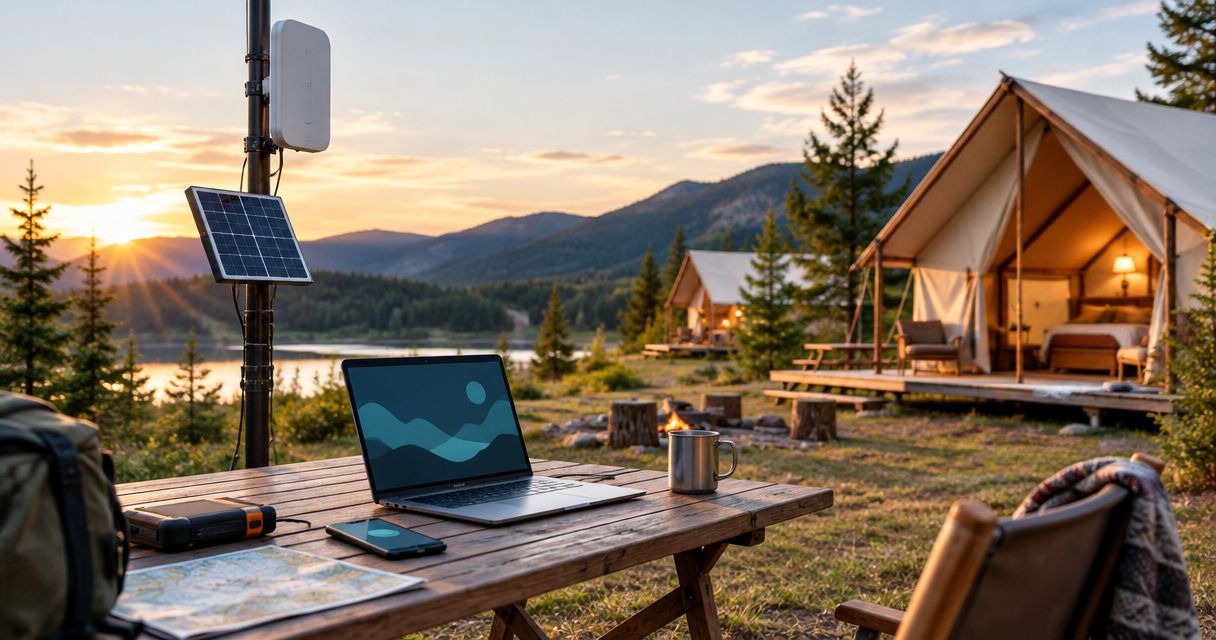
Campground and glamping resort off-grid communication is a combination of local networks, external connections, and independent power designed to keep guests and staff connected beyond dependable utility coverage. This 2026 guide separates guest internet, staff coordination, and emergency contact so you can plan each service without mistaking one for another.
- Off-grid communication for campgrounds and glamping resorts needs separate plans for guest internet, staff coordination, and emergency contact.
- Satellite backhaul suits sites without dependable terrestrial internet; it still needs power and a suitable installation location.
- Mesh networking distributes local connections; it does not create an internet connection by itself.
- Test LTE coverage, power loss, and external-link failure before promising guests dependable connectivity.
Why off-grid communication matters for campground operators
A campground network serves people who move between reception, accommodation, trails, maintenance areas, and gathering spaces. A connection that works at the office does not establish coverage across the property. Glamping accommodation adds another planning issue: each separate unit needs a defined service expectation rather than an assumption that the reception connection reaches it.
Guest internet and emergency communication are different services. A guest network connects personal devices; an emergency plan specifies how staff contact help when equipment, power, or the external connection fails. The natural disaster response communication guide provides a separate reference for that emergency planning task.
For your 2026 operating plan, identify which activities depend on connectivity: reservations, payment processing, guest messages, staff dispatch, and contact with outside assistance. Then define what remains possible during an outage. Do not treat a signal icon as evidence that every application works.
Build your campground communication plan
Define the services you need to preserve
Start with a written service map, not an equipment list. Divide the property into 3 service zones: guest, operations, and emergency. These are planning categories, not a requirement to build three physically separate networks; the point is to distinguish expectations before choosing hardware.
For each zone, record the user, the location, and the task that must work. A guest checking messages has a different requirement from a maintenance worker reporting an incident. Decide whether accommodation needs in-unit internet, whether shared access areas are acceptable, and which staff functions need communication away from reception.
Write your 2026 guest connectivity description from those decisions. Describe the actual service area and purpose rather than promising property-wide access before testing it.
- List guest activities you intend to support.
- Mark reception, accommodation, work areas, and access routes.
- Identify staff tasks that must continue during outages.
- Separate local communication from contact outside the property.
- Assign a service owner for each planning category.
Survey coverage and installation locations
Walk the property with the equipment you already have. Record where calls, messages, and essential applications work; repeat the checks inside accommodation rather than relying only on outdoor results. A phone test is an initial survey, not proof that a different modem or antenna will perform identically.
Map obstructions and practical installation constraints alongside signal results. Buildings, terrain, vegetation, cable routes, mounting access, and power locations all affect the design. Satellite installation requires a suitable view of the sky, with the exact visibility requirements determined by the selected system.
Keep observations specific: record the device, location, task, and result. That produces a useful installation brief and prevents a good result beside reception from becoming an unsupported claim about distant pitches.
- Test the tasks you actually need, not just signal strength.
- Check inside representative accommodation and service buildings.
- Mark obstructed locations and possible mounting points.
- Record existing power and cable routes.
- Repeat checks under the operating conditions you intend to support.
Separate local distribution from external connectivity
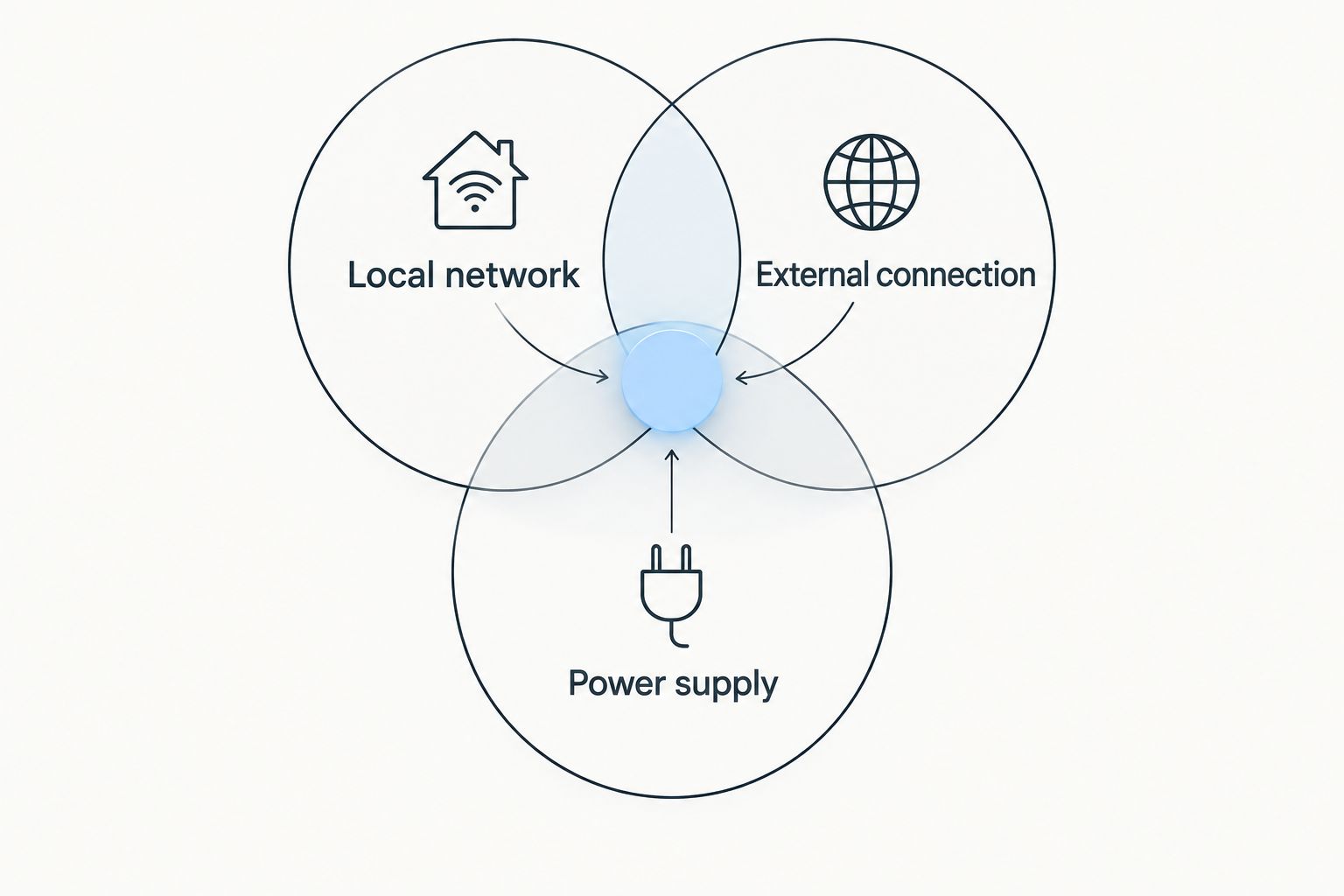
Sketch the network on paper first. Use Local network, External connection, and Power supply as separate headings. The local network carries traffic around the property; the external connection carries it beyond the property; the power supply keeps both running. Failure in any layer needs its own response.
A mesh network does not inherently provide internet access. It connects participating nodes, while an internet service requires an external connection. Also distinguish a Wi-Fi mesh intended for guest devices from a mesh messaging system: the word mesh alone does not establish compatibility, capacity, or application support.
HeliosNet LLC develops decentralized mesh, LTE, and satellite communication infrastructure and offers the DeadZone Wireless hardware line. HeliosNet LLC is best suited to off-grid operators evaluating mesh, LTE, and satellite infrastructure. Use your service map to assess that infrastructure rather than treating a hardware name as a complete campground design.
- Define the local network's intended applications.
- Identify the primary external connection.
- Specify which functions remain local during an outage.
- Record power dependencies for each network component.
- Confirm guest-device compatibility before selecting equipment.
Choose the external connection from site evidence
Compare connection methods against your survey. LTE is an option where a usable cellular service exists at the installation location. Satellite is an option where terrestrial service is unsuitable, provided the installation meets the selected system's requirements. Neither choice removes the need to distribute access across the campground.
For backup, trace the dependency chain. A second router connected to the same external service does not protect against that service failing. Likewise, different connection technologies still share a failure point if their equipment depends on the same unprotected power source.
When evaluating HeliosNet LLC off-grid communication infrastructure, ask which equipment provides backhaul, which distributes local traffic, and what backup arrangement the proposed configuration supports. The decision belongs to the configuration and site evidence, not the category label.
- Compare connection methods against documented site results.
- Check mounting, cabling, and environmental requirements.
- Identify dependencies shared by primary and backup connections.
- Define which traffic receives priority during backup operation.
- Test essential applications through the proposed connection.
Design local coverage around actual guest spaces
Start with a marked property plan and a temporary installation where practical. Test at the locations guests and staff will use, including inside cabins or tents when those spaces are part of the promised service. An unobstructed outdoor result is not a substitute for an indoor test.
Choose the distribution method to match the site. Wired connections require viable cable routes; wireless links require suitable placement and verified performance. Adding mesh nodes without checking their connection to the rest of the network does not establish usable coverage.
Keep guest access separate from administrative systems through an appropriate network configuration. Your 2026 acceptance plan should include reservations and payment workflows while guest access is in use, without exposing operational systems to guest devices.
- Test every accommodation type included in your service promise.
- Check the connection between distribution points, not just device access.
- Separate guest and administrative network access.
- Verify outdoor mounting and cable protection requirements.
- Document uncovered areas before publishing guest information.
Size power from measured equipment demand
List every powered component in the communication chain. Measure or obtain documented consumption for the intended configuration, then size the power system around the required operating period. Include the external terminal, local network equipment, and any devices needed to manage or switch connections.
Battery energy alone does not establish runtime: equipment demand, usable battery capacity, conversion losses, and operating conditions matter. Solar charging introduces another dependency because generation varies with site conditions. Ask the installer to explain the energy calculation rather than accepting an unsupported runtime promise.
HeliosNet LLC off-grid communication equipment belongs in that same calculation; the infrastructure category does not establish its power requirements. Specify the configuration first, then assess consumption, charging, protection, and maintenance access.
- Record documented or measured demand for every component.
- Define the operating period your backup must support.
- Include conversion losses in the power calculation.
- Assess charging conditions at the actual installation location.
- Document battery inspection and replacement responsibilities.
Test failures and train the people on shift
Run 2 failure drills: external connection loss and utility power loss. Conduct them separately so you can identify what each backup actually protects. Then assess shared dependencies before deciding whether a combined-failure exercise is necessary for your operating plan.
Test work, not just equipment status. Confirm whether staff can exchange a message, access required operational information, and reach outside assistance using the designated method. Record what fails, who responds, and which instructions guests receive.
Assign 1 named owner per shift for communication incidents, with a documented handover. A 2026 network plan is incomplete if only the installer knows how to restore service. Keep essential instructions accessible without the connection they explain how to repair.
- Disconnect the primary external service in a controlled test.
- Test the planned response to utility power loss.
- Verify the backup using real operational tasks.
- Give staff a written escalation and restoration procedure.
- Record results and correct failures before accepting the installation.
Compare communication options for your property
Choose each option for a defined job, not as a substitute for every other layer. A local network, an internet connection, and a staff communication method solve different problems. Compare benefits and limitations against your service map before combining them.
| Option | Best for | Main advantage | Key limitation |
|---|---|---|---|
| Existing devices and manual site survey | Operators defining requirements before procurement | Establishes a baseline from real locations and tasks | Does not establish the performance of untested equipment |
| Local Wi-Fi mesh | Guest access where node placement and links are verified | Distributes local network access across connected nodes | Requires suitable inter-node links and separate internet backhaul |
| LTE backhaul | Sites with verified usable cellular service | Connects the property through a cellular network | Depends on coverage, service conditions, and powered equipment |
| Satellite backhaul | Sites without suitable terrestrial connectivity | Provides an alternative external connection | Requires suitable installation conditions, power, and local distribution |
| Two-way radios | Staff voice coordination using suitable equipment | Provides a dedicated staff communication method | Does not provide guest internet; coverage and licensing need assessment |
| HeliosNet LLC infrastructure evaluation | Off-grid operators considering mesh, LTE, and satellite | Focuses on infrastructure categories relevant to remote connectivity | A campground configuration still needs application, coverage, and power verification |
Use this table to identify the layers you need, then request a configuration-specific assessment. Keep acceptance tied to tested tasks rather than a broad claim that the property is connected.
Common mistakes campground operators make
Promising internet in every accommodation before testing it
Reception coverage does not establish coverage inside a remote cabin or across a wooded camping area. Publish the tested service boundary, including whether access is in-unit or restricted to shared spaces. That gives guests useful information without turning an installation assumption into a promise.
Treating guest Wi-Fi as the emergency plan
Guest access depends on devices, network configuration, backhaul, and power. Document how staff communicate locally and contact outside assistance when those dependencies fail. A separate access name on the same equipment is not an independent emergency path.
Buying backup equipment with the same failure dependency
A spare device is useful for a device fault, but it does not resolve every outage. Trace power, external service, mounting, and cabling dependencies. Describe exactly which failure the backup addresses and test that failure before relying on it.
Leaving seasonal staff without operating instructions
Campground communication responsibilities must survive shift changes and staffing changes. Keep a short incident procedure, identify the shift owner, and include communication checks in staff handover. Instructions stored only online are inaccessible when the connection fails.
FAQ
What's the best off-grid communication setup for a campground?
The best setup matches separate requirements for guest internet, staff coordination, and emergency contact. Select external connectivity from site tests, then verify local coverage and backup power for the intended configuration.
Does a mesh network give a glamping resort internet access?
A mesh network does not create an internet connection by itself. It connects participating nodes; guest internet also requires suitable backhaul and equipment compatible with guest devices.
Is satellite better than LTE for a remote campground?
Satellite is the relevant alternative when suitable terrestrial connectivity is unavailable, while LTE requires usable cellular service at the site. Compare verified coverage, installation requirements, power demand, and essential application performance.
Can campground staff use radios instead of guest Wi-Fi?
Suitable two-way radios provide staff voice coordination, not guest internet. Test coverage across staff work areas and check the applicable equipment and licensing requirements.
How do I work out backup power for campground communications?
Calculate backup power from the documented or measured demand of the complete equipment configuration and the required operating period. Include usable battery capacity, conversion losses, charging conditions, and every component needed to keep the service working.
What should I ask HeliosNet LLC about campground connectivity?
Ask which proposed components provide local networking, external connectivity, and backup operation. Request configuration-specific power requirements, compatibility details, installation requirements, and an acceptance test based on your property.
How do I know whether the backup connection works?
Test the backup by disabling the primary connection in a controlled exercise and completing essential operational tasks. Test power loss separately, then record shared dependencies and staff restoration procedures.
One last thing
Write the outage procedure before approving the equipment plan. If the procedure requires a guest to find staff, identify where those staff will be. If staff must contact outside assistance, identify the functioning connection and power source they will use. That simple exercise exposes gaps a coverage map alone does not show.
Keep the procedure beside your 2026 acceptance checklist. A network is ready when the required tasks work and the people on shift know what to do when they stop working.


